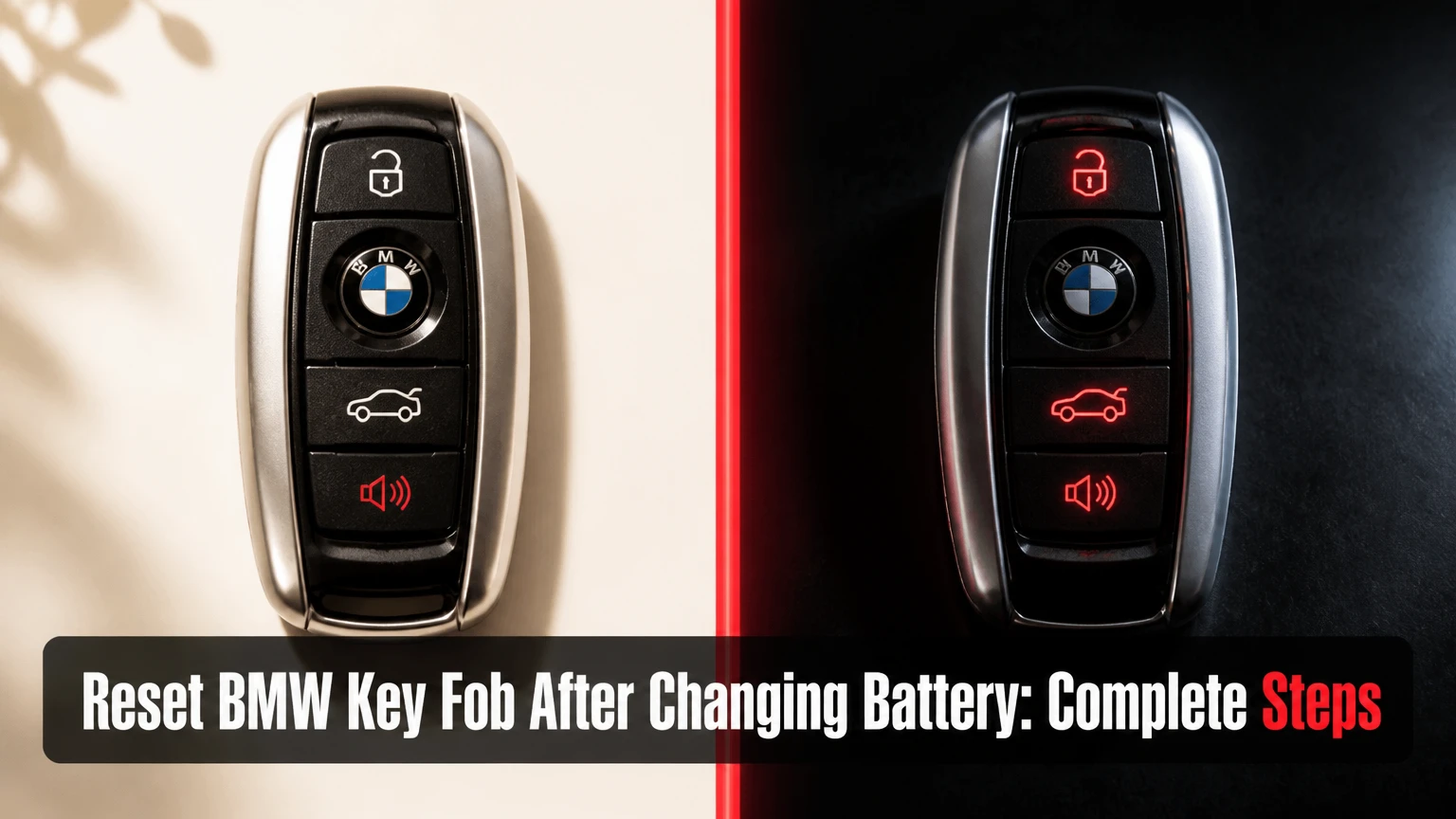
To reset a BMW key fob after changing the battery, use the remote-initialization sequence for the vehicle’s generation, not a generic coding procedure. Older E-Series remotes may need ignition-and-button synchronization, while most F-Series and G-Series keys reconnect automatically. A key that still starts the engine but will not lock or unlock the car usually has a remote, battery, or receiver problem rather than an immobilizer failure.
Key Facts at a Glance
- BMW remote initialization restores the lock and unlock transmitter code; it does not normally recode the engine immobilizer.
- E-Series diamond keys commonly use a five-cycle ignition sequence followed by an unlock-and-lock button sequence.
- E60, E70, and E90 slot-in keys generally use an insert, remove, then button-combination procedure.
- F-Series and G-Series BMW keys usually retain programming after a battery replacement and do not need manual resetting.
- A BMW key that starts the engine but cannot operate the doors has a different fault from a key that cannot authorize engine starting.
- A rechargeable VL2020 diamond-key battery is not interchangeable with a standard CR2032 coin cell.
What Does BMW Key-Fob Synchronization Actually Reset?
BMW key-fob synchronization restores the rolling-code relationship between the remote transmitter and the vehicle’s central-locking receiver. The procedure affects remote functions such as lock, unlock, trunk release, and panic operation; the immobilizer authorization stored in the key transponder is a separate security function managed by systems such as EWS, CAS, FEM, or BDC.
A battery change alone usually does not erase either system. Older BMW remotes can become out of sequence after repeated button presses while the vehicle is out of range, a weak battery, or a long period without power. Newer BMW keys normally retain their identity and rolling-code data through a coin-cell replacement.
The distinction matters during diagnosis. If the key starts the engine, the transponder and vehicle authorization are working, even if the remote buttons do nothing. If the engine does not start and the dashboard reports that the key is missing, hold the key at the BMW emergency-detection location and investigate key recognition before attempting remote initialization.
Does Changing a BMW Key Battery Erase Programming?
No, changing a BMW key battery does not normally erase the key’s programming. Older remotes may still need initialization if the remote code counter became unsynchronized, but a battery replacement does not create a new immobilizer key or add the key to the vehicle.
BMW owner manuals commonly separate “initializing” the remote control from replacing its battery. That distinction is more reliable than advice claiming every BMW needs coding after a coin-cell change. Manual synchronization is useful for compatible older remotes, but it cannot repair a damaged transmitter, an incorrect battery, or a failed vehicle receiver.
Which BMW Key and Battery Do You Have?
Identify the key by its physical design and vehicle generation before choosing a reset method. BMW model names overlap across production years, so the chassis code, production date, and presence of a dashboard key slot provide better guidance than the model name alone.
| BMW key or vehicle pattern | Typical examples | Battery arrangement | Remote action after replacement |
|---|---|---|---|
| Older rubber-button remote | E36, early E38, early E39 | Replaceable CR2016 or CR2032 on some versions | Manual initialization may apply |
| Diamond-shaped integrated key | E46, E39, E53, some E83 | Rechargeable VL2020, often soldered | Initialize only after battery and key condition are verified |
| Slot-in remote | E60, E61, E70, E90, E91, E92 | Usually rechargeable internal cell or model-specific assembly | Insert/remove initialization may apply |
| F-Series comfort-access key | F10, F20, F30, F15 | Replaceable CR2032 or CR2450 depending on housing | Usually automatic after battery replacement |
| G-Series remote | G20, G30, G05, G11 | Model-specific replaceable cell or rechargeable design | Usually no manual remote reset |
| BMW Display Key | G11, G30, G12, selected plug-in models | Internal lithium-ion battery | Charge or replace according to the model manual |
Do not force a CR2032 into a holder designed for a CR2450. A CR2450 is thicker, and a loose or compressed contact can cause intermittent operation even when the nominal voltage is correct. A diamond key that originally contained a soldered VL2020 is a different repair from a replaceable-cell comfort-access remote.
How Can You Identify the Correct Battery?
Read the marking on the removed battery, inspect the holder, and confirm the specification in the BMW owner’s manual or parts catalog for the vehicle identification number. A fresh lithium coin cell should measure close to its rated 3 volts without load, but voltage alone cannot prove that the holder maintains contact under button use.
| Battery designation | Nominal voltage | Common BMW application | Replacement warning |
|---|---|---|---|
| CR2016 | 3 V | Thin older remote housings | A thicker cell can damage the cover or contacts |
| CR2032 | 3 V | Many replaceable F-Series remotes | Check polarity and holder depth |
| CR2450 | 3 V | Selected Comfort Access remotes | Do not substitute a thinner CR2032 |
| VL2020 | 3 V rechargeable | Many diamond-style integrated keys | Soldered replacement requires electronics repair |
| Display Key internal pack | Model-specific | BMW Display Key | Follow charging and replacement instructions for that key |
Before You Start the BMW Remote Reset
Prepare the correct key, a known-good battery, and the vehicle before beginning the sequence. Keep every key that must remain active inside the vehicle, close all doors, and switch off interior accessories so the timing procedure is not interrupted.
| Preparation item | Typical requirement | Why it matters |
|---|---|---|
| Procedure time | 5-10 minutes | Includes battery inspection and initialization |
| DIY difficulty | Low for replaceable cells; moderate for soldered cells | Housing and battery design determine risk |
| Battery cost | $2-$8 typical for a branded coin cell | Local prices vary by country and retailer |
| Tools | Plastic pry tool, small screwdriver, cloth | Prevents housing and trim damage |
| Vehicle condition | Doors closed, battery adequately charged | Central locking needs stable voltage |
| Additional keys | All working remotes present | Older BMW sessions can overwrite omitted remotes |
Remove metal objects and other wireless transmitters from the key ring during testing. Strong RF interference is uncommon, but a crowded key ring, a phone placed directly against the fob, or a weak vehicle battery can create misleading intermittent symptoms.
How to Reset BMW Key Fob After Changing Battery
Use the procedure that matches the key and ignition design. The most important success factors are completing the ignition action promptly, holding the correct button continuously, and programming additional older remotes during the same session.
Step 1: Install and Check the Replacement Battery
Open the fob without bending the circuit board, install the specified battery with the positive side in the same orientation as the original, and press each button once. Confirm that the cell is held firmly by the contacts and that the housing closes without pressure on the buttons.
You will know the battery installation is plausible when the cell does not move inside the holder and the rubber buttons return fully after being pressed. A common mistake is installing the right voltage in the wrong thickness, which produces a fob that works only when squeezed.
Step 2: Close the BMW Vehicle and Prepare the Ignition
Sit in the driver’s seat, close every door, and keep the windows raised. Place the key that will be initialized in your hand, but do not press its buttons until the ignition portion of the sequence is complete.
The five-cycle procedure applies mainly to older BMW ignition-cylinder remotes. Do not use it on a push-button BMW that has no conventional ignition switch, because the vehicle may not enter the intended initialization state.
Step 3: Cycle the Ignition for an Older E-Series Remote
Insert the key into the ignition, turn it to Position 1, then return it to Position 0 five times in rapid succession. Leave the key in Position 0 on the final cycle, remove it, and begin the button sequence immediately.
Position 1 activates accessory circuits without starting the engine. The dashboard does not need to remain illuminated after the final cycle. If the locks do not respond later, repeat the sequence with a faster, consistent rhythm rather than holding the key in Position 1.
Step 4: Initialize the Diamond-Style Remote
Hold the unlock button, then press the BMW logo lock button three times within approximately 10 seconds. Release the unlock button after the three lock presses. The vehicle should cycle the door locks to confirm successful initialization.
The button order is unlock first, followed by three presses of lock while unlock remains depressed. A common mistake is pressing the lock button once and waiting, which can exceed the timing window. On compatible BMW E46, E39, and E53 systems, the lock cycle is the practical confirmation.
Step 5: Initialize a Slot-In E-Series Key
For a BMW with a dashboard key slot, insert the remote fully, remove it, and then hold unlock while pressing the BMW lock button three times. Release unlock after the third lock press and wait for the vehicle to cycle the locks.
Some slot-in BMW variants use a slightly different ignition-state instruction in their owner’s manual, so the chassis and production date matter. If the vehicle does not respond to the insert-and-remove method, verify the exact procedure for the E60, E70, or E90 manual instead of repeatedly pressing buttons.
Step 6: Add Additional Older Remotes
After the first remote produces the lock cycle, initialize each additional compatible remote within roughly 30 seconds. Do not insert the second remote into the ignition during the same session; use the button sequence only.
Older BMW systems can erase or deactivate a previously working remote that is omitted from the initialization session. Keep all working remotes together and repeat the unlock-plus-three-lock-press sequence for each one. A second remote that was not present may require reinitialization later.
Do F-Series and G-Series BMW Keys Need Resetting?
Most F-Series and G-Series BMW keys do not need manual resetting after a battery replacement. The key normally preserves its remote and immobilizer data, so the correct response is to verify battery fit, test the vehicle close to the car, and use the emergency-start location only if the engine does not recognize the key.
For a conventional push-button BMW, place the key at the marked emergency-detection area, often near the steering column or the designated center-console location, press the brake or clutch, and press Start/Stop. The exact location varies by model and is shown in the owner’s manual. Starting the engine in that position detects the transponder; it does not manually pair every remote button.
Comfort Access is a proximity system with additional antennas in the vehicle. A key can start the engine while its passive door-handle detection or remote transmitter remains faulty. That symptom points toward a battery, antenna, fuse, or key-circuit issue rather than proof that the key needs coding.
What Should You Do With a BMW Display Key?
Charge a BMW Display Key using its specified cable or charging surface before diagnosing programming. A depleted internal battery can make the screen and remote functions appear dead, while the vehicle itself may still recognize the key at its emergency-detection position.
Display Keys are not interchangeable with CR2032 remotes. Do not open a sealed lithium-ion key or attempt a coin-cell conversion. Replacement, battery-pack service, and key authorization may require a BMW dealer or a locksmith with compatible diagnostic equipment.
What If the Key Still Starts the Car but the Buttons Fail?
A BMW key that starts the engine but does not lock or unlock the doors has a remote-control fault, not usually an immobilizer fault. Start with battery polarity, cell thickness, contact pressure, physical button damage, and the older-E-Series initialization procedure if the vehicle supports it.
Test the fob from one metre away, then from several metres away. If the key works only beside the vehicle, the coin cell may be weak, the antenna circuit may be damaged, or the vehicle receiver may have reduced sensitivity. Test the spare key because a second functioning remote separates a key defect from a vehicle defect.
| Symptom | Most likely area | First diagnostic action | Escalation |
|---|---|---|---|
| Engine starts, buttons fail | Remote battery or transmitter | Check cell type and initialize older key | Key repair or receiver scan |
| No engine start, emergency location works | Normal key recognition issue | Use model-specific emergency position | Inspect Comfort Access system |
| Neither key locks doors | Vehicle central locking or receiver | Check vehicle battery and fuses | CAS, FEM, BDC, or antenna scan |
| One button fails | Rubber switch or circuit board | Compare with spare key | Key electronics repair |
| Range is less than 1 metre | Weak cell, antenna, interference | Install a branded correct cell | Inspect key and vehicle antennas |
| Locks cycle during initialization, then fail | Receiver or transmitter fault | Test again with spare key | Diagnostic scan |
Do not pull a random fuse as a first response. Fuse assignments differ by chassis and production date, and removing a central-locking or antenna fuse can create new fault codes. Use the vehicle’s fuse diagram and disconnect the vehicle battery only when the service procedure permits it.
Why Does a BMW Key Reset Fail?
A BMW remote reset fails when the procedure does not match the chassis, the key battery has poor contact, the vehicle voltage is low, or the remote or receiver has an electronic fault. Timing mistakes are common, but repeating an incompatible sequence cannot repair a damaged key.
Check these failure modes in order:
- Wrong battery specification: Compare CR2032 and CR2450 thickness, and confirm whether the key uses a rechargeable VL2020.
- Reversed polarity: The positive marking normally faces the holder’s positive contact, but the housing diagram takes priority.
- Weak vehicle battery: Charge or test the 12-volt vehicle battery before central-locking diagnosis.
- Missed timing window: Repeat the ignition and button sequence without pauses.
- Omitted second key: Reinitialize all older working remotes in one session.
- Damaged key circuit: Inspect for corrosion, cracked solder joints, liquid intrusion, or worn microswitches.
- Vehicle receiver fault: Scan the CAS, FEM, BDC, diversity antenna, and central-locking modules where applicable.
A practical rule is to stop after two careful failed attempts. Further button combinations rarely help when the locks never provide a confirmation cycle, and they can obscure the original symptom.
DIY, Locksmith, or BMW Dealer: Which Option Fits?
DIY initialization is the right first option for a compatible older BMW with a known-good battery and a functioning spare key. A specialist locksmith is usually the best next step when the key needs board-level repair or the vehicle requires a diagnostic scan, while a BMW dealer is appropriate for VIN-ordered replacement keys and factory security procedures.
| Service route | Typical cost | Typical time | Best use case |
|---|---|---|---|
| Battery and DIY initialization | $2-$8 | 5-10 minutes | Replaceable cell and known procedure |
| Automotive locksmith | $50-$150 | 20-60 minutes | Key testing, cloning limits, module diagnostics |
| BMW independent specialist | $75-$200 | 30-90 minutes | CAS, FEM, BDC, antenna, and coding diagnosis |
| BMW dealership | $150-$500 or more | Same day to several days | VIN-ordered replacement or factory programming |
| Soldered VL2020 key repair | $40-$120 typical | 30-90 minutes | Diamond-key rechargeable-cell replacement |
Prices vary substantially by country, vehicle security system, and whether a replacement key must be ordered. A locksmith cannot legitimately turn every used BMW key into a new key, because immobilizer authorization and module security can limit reusable components.
When Is Dealer Programming Necessary?
Dealer service is appropriate when the key is lost, the replacement must be ordered to the vehicle identification number, or the vehicle’s security module requires factory-level authorization. Dealer service is not automatically necessary after a normal CR2032 replacement.
An independent BMW specialist may diagnose the same remote or receiver fault at a lower labor rate, but confirm that the shop supports the specific EWS, CAS, FEM, or BDC generation. Ask whether the quoted service includes key testing, module scanning, and a replacement part before approving work.
Expert Rules That Prevent Repeat Failures
A starting engine does not prove the remote works. The transponder and radio transmitter are separate functional paths, so successful starting narrows the fault rather than confirming complete key health.
Rechargeable key batteries are a repair category, not a shopping category. Replacing a soldered VL2020 with an ordinary CR2032 can produce incorrect charging behavior, poor fit, or circuit damage. A specialist should install the correct rechargeable component.
The vehicle battery deserves early attention. BMW central-locking modules can behave unpredictably during low-voltage conditions, particularly after the car has been parked for weeks. Stable vehicle voltage prevents a false diagnosis of key failure.
The lock-cycle confirmation is more useful than the button light. Some fobs show an LED even when the transmitter output is inadequate. The vehicle’s lock response, tested with a spare key, is the stronger practical checkpoint.
FAQ
Can I Reset a BMW Key Without the Original Battery?
You can initialize an older BMW remote after installing the correct replacement battery, but the remote must have a functioning circuit and adequate power. A missing original battery does not require the original cell for authorization. Confirm the battery specification from the key housing or BMW documentation before attempting synchronization.
Why Does My BMW Say Key Not Detected After Battery Replacement?
A “key not detected” message usually indicates weak key power, incorrect emergency-key positioning, a Comfort Access issue, or a vehicle receiver fault. Hold the key at the model-specific emergency-detection location and press Start/Stop. If the engine starts there, investigate passive detection and battery contact rather than immobilizer coding.
Can I Program a Used BMW Key to Another Car?
A used BMW key may not be reusable on another vehicle because immobilizer authorization is security-bound and some modules store permanent key data. A specialist can determine whether the key’s remote board is repairable, but remote synchronization alone does not transfer engine-start authorization between vehicles.
How Many BMW Keys Can Be Initialized Together?
The number depends on the vehicle’s module and key memory, but older BMW systems commonly support multiple remote positions. Initialize every working remote in the same session, one at a time, within the specified interval. Consult the chassis-specific manual before assuming an omitted key will remain active.
Does a BMW Key Need Coding After a CR2032 Change?
A BMW key normally does not need coding after a correct CR2032 replacement. If the remote stops working on an older E-Series vehicle, perform the applicable initialization sequence. If the key still fails while the spare works, test the battery contacts and transmitter before paying for vehicle coding.
The Bottom Line
Resetting a BMW key fob after changing the battery starts with identification, not repeated button presses. Older E-Series keys may require ignition or slot-based initialization, while most F-Series and G-Series remotes retain programming automatically. If the key starts the engine but the buttons fail, diagnose the remote circuit, battery fit, vehicle voltage, and receiver separately. Use a BMW specialist or locksmith when the lock cycle never confirms, the key contains a soldered rechargeable battery, or the vehicle cannot recognize any key.


