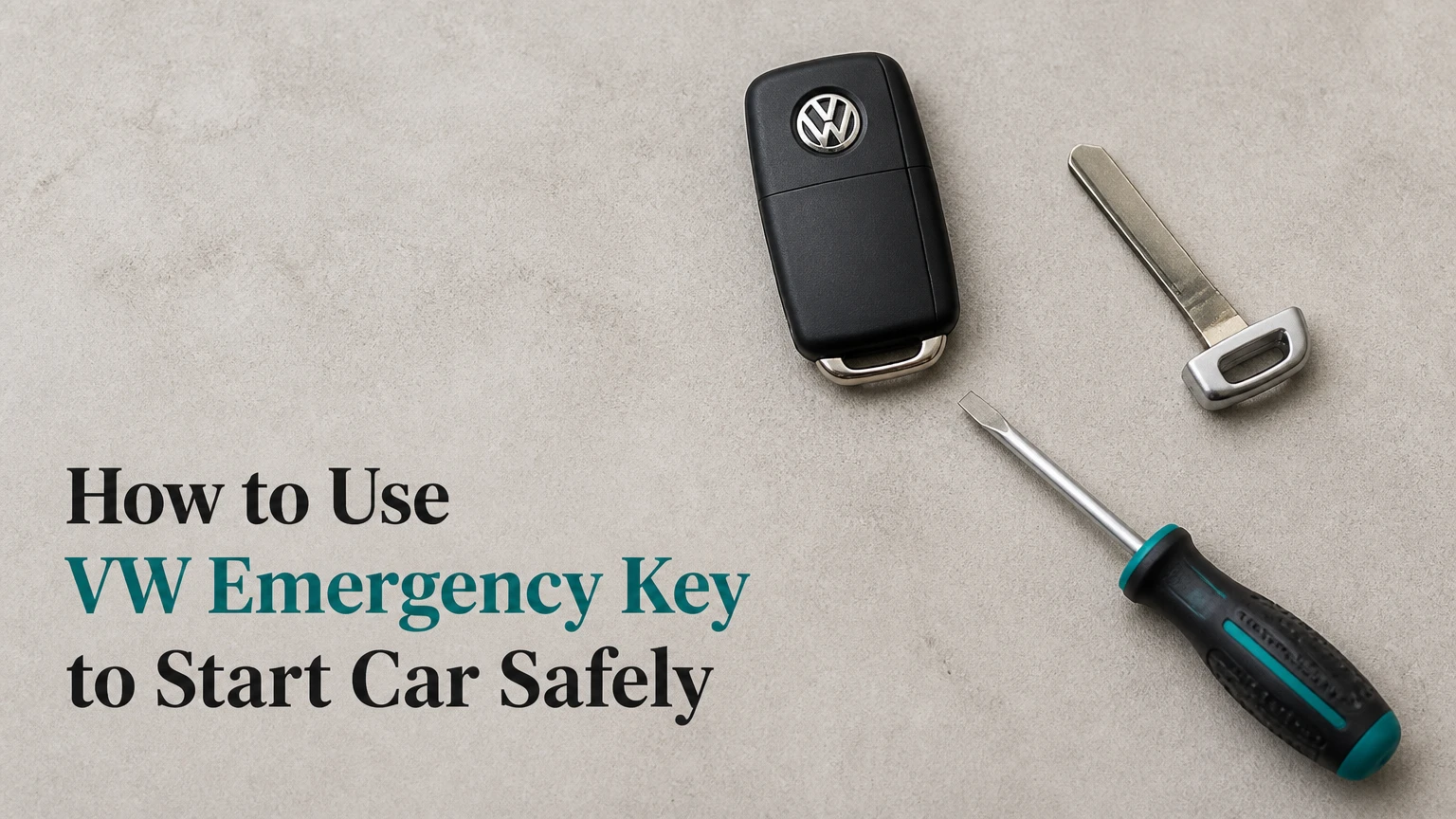
To use a Volkswagen emergency key when the remote battery is dead, unlock the driver’s door with the mechanical blade, then hold the complete key fob against the vehicle’s backup key reader while pressing the brake and Start/Stop button. The exact reader location and button sequence vary by Volkswagen model, so use the dashboard key symbol or owner’s manual as the final authority.
Key Facts at a Glance
A Volkswagen key fob can authorize starting even when its coin-cell battery has no usable power.
The passive immobilizer transponder is inside the fob housing, not inside the removable metal blade.
The emergency blade normally unlocks the door; it does not replace the electronic authorization needed by a push-button-start vehicle.
A completely black dashboard usually indicates a weak or dead vehicle 12-volt battery, not only a dead key-fob battery.
Most backup-start attempts take less than two minutes when the correct reader location is known.
Volkswagen places the backup reader in different locations, including the steering-column area, center console, key slot, or a designated EV position.
What Does the VW Emergency Key Do?
The Volkswagen emergency key has two separate functions: the metal blade provides mechanical entry, while the electronic fob housing contains the immobilizer transponder used for starting. A dead coin-cell battery usually disables buttons and passive locking, but it does not necessarily disable the passive transponder.
The distinction matters because many drivers remove the blade and hold only the metal portion near the steering column. That cannot work on a modern proximity-start Volkswagen. The car must read the complete fob, or the remote must be inserted into the vehicle’s dedicated key slot when the model uses one.
Volkswagen’s owner manuals describe an emergency recognition area for vehicles with Keyless Access or push-button starting. The area is designed to read the transponder at very close range. Exact placement, orientation, and the required button sequence are model-specific.
What the emergency key cannot do
The emergency blade cannot bypass the immobilizer, program an unrecognized key, or provide energy to a vehicle with a flat 12-volt battery. It also cannot guarantee entry if the physical blade does not match the door lock cylinder, a problem that can occur after a door or lock assembly has been replaced.
How Does the Backup Start System Work?
A Volkswagen backup-start system uses a short-range passive transponder reader to identify the key when the normal radio remote is unavailable. The vehicle supplies the energy required for the transponder’s response through the reader, so the fob’s replaceable battery is not the power source for this specific authorization exchange.
The key fob still needs to be close to the marked reader because the passive system operates at very short range. Pressing the fob against the symbol is more reliable than holding it several centimeters away. Metal objects, another key, a phone, or a thick aftermarket case can also make positioning less consistent.
The system does not “jump-start” the car. It only addresses key recognition. The starter motor, engine-control modules, fuel system, and dashboard still require adequate 12-volt power.
Before You Start
Prepare the correct key fob, its mechanical blade, and the vehicle’s owner’s manual if available. Do not begin by buying a new programmed key, because a depleted CR2032 or CR2025 battery is usually the simplest explanation.
| Requirement | Typical value | Why it matters |
|---|---|---|
| Time for emergency start | 1-2 minutes | Allows entry, reader positioning, and one start attempt |
| Tools for entry | 1 emergency blade | Removes the driver-door cap and operates the lock |
| Fob battery replacement | CR2032 or CR2025 | Verify the exact size printed on the old cell or manual |
| Vehicle electrical supply | Approximately 12 V | The dashboard and starter must still operate |
| Starting condition | Automatic in Park, or manual in neutral | The transmission interlock must permit starting |
| Cost of immediate attempt | $0 | The emergency recognition procedure requires no new part |
Turn off nearby wireless accessories if the car repeatedly reports that the key is missing. Keep the entire fob, rather than only the blade, available for the starting procedure.
How to Use the VW Emergency Key to Start the Car
The reliable sequence is: enter with the blade, identify the backup reader, place the whole fob directly on it, apply the brake if required, and press Start/Stop. Do not assume that every Volkswagen uses a two-press sequence, because many models start with one press while the brake pedal is depressed.
Step 1: Remove the mechanical key blade
Press the release button or slide the latch on the key fob, then pull the metal loop or blade carrier away from the housing. The blade should slide out without force.
Inspect the blade before using it. A bent or heavily worn blade may damage the lock cylinder or fail to turn. Keep the plastic fob housing in your other hand because the transponder is usually located there.
Success checkpoint: The blade is fully separated, and the complete fob remains available for the starting step.
Common mistake: Holding only the blade to the backup reader. The blade is mechanical steel; it does not contain the passive authorization chip used by the reader.
Step 2: Remove the driver-door lock-cover cap
Pull the driver’s door handle outward and look beneath or behind the handle for the release slot. On many Volkswagen models, the slot sits under a small removable cap near the rear of the handle, although the design changes by generation.
Insert the tip of the emergency blade into the release opening and lift the cap gently. Protect the painted edge with a thin cloth if the design allows it, and avoid twisting the blade sideways because the cap or paint can chip.
Some Volkswagen caps release by moving the blade in a specific direction rather than prying upward. The owner’s manual illustration is safer than a generic video for an unfamiliar model.
Success checkpoint: The cap comes away while the lock cylinder and surrounding paint remain undamaged.
Common mistake: Pulling aggressively on the handle cap. Keep the handle pulled out only as far as necessary and use the designated release opening.
Step 3: Unlock the driver’s door manually
Insert the blade into the exposed lock cylinder and turn it in the direction shown by the vehicle’s manual. On many left-hand-drive Volkswagen vehicles, turning the key toward the front or counterclockwise unlocks the door, but lock orientation varies by market and door hardware.
Open the door promptly after unlocking. A manually opened locked vehicle may activate the alarm if the car still has 12-volt power. The alarm does not prove that the key is defective.
Success checkpoint: The door opens, and the vehicle’s interior electronics respond when you enter.
Common mistake: Waiting outside because the siren sounds. Move directly to the driver’s seat and perform the emergency recognition procedure.
Step 4: Find the backup key reader
Look for a key symbol, RFID-like mark, or instruction in the owner’s manual. Common locations include the right side of the steering column, a storage tray beneath the dashboard, a center-console recess, or a dedicated slot.
Do not rely on the model name alone. Volkswagen can move the reader between generations, body styles, and equipment packages.
Success checkpoint: You have identified a marked location that is intended for key recognition, rather than an arbitrary dashboard surface.
Common mistake: Searching only for a visible slot. Some vehicles use a flat contact area with no opening.
Step 5: Place the complete fob against the reader
Hold the complete key fob flat against the marked area. Try the back or logo side first, then reverse the fob if the instrument display still says “Key not detected.”
Keep the fob in contact with the reader while operating the start control. Do not place the extracted metal blade alone against the symbol, and remove bulky cases or key rings that prevent close contact.
Success checkpoint: The dashboard recognizes the key, the immobilizer warning does not remain active, or the vehicle permits the start command.
Common mistake: Holding the fob one or two inches away. Passive recognition commonly requires direct contact or a very small gap.
Step 6: Start the Volkswagen
For most push-button-start Volkswagen vehicles, select Park or neutral, press the brake pedal firmly, keep the fob at the reader, and press the Start/Stop button once. A manual-transmission car generally requires the clutch pedal to be depressed instead of the brake, depending on the model.
Some Volkswagen instructions use an initial Start/Stop press to activate the ignition before the brake is applied, while others use one brake-and-button operation. If the first sequence does not work, follow the message on the instrument display and the model’s manual rather than repeatedly pressing the button.
Success checkpoint: The engine starts, or an electric Volkswagen displays its ready-to-drive indication.
Common mistake: Pressing Start/Stop without the required brake or clutch pedal. That may switch on accessories without authorizing engine operation.
Step 7: Silence the alarm and replace the fob battery
Once the engine starts, the alarm should stop after the vehicle confirms the authorized key. Replace the coin cell as soon as practical, then test locking, unlocking, and starting from outside the vehicle.
Install the replacement battery with the polarity shown inside the fob. Use the exact battery type specified for the key, commonly CR2032 or CR2025, because thickness and fit can differ.
Success checkpoint: The remote buttons work at normal range, and the vehicle starts without touching the emergency reader.
Common mistake: Assuming a new battery fixes every key problem. A damaged circuit board, failed antenna, water intrusion, or vehicle receiver fault requires separate diagnosis.
Where Is the Volkswagen Emergency-Start Sensor?
The Volkswagen backup reader location depends on the key system, model generation, and market. The owner’s manual is authoritative, but the following locations are common starting points for inspection.
| Volkswagen system or example | Typical reader location | Starting action |
|---|---|---|
| Jetta, Golf, Tiguan, Taos with push-button start | Side of steering column or marked column area | Press complete fob against the key symbol |
| Newer Golf or GTI generation | Center-console tray or forward storage area | Place fob flat on the marked recognition surface |
| Atlas or Arteon with Keyless Access | Console or dashboard recognition area | Hold fob at the indicated symbol while starting |
| ID.4 or ID. Buzz | Designated console or cup-holder recognition area | Use the marked EV key-recognition position |
| CC or Touareg with key slot | Dashboard ignition slot | Insert the complete remote into the slot |
| Older conventional ignition system | Steering-column ignition cylinder | Insert the metal blade or key and turn it |
The table gives common patterns, not a universal fitment chart. A 2018 vehicle and a 2024 vehicle with the same model name may use different key electronics and reader positions.
Which VW Key System Do You Have?
The key system determines whether the emergency blade, the full fob, or a dashboard slot is involved. Identifying the system before attempting to start the vehicle prevents the most common error, which is using a modern proximity procedure on an older mechanical ignition.
| Key type | Physical clue | Emergency starting method | Main limitation |
|---|---|---|---|
| Conventional metal key | Full blade with no proximity fob | Insert key into ignition cylinder and turn | Requires a matching mechanical lock and ignition |
| Switchblade remote | Blade folds into the remote housing | Open blade, insert into ignition, turn | Remote battery may affect buttons but not the mechanical start key |
| KESSY proximity fob | Hidden blade and push-button start | Hold complete fob at backup reader | Reader location varies by model |
| Slot-in remote | Rectangular remote with dashboard slot | Insert complete remote into slot | Blade may unlock the door but not start the vehicle |
| Volkswagen EV key system | Proximity fob and ready-to-drive display | Use the model’s marked reader, then activate drive readiness | A flat 12-volt battery still prevents operation |
KESSY is Volkswagen’s name for a keyless access and starting system used on many vehicles. KESSY-equipped cars generally need the whole fob near the emergency reader, while a conventional ignition key relies primarily on the blade and cylinder.
What Can the Emergency Blade Do?
The emergency blade can unlock the driver’s door and, on some older Volkswagen vehicles, operate a conventional ignition cylinder. On modern push-button-start vehicles, the blade normally cannot start the engine because starting authorization comes from the coded transponder and immobilizer system.
The blade also does not unlock every door individually. Volkswagen vehicles may leave other doors locked after a mechanical driver-door entry, depending on central-locking settings. Once inside, use the interior locking control or start the vehicle before diagnosing the remote.
A replacement blade must match the mechanical lock profile. A replacement fob with an uncut blade may still be electronically programmable, but it cannot open the door until the blade is cut correctly.
Why Does the Alarm Sound After Manual Entry?
The Volkswagen alarm may sound after the driver’s door is opened with the mechanical blade because the central locking system did not receive the expected radio authorization. Starting the vehicle with a recognized fob normally disarms the alarm, provided the vehicle battery and immobilizer system are functioning.
If the alarm continues after a successful start, switch the ignition off, lock the vehicle with the remote if possible, and check the owner’s manual for the alarm-reset procedure. A persistent alarm can indicate a low vehicle battery, door-latch switch fault, or failed key recognition rather than a simple dead fob battery.
Do not leave the vehicle running unattended while trying to silence the alarm. The emergency procedure is for restoring access and authorized operation, not for bypassing the security system.
Dead Key Battery or Dead Vehicle Battery?
A dead key-fob battery produces limited or failed remote functions, but the dashboard usually still illuminates when the driver enters and presses the start control. A dead or severely discharged vehicle 12-volt battery produces dim lights, clicking, electrical resets, or a completely blank instrument panel.
| Symptom | Likely cause | Immediate test | Correct response |
|---|---|---|---|
| Remote buttons do nothing, dashboard normal | Fob coin cell depleted | Use backup reader | Replace CR2032 or CR2025 |
| “Key not detected,” dashboard bright | Fob position, battery, or receiver issue | Reverse fob and press to reader | Remove case, try spare key |
| Dashboard completely black | Vehicle 12-volt battery discharged | Test interior lights and horn | Jump-start or charge vehicle battery |
| Starter clicks rapidly | Low 12-volt voltage | Measure battery voltage | Charge, test, or replace battery |
| Engine cranks but will not run | Fuel, engine, or immobilizer issue | Read warning messages | Obtain diagnostic scan |
| Alarm sounds, then car starts | Expected manual-entry behavior | Keep fob at reader | Replace fob battery afterward |
The emergency transponder cannot supply power to the starter or dashboard. If the vehicle battery is below the level needed to operate the control modules, a jump-start or charger is necessary before key recognition can be evaluated.
Why Does the VW Still Say Key Not Detected?
The most common reasons are incorrect fob placement, holding only the metal blade, using the wrong reader location, or attempting the procedure with a damaged transponder. Place the complete fob directly against the marked area, reverse its orientation, and retry with the brake or clutch fully depressed.
Use this troubleshooting sequence:
- Remove the fob from a metal case, pouch, or crowded key ring.
- Press the back of the complete fob flat against the symbol.
- Reverse the fob so the opposite face touches the reader.
- Confirm that the transmission is in Park or neutral.
- Press the brake firmly, or depress the clutch on a manual vehicle.
- Try the spare Volkswagen key if available.
- Check whether the dashboard shows low-voltage symptoms.
- Consult the manual for a model-specific slot or reader.
A spare key that starts the vehicle identifies the original fob as the likely fault. If neither key works and the dashboard is normal, the vehicle’s antenna, access-control module, or immobilizer system may need a scan by a Volkswagen dealer or qualified automotive locksmith.
Can a phone or wireless device interfere?
A phone is not usually the primary cause of a failed emergency start, but close electronic clutter can complicate normal key detection. Remove the fob from a phone wallet, NFC card holder, metal pouch, or other transponder-equipped object before testing.
How Much Does VW Key Recovery Cost?
A do-it-yourself emergency start costs nothing if the physical blade and vehicle systems work. Typical replacement and recovery costs range from about $5 for a coin cell to $450 for a dealer-supplied and programmed modern key, with location, model, proof of ownership, and programming requirements determining the final price.
| Recovery option | Typical cost | Typical time | Best use |
|---|---|---|---|
| CR2032 or CR2025 battery | $5-$15 | 5-10 minutes | Remote buttons stopped working |
| Mobile automotive locksmith | $100-$250 | 30-90 minutes | Key testing, cutting, or some programming |
| Volkswagen dealer key | $150-$450 | 30-60 minutes after arrival | Replacement and immobilizer programming |
| 12-volt jump-start service | $50-$150 | 15-45 minutes | Dashboard is dark or starter lacks power |
| Tow to dealer | $100-$250 typical local range | 1-3 hours | Immobilizer, module, or severe electrical fault |
These are typical consumer ranges, not Volkswagen’s published prices. Ask whether the quote includes blade cutting, immobilizer programming, a new fob battery, emergency dispatch, and tax.
A dealer or locksmith will normally require identification and proof of ownership before cutting or programming a key. That requirement protects the vehicle and can lengthen an emergency visit.
What Should You Do in Different Situations?
The same backup-start principle applies across situations, but the safest next action changes when the vehicle is rented, electric, mechanically locked, or electrically dead.
Rental Volkswagen
Ask the rental company where the emergency reader is located before leaving the pickup site if the fob uses push-button starting. If the battery fails, follow the rental provider’s roadside procedure before authorizing a replacement key or locksmith.
Do not pry off a door-handle cap unless the vehicle manual or rental instructions identify the correct release point. Damage to the cap or paint may become a rental charge.
Volkswagen with a manual transmission
Use the mechanical blade for entry, place the full fob at the backup reader, depress the clutch fully, and press Start/Stop. The vehicle may refuse to start if the clutch switch is not activated completely.
Keep the transmission in neutral and apply the parking brake. The emergency reader does not change the normal manual-transmission safety interlock.
Volkswagen electric vehicle
A Volkswagen ID vehicle may show a ready-to-drive state rather than a conventional engine-start event. Use the designated recognition area, apply the brake, and confirm the vehicle’s ready indicator before selecting a driving position.
A flat high-voltage traction battery and a flat 12-volt battery are different problems. The emergency key procedure addresses neither battery condition.
Vehicle locked with a dead fob and no visible cap
Look at the underside or rear edge of the driver’s handle for a narrow release point. If the cap location is unclear, use the owner’s manual or manufacturer support rather than forcing the handle assembly.
A roadside locksmith is safer than improvised prying when the vehicle is in poor lighting or the lock cover is not obvious.
What Should You Do After the Car Starts?
Replace the fob battery, test the remote, and verify that the vehicle starts without the emergency reader. A battery that dies repeatedly within days or weeks suggests a damaged fob, parasitic current draw, moisture intrusion, or a vehicle-side keyless-entry fault.
Use the battery type specified for the exact fob. Record the old battery’s marking, install the new cell with the positive and negative sides oriented correctly, and close the housing until all clips engage.
Practitioner rules that prevent repeat failures
- Keep the mechanical blade accessible, but do not store it loose where it can bend.
- Test the spare key every few months instead of discovering its failure during a roadside emergency.
- Do not keep both vehicle keys together in a metal signal-blocking pouch if you need rapid access.
- Photograph the emergency reader location from the owner’s manual for an unfamiliar rental or recently purchased VW.
- Replace a coin cell when remote range becomes noticeably shorter, rather than waiting for total failure.
The emergency start function is a recovery feature, not a substitute for repairing a failing key. It is also not a method for starting a Volkswagen without an authorized key.
VW Emergency Key FAQ
Can I start a Volkswagen with only the metal emergency key?
Usually no, if the Volkswagen has push-button starting or KESSY. The metal blade opens the mechanical door lock, while the complete fob contains the passive transponder required for immobilizer authorization. Older Volkswagens with a conventional ignition cylinder may start with the blade because the mechanical key operates the ignition switch and coded key reader.
Does the VW key fob battery power the immobilizer chip?
The coin-cell battery powers the remote buttons and normal wireless functions, but the passive immobilizer transponder can be read without that battery when it is placed at the vehicle’s backup reader. The car itself supplies the short-range energy used for the transponder exchange. A dead vehicle 12-volt battery still prevents the process.
How close must the VW fob be to the backup reader?
Place the complete fob directly against the marked reader whenever possible. The emergency system is intended for very short-range recognition, so a gap of an inch can cause a “Key not detected” message. Orientation also matters on some fobs. Reverse the housing and remove thick cases if the first attempt fails.
Can I use the emergency key if the car alarm is active?
Yes, manual entry can trigger the alarm on a Volkswagen that still has electrical power. Sit in the driver’s seat, hold the complete fob at the backup reader, and perform the authorized start procedure promptly. If the alarm continues after successful recognition, investigate low 12-volt voltage or a door-latch fault.
Why does the car not start even though the dashboard lights up?
A lit dashboard does not prove that the key has been recognized. Check the correct reader, use the entire fob, apply the brake or clutch fully, and try the opposite fob orientation. If the spare key also fails, a receiver, immobilizer, start-button, or transmission-interlock fault may require diagnostic equipment.
Should I replace the key fob or only its battery?
Replace only the battery when the remote stopped responding but the fob is physically intact and the emergency reader starts the vehicle. Replace or repair the fob when a correct new cell does not restore operation, the housing has water damage, the transponder is not recognized, or the buttons and LED remain inactive.
The Bottom Line
To use a VW emergency key to start car, remove the mechanical blade to unlock the driver’s door, keep the complete fob, press it against the model-specific backup reader, and start with the required brake or clutch pedal applied. The procedure works around a dead key-fob battery, not a dead vehicle battery, unprogrammed key, failed immobilizer, or damaged receiver. After the Volkswagen starts, install the specified replacement coin cell and test both normal remote operation and emergency recognition.


