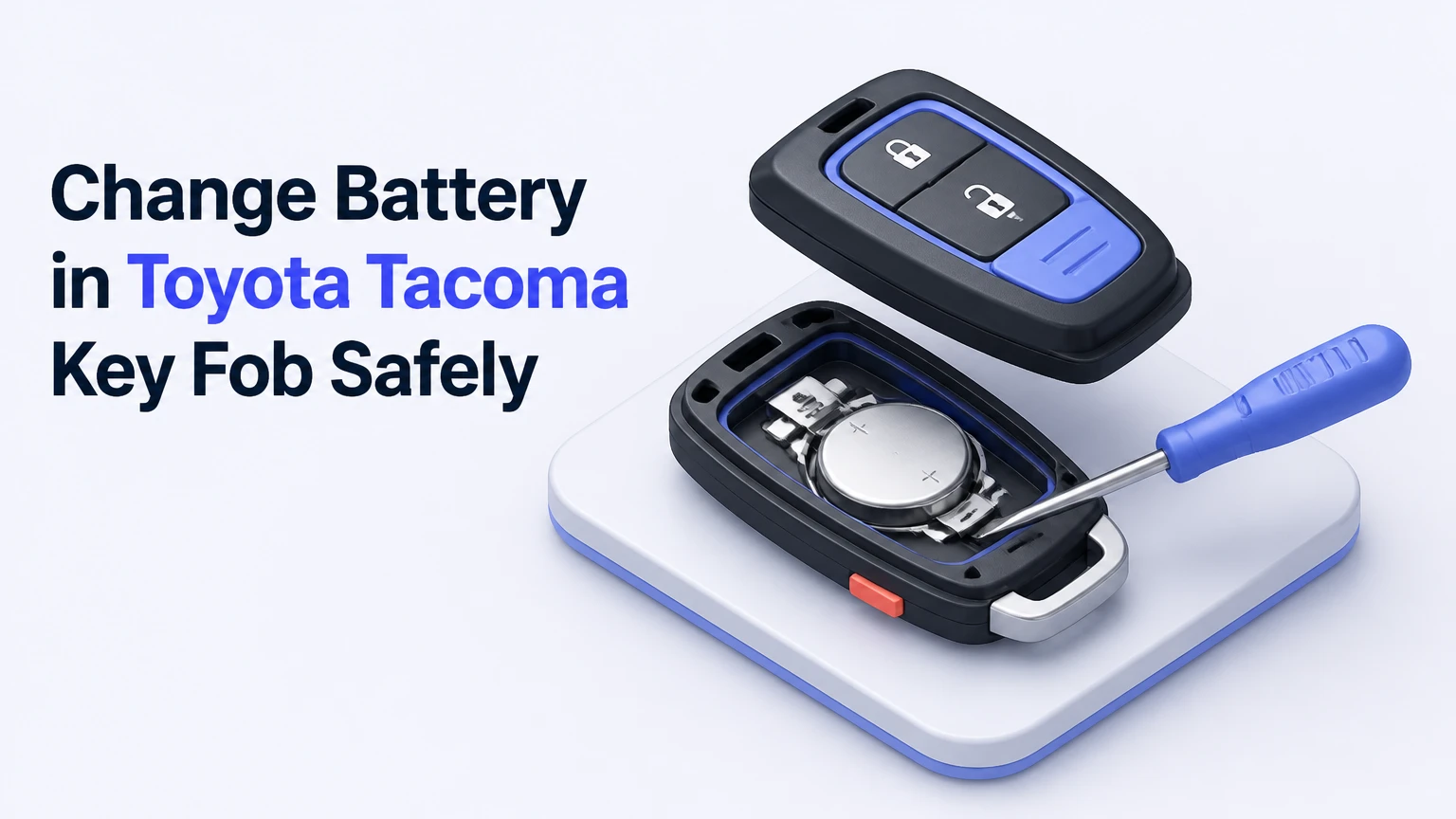
Changing a Toyota Tacoma key fob battery usually takes 2-5 minutes and requires only a fresh coin cell plus the emergency-key blade or a small plastic pry tool. Most Tacoma remotes use a CR2032, while some newer 2024-and-later Smart Key designs use a CR2450, so match the number printed on the old battery or specified in your owner’s manual before installing a replacement.
Key Facts at a Glance
- A 2005-2023 Toyota Tacoma key fob commonly uses a 3-volt CR2032 lithium coin cell.
- Some 2024-and-newer Tacoma Smart Key fobs use a larger 3-volt CR2450 battery; physical fob design and the installed battery determine fitment.
- The positive side of the replacement battery normally faces upward toward the circuit board or marked interior surface.
- Standard battery replacement does not erase the remote’s programming or require ECU relearning.
- A typical DIY replacement costs $2-$8 and takes 2-5 minutes.
- A dead coin cell does not prevent emergency entry or emergency engine starting when the Tacoma’s backup procedures are used.
Which Battery Does a Toyota Tacoma Key Fob Use?
The correct Tacoma key fob battery depends on the remote’s generation, housing, and exact equipment package. Model year provides a useful starting point, but the battery number printed on the old cell is the final fitment check because Toyota used more than one remote housing across some production periods.
| Tacoma model period | Common remote style | Common battery | Battery specification |
|---|---|---|---|
| 2005-2015 | Integrated fixed-key head or separate black remote | CR2032 | 3 volts, 20 mm diameter, 3.2 mm thick |
| 2016-2023 | Trapezoidal Smart Key with push-button start | CR2032 | 3 volts, 20 mm diameter, 3.2 mm thick |
| 2024 and newer, some fobs | Redesigned Smart Key proximity remote | CR2450 | 3 volts, 24 mm diameter, 5.0 mm thick |
| Any year with uncertain fitment | Replacement or non-original remote housing | Read installed cell | Match the printed CR number and polarity markings |
A CR2032 and CR2450 are both 3-volt lithium batteries, but they are not interchangeable in a normal holder. The CR2450 is 4 millimeters wider and 1.8 millimeters thicker. A CR2032 may sit loosely in a CR2450 holder, while a CR2450 can prevent a CR2032 housing from closing or damage its retaining clips.
Check three locations before buying:
- The number printed on the old coin cell.
- The molded battery marking inside the remote.
- The Tacoma owner’s manual for the vehicle and key system.
Battery brands such as Panasonic, Energizer, and Duracell are reasonable choices when purchased in sealed packaging from a reputable retailer. Coin cells do not need to be the dealership’s private-label product. Freshness, correct size, and undamaged packaging matter more than the retailer.
How Does a Tacoma Key Fob Work?
A Toyota Tacoma key fob uses a coin-cell battery to power buttons, a radio transmitter, and status electronics, while the vehicle separately verifies the remote’s coded signal. Pressing Lock or Unlock sends a short radio-frequency command, and a Smart Key system can also detect the remote when the driver touches a compatible door handle.
The remote battery powers the active functions. It does not normally erase the Tacoma’s stored authorization code when removed. The immobilizer system also has a passive transponder function, which is why many Tacomas can start even when the remote battery is too weak to transmit normally.
The red indicator LED is useful but not conclusive. A flashing LED usually confirms that the button circuit is receiving some power, but it does not prove that the battery has enough capacity for reliable vehicle communication. Conversely, a fob may still operate at short range after the LED becomes dim.
Toyota’s owner manuals describe a low-key-battery warning for equipped vehicles. The exact dashboard wording varies by model year, but messages such as “Key Battery Low” point toward battery replacement rather than remote reprogramming.
What Should You Prepare Before Opening the Fob?
Prepare one correctly sized lithium coin cell, a clean work surface, and a nonmetallic pry tool. The integrated mechanical key can open many Tacoma Smart Key housings, but a plastic guitar pick or nylon trim tool reduces the chance of scratching the case or contacting the circuit board.
| Item | Required quantity | Typical cost | Purpose |
|---|---|---|---|
| Correct lithium coin cell | 1 | $2-$8 | Powers the remote |
| Emergency key blade | 1 integrated blade | Included | Opens Smart Key shell |
| Plastic pry tool or guitar pick | 1 | $1-$5 | Separates tight housing safely |
| Microfiber cloth | 1 | Under $1 per use | Removes fingerprints from battery |
| Cotton swab and 70% isopropyl alcohol | 1 each, optional | $1-$5 | Cleans contaminated contacts |
Remove the battery from its package only when you are ready to install it. Do not place a coin cell loose in a pocket with keys or other metal objects, because a short circuit can heat the cell.
Keep the button membrane, transponder components, and circuit board on the table rather than over a vehicle seat or driveway. Older remotes can contain small rubber button pads that shift when the shell separates.
How to Change Battery in Toyota Tacoma Key Fob
Use the procedure that matches your remote. The 2016-2023 Smart Key and many newer proximity fobs open through a designated seam or notch, while several 2005-2015 remotes use a perimeter pry slot.
Step 1: Remove the Emergency Key
Slide and hold the mechanical-key release lever, then pull the metal emergency key straight from the Smart Key housing. Set the blade beside the fob, because the blade is often the correct size for the case-opening notch.
Do not pull on the key ring or twist the blade sideways while it is still locked in the housing. The release mechanism is designed to disengage the retaining catch before the blade comes out.
Success checkpoint: The emergency blade separates cleanly, and the release lever returns to its normal position.
Common mistake: Trying to pry the shell open before removing the emergency key. The blade can block the housing seam and increase the force needed.
Step 2: Locate the Case-Opening Notch
Inspect the edge of the fob near the emergency-key slot. Toyota Smart Key housings commonly include a small molded recess intended for a key tip or pry tool.
Insert the blade tip or a plastic pry tool into the recess. Avoid pushing toward the circuit board, because the tool needs to twist the two plastic halves apart rather than dig underneath electronic components.
Success checkpoint: A narrow seam opens without whitening, gouging, or bending the plastic.
Common mistake: Inserting a large flathead screwdriver deep into the case. A large metal tool can mark the housing, bridge battery contacts, or damage the circuit board.
Step 3: Separate the Housing Halves
Twist the emergency-key blade gently, using small movements around the designed notch. Once the first clip releases, work around the perimeter instead of forcing one corner until the shell snaps.
Keep the button side facing upward as the case opens. That position helps retain the rubber keypad and prevents loose pieces from falling onto the floor.
Success checkpoint: The shell separates into two halves, with the buttons and circuit board still aligned.
Common mistake: Pulling the halves apart abruptly. The rubber keypad may shift, and a small retaining piece can fall out unnoticed.
Step 4: Identify the Battery Orientation
Before removing the old cell, photograph the battery position or read the polarity marking inside the holder. In many Tacoma remotes, the side marked with a plus sign and battery number faces upward, but the holder’s molded markings control when the layout differs.
Do not assume that the visible side is positive solely because it is shiny. The plus sign on the coin cell and the plus sign molded into the holder provide the reliable orientation reference.
Success checkpoint: You can identify the positive side and see how the retaining clips hold the cell.
Common mistake: Removing the old battery without noting its direction, then guessing during installation.
Step 5: Remove the Old Coin Cell
Lift the battery edge from the notch with a fingernail, plastic pick, or nonconductive tool. Move the cell away from the retaining spring rather than levering forcefully against the spring itself.
Metal tools are acceptable only for controlled work on the battery edge when the circuit board is protected and the tool cannot bridge contacts. A plastic tool is safer for most owners.
Success checkpoint: The old cell comes free, and the metal contacts remain flat, aligned, and attached.
Common mistake: Bending a contact arm upward. A contact that no longer presses against the coin cell can cause intermittent operation even with a new battery.
Step 6: Install the New Battery
Wipe the replacement cell with a clean, dry microfiber cloth, then slide the edge under the retaining clip. Press the battery flat until the holder captures it securely, with the positive side facing the same direction identified in Step 4.
Avoid touching both faces repeatedly. Finger oils usually do not destroy a coin cell, but a clean surface improves contact and prevents residue from transferring to the holder.
Success checkpoint: The battery lies flat, the clips hold it firmly, and no circuit-board component is trapped beneath it.
Common mistake: Installing a CR2032 where the holder requires a CR2450, or forcing the thicker cell into the wrong housing.
Step 7: Reassemble and Test
Align the shell halves, then press around the perimeter until every clip snaps closed. Reinsert the emergency key and press Lock or Unlock while standing near the Tacoma.
Test each button once. Confirm that the red LED responds, the doors react, and the vehicle recognizes the Smart Key when applicable.
Success checkpoint: The case has no open seam, the blade locks into place, and the Tacoma responds consistently from a normal distance.
Common mistake: Testing only the LED. A bright LED with no vehicle response requires additional diagnosis.
How Do Older 2005-2015 Tacoma Remotes Open?
Older 2005-2015 Tacoma remotes usually open at a slot along the outer perimeter, and the typical replacement battery is a CR2032. The exact shell differs between an integrated key head and a separate remote, so use the visible seam and molded notch rather than forcing the halves at an arbitrary corner.
- Remove the remote from the key ring if the ring blocks the seam.
- Find the small pry slot on the housing edge.
- Insert a coin, plastic pick, or small flathead screwdriver into the slot.
- Twist gently until the shell releases.
- Lift out the rubber button pad or internal control pod without stretching it.
- Remove the old CR2032 from its holder.
- Install the replacement with the positive side facing the marked direction, normally upward.
- Refit the button pad and snap the housing together.
- Test Lock, Unlock, Panic, and any available trunk or tailgate button.
Older housings can become brittle after years of heat exposure. If the plastic turns white at the seam, stop increasing force and change to a plastic pry tool or replace the damaged shell.
Which Coin Cell Should You Buy?
Buy a fresh name-brand battery that exactly matches the number printed on the removed cell. A CR2032 is the normal choice for most 2005-2023 Tacoma remotes, while a CR2450 may be required by certain newer Smart Key housings.
| Battery | Diameter | Thickness | Typical Tacoma use | Interchangeability |
|---|---|---|---|---|
| CR2016 | 20 mm | 1.6 mm | Some unrelated thin remotes | Not a direct CR2032 substitute |
| CR2025 | 20 mm | 2.5 mm | Some automotive remotes | May fit loosely; do not assume compatibility |
| CR2032 | 20 mm | 3.2 mm | Common 2005-2023 Tacoma fobs | Correct only where specified |
| CR2450 | 24 mm | 5.0 mm | Some 2024-and-newer Smart Keys | Too large for a CR2032 holder |
A thinner CR2016 or CR2025 may make temporary contact in a CR2032 holder, but the reduced thickness can permit movement and intermittent operation. Stacking batteries is unsafe and can damage the remote.
Choose packaging with a clear expiration date or lot information. Avoid cells with torn blister packs, corrosion, dents, or unknown storage history. Typical service life is 2-5 years, but frequent button use, cold temperatures, and passive Smart Key detection can shorten that interval.
How Much Does Tacoma Key Fob Battery Replacement Cost?
A DIY Tacoma key fob battery replacement typically costs $2-$8 and takes 2-5 minutes. A dealership or locksmith may charge approximately $10-$35 for the same basic service, although a key replacement, cutting, programming, or diagnostic visit costs substantially more.
| Service or purchase | Typical price | Typical time | What the price includes |
|---|---|---|---|
| Single CR2032 or CR2450 | $2-$6 | Immediate purchase | One replacement cell |
| Two- to four-pack battery set | $4-$10 | Immediate purchase | Multiple coin cells |
| Dealership battery swap | $10-$35 | 5-15 minutes | Battery and basic installation |
| New programmed Tacoma key | $150-$500 or more | 30 minutes to several hours | Remote, cutting, programming, and vehicle-specific service |
Prices vary by region, key availability, and whether the technician diagnoses a second problem. Battery installation alone does not normally justify the price of a replacement key.
The lowest-cost option is not always the best option. A battery that costs $1 but has uncertain age can create a second failure within months, while a sealed Panasonic, Energizer, or Duracell cell usually offers more predictable service.
What Common Mistakes Damage Tacoma Fobs?
The most common replacement errors are incorrect battery size, reversed polarity, bent contacts, and case damage from excessive prying. Each error can make a healthy new battery appear defective.
- Wrong battery number: Compare CR2032 and CR2450 dimensions before installation.
- Reversed polarity: Match the plus sign on the battery to the holder marking.
- Bent terminal: Lift the coin cell edge, not the spring contact.
- Shorted circuitry: Keep metal tools away from exposed board traces and both battery terminals.
- Contaminated contacts: Clean visible oxidation or residue with a small amount of isopropyl alcohol and allow it to dry fully.
- Loose shell: Check that the keypad and circuit board are seated before snapping the housing shut.
A practitioner rule is to stop when the case requires more than light hand pressure. Toyota housings release through clips and a designed notch; increasing force after the first resistance usually breaks a clip rather than solving the underlying alignment problem.
Another counterintuitive point is that a new battery cannot repair a worn button switch. If the remote works only when you press one button unusually hard, inspect the rubber keypad and switch area instead of repeatedly replacing batteries.
Why Does the Tacoma Key Fob Still Not Work?
A Tacoma key fob that remains inactive after battery replacement usually has a polarity, contact, button, remote, or vehicle-side fault rather than a programming problem. Reopen the case and confirm the battery number, orientation, flat seating, and contact pressure before attempting more complex repairs.
| Symptom after replacement | Likely cause | First check | Next action |
|---|---|---|---|
| No LED and no door response | Reversed, dead, or disconnected battery | Plus side and contact pressure | Install a verified fresh cell |
| LED flashes but doors do not respond | Poor range, vehicle battery, or remote fault | Test beside the Tacoma | Check vehicle battery and second fob |
| Works only at short range | Weak cell, interference, or antenna issue | Test outdoors at 10-30 feet | Replace cell, then inspect remote |
| One button fails | Worn rubber pad or switch | Compare button feel | Clean or replace the keypad housing |
| Smart Key does not detect remote | Low battery, disabled wireless function, or system fault | Test push-button start procedure | Check manual settings and vehicle diagnostics |
First test the spare key, if available. If both remotes fail at the same time, the Tacoma’s 12-volt battery, receiver, fuse, or Smart Key settings deserve attention.
Water damage changes the diagnosis. Corrosion around the battery contacts or green residue on the board can interrupt power even when the coin cell measures 3 volts. A severely corroded board generally requires remote replacement or electronics repair, not another battery.
Programming is usually unnecessary after a routine battery change. Reprogramming becomes relevant when the remote has been replaced, lost synchronization after a separate electrical event, or suffered circuit-board damage.
How Can You Start a Tacoma With a Dead Fob?
A Toyota Tacoma with a dead Smart Key battery can usually be unlocked with the emergency blade and started by holding the fob against the Engine Start/Stop button. The passive transponder allows the truck to authenticate the key at close range even though the remote transmitter cannot operate normally.
Use this emergency sequence:
- Slide the mechanical release and remove the emergency key.
- Unlock the driver’s door manually.
- Enter the Tacoma and close the door.
- Press the brake pedal firmly.
- Hold the Toyota-emblem side or specified side of the Smart Key directly against the Engine Start/Stop button.
- Press the button while keeping the fob in contact with it.
The exact contact side can vary by remote design, so follow the owner’s manual if the first orientation does not work. Once the engine starts, replace the coin cell promptly.
A mechanical blade can unlock the door without setting the remote transmitter right. If the key will not turn, the door cylinder may have accumulated dirt, corrosion, or rarely used-lock resistance; avoid applying excessive force that could snap the blade.
Can You Disable the Smart Key Signal?
Some Tacoma Smart Key systems include a wireless-function disable mode, but disabling the radio function is separate from replacing the battery. The exact button sequence varies by Toyota system and manual, so use the vehicle-specific owner’s manual rather than relying on a generic internet sequence.
A disabled wireless function can make a healthy fob appear dead while the buttons or passive starting function behave differently. Check the indicator light and test the fob beside the vehicle before buying another battery.
Signal-disable settings may reduce passive-entry convenience, but they do not replace secure key storage. Owners concerned about relay attacks should follow Toyota’s security guidance and store Smart Keys away from exterior walls or use a tested signal-blocking container.
When Should You Replace the Entire Key Fob?
Replace or professionally repair the Tacoma key fob when the circuit board is corroded, the housing cannot retain the battery, multiple buttons have failed, or a known-good battery produces no LED and no vehicle response. Battery replacement is not a solution for broken switches, cracked boards, missing transponder components, or severe water intrusion.
A replacement fob may need cutting and programming. Toyota dealerships can verify compatibility through the vehicle identification number, while automotive locksmiths may offer lower labor costs when they support the Tacoma’s specific immobilizer and Smart Key system.
Do not discard a damaged original before checking whether its transponder and board can be repaired. The mechanical blade, remote circuit, and immobilizer chip are related parts, but a new shell alone does not create a programmed key.
FAQ
Does changing a Tacoma key fob battery erase programming?
No. Removing the coin cell normally removes electrical power but does not erase the Tacoma’s stored remote authorization. If the remote fails afterward, check polarity, contact pressure, battery fitment, and button damage before assuming that reprogramming is required.
How long should a Tacoma key fob battery last?
A Tacoma key fob battery commonly lasts 2-5 years under typical use. Frequent Smart Key detection, repeated button presses, extreme temperatures, and an old battery purchased from poor inventory can shorten that range. Replace the cell when the vehicle displays a low-battery warning or operating range decreases.
Can I use a CR2025 instead of a CR2032?
Do not substitute a CR2025 unless the fob holder or Toyota documentation specifically permits it. Both cells are 20 millimeters wide and 3 volts, but the CR2025 is 0.7 millimeters thinner, which can cause loose contact and intermittent operation in a CR2032 holder.
Why does the key fob LED work but the Tacoma does not respond?
An illuminated LED proves that the button circuit receives some power, not that the radio signal reaches the truck correctly. Test the remote close to the Tacoma, try the spare key, inspect the contacts, and check the truck’s 12-volt battery before replacing the remote.
Is a dealership required to change the battery?
No. A Tacoma owner can normally perform the battery change at home with one correctly sized coin cell and a pry tool. A dealership or automotive locksmith is useful when the housing is damaged, the board is corroded, the key is lost, or programming is required.
What should I do with the old coin cell?
Tape the old battery terminals or place it in a dedicated battery-recycling container until disposal. Keep loose coin cells away from children and pets because swallowed lithium coin cells can cause severe internal injury even when the battery is discharged.
The Bottom Line
To change a Toyota Tacoma key fob battery, identify the exact cell number, open the housing through its designed notch, match the positive polarity, protect the terminal contacts, and test every function after reassembly. Most Tacomas use a CR2032, while some newer fobs use a CR2450, so verifying the installed battery is the step that prevents the most expensive mistake.


