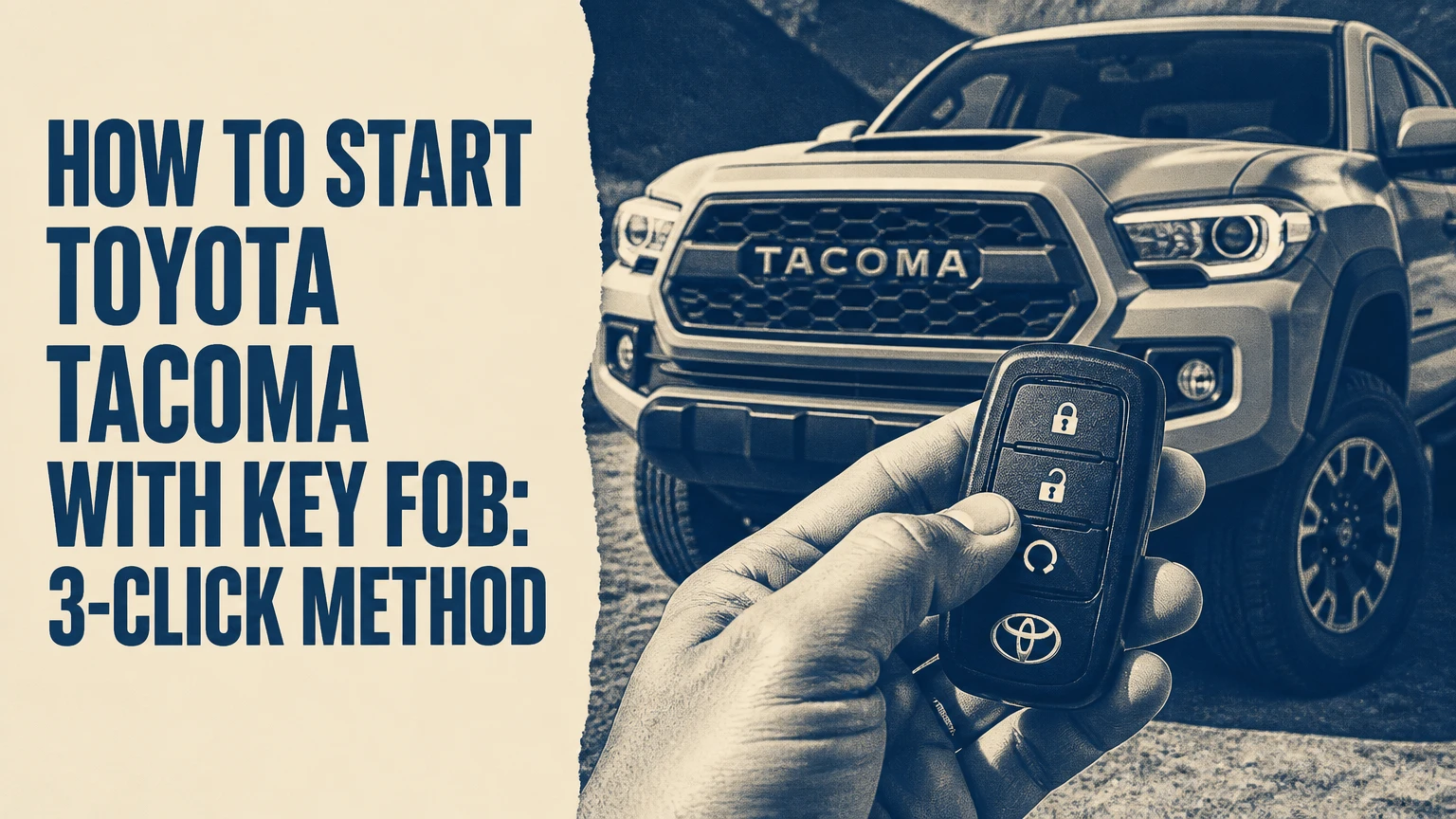
To start a compatible Toyota Tacoma with a factory key fob, press the LOCK button three times, holding it during the third press until the hazard lights flash and the engine starts. The first two presses should be deliberate and close together, while the third press remains held for about 3 seconds. Compatibility depends on model year, trim, ignition system, and installed remote-start service.
Key Facts at a Glance
- The common Toyota Tacoma factory-fob sequence is LOCK, LOCK, then LOCK and hold.
- The truck must normally be in Park, have its hood fully closed, and meet Toyota’s security conditions.
- Factory remote start typically runs the engine for about 10 minutes, although exact behavior varies by model year and configuration.
- Many 2016-2023 Tacomas shut the engine off when the owner unlocks or opens the door.
- A 2024-present Tacoma may support a brake-and-start-button takeover, but the exact behavior depends on equipment and owner’s-manual instructions.
- Toyota Remote Connect uses a cellular connection, while a key fob uses short-range radio frequency and requires the truck to be nearby.
Does Every Tacoma Support Key-Fob Remote Start?
No. A Toyota Tacoma supports factory key-fob remote start only when Toyota installed the required remote-start hardware and software for that vehicle. A push-button ignition, Toyota Connected Services enrollment, or a three-button key fob does not independently prove that remote starting is active.
Toyota’s equipment changed across model years, markets, trims, and option packages. Some Tacomas received factory or dealer-installed remote start, while others require Toyota Remote Connect or an aftermarket module. A physical turn-key Tacoma generally needs an aftermarket system unless a dealer or previous owner added an approved remote starter.
Check These Four Compatibility Clues
- Look for a remote-start instruction in the owner’s manual. Search the index for “engine switch,” “remote engine start,” or “Toyota app.”
- Inspect the key fob. A LOCK button is required for the common three-press shortcut, but the button alone does not confirm functionality.
- Check the Toyota app. If the Tacoma appears under Remote Connect and offers a Start command, the truck has compatible connected-service equipment.
- Ask a Toyota dealer to verify the VIN. VIN-specific equipment records are more reliable than trim names because dealer-installed and regional equipment differs.
Toyota’s official support pages and the Tacoma owner’s manual should control when online videos conflict. Internet descriptions often combine factory systems with aftermarket modules, which can produce different timing, run times, and door-entry behavior.
How Does the Toyota Tacoma Remote Start System Work?
A Tacoma remote starter receives an authenticated radio command, checks immobilizer and vehicle-safety conditions, and then allows the engine-control system to run the engine without a physical key insertion. The system also activates climate-control settings according to the truck’s equipment and the last stored HVAC state.
The factory key fob does not send a simple universal “start” signal. The transmitter sends a coded command, and the vehicle evaluates conditions such as transmission position, hood status, alarm state, and door status before permitting ignition.
Remote starting does not bypass the immobilizer. The truck still requires its authorized key or electronic authentication for normal driving, and remote operation does not make the vehicle safe to leave unattended in an enclosed space.
What Happens After the Engine Starts?
A factory-equipped Tacoma commonly does the following:
- Flashes the hazard or turn-signal lamps.
- Starts the engine without unlocking the doors.
- Runs the cabin climate system using the last-selected settings.
- Shuts down after a programmed period, often approximately 10 minutes.
- Cancels the start if a monitored safety condition changes.
Exact lamp behavior is not universal. Some systems flash once during command recognition and then flash repeatedly after successful starting, while others use a different confirmation pattern. The owner’s manual is the definitive source for a specific Tacoma.
How to Start a Toyota Tacoma With Key Fob
Use the three-press sequence from a position where the key fob has a clear path to the truck. The complete operation usually takes 5-10 seconds, and the most important variable is the cadence between the first two LOCK presses.
Before You Start
| Requirement | Typical value or condition | Why it matters |
|---|---|---|
| Key-fob distance | About 30-80 feet in ordinary conditions | Factory RF range changes with walls, vehicles, and interference |
| Button sequence | LOCK, LOCK, LOCK-hold | The Tacoma recognizes a timed command pattern |
| Third-press hold | About 3 seconds | A brief third tap may only lock the truck |
| Transmission | Automatic transmission in Park | Remote start normally blocks any other selector position |
| Hood | Fully latched | An open or incorrectly sensed hood cancels starting |
| Engine run time | Often about 10 minutes | Exact run time depends on vehicle programming |
| Required tools | None | The factory procedure uses the existing fob |
Step 1: Secure the Tacoma
Close the hood, shut every door, and confirm that the automatic transmission is in Park. Remove people, pets, and loose objects from unsafe surroundings, and never start the truck inside a garage or other enclosed area.
You do not normally need to lock the truck manually first. The first LOCK press in the remote-start sequence both provides the locking command and begins the timed sequence.
You’ll know this step is ready when: the hood is flush with the fenders, the shifter indicator shows Park, and the doors are closed.
Common mistake: pressing the sequence while the hood is slightly unlatched after checking the engine bay.
Step 2: Press LOCK Once
Press and release the LOCK button for approximately one second. Watch for the first hazard-light or turn-signal confirmation, if your Tacoma provides one.
Do not press several times rapidly. The system is looking for an intentional sequence, and a button-mashing pattern may lock the truck without entering remote-start mode.
You’ll know this step worked when: the Tacoma locks and the first expected light response appears.
Common mistake: using the UNLOCK button between LOCK presses, which interrupts the sequence.
Step 3: Press LOCK a Second Time
Press and release LOCK again within approximately one second of the first confirmation. Keep the fob pointed generally toward the Tacoma and avoid covering the transmitter with your hand.
The second press confirms that the remote-start command is intentional. A long pause can cause the truck to treat the next press as an ordinary locking command.
You’ll know this step worked when: the truck provides a second lock or lamp response, if that response is enabled.
Common mistake: waiting several seconds for the first flash to finish before pressing again.
Step 4: Press and Hold LOCK
Press LOCK a third time and hold it for about 3 seconds. Continue holding until the Tacoma’s lamps provide the successful-start indication or the engine audibly starts.
The third press is not a quick tap. Releasing the button too early commonly locks the doors but does not start the engine.
You’ll know this step worked when: the engine starts and the hazard or turn-signal lamps flash according to the Tacoma’s programmed confirmation pattern.
Common mistake: holding LOCK before the second press has been recognized, which changes the timing and cancels the command.
Step 5: Confirm the Truck’s State
Look through a window or approach the Tacoma without opening the door immediately. Confirm that the engine is running, the doors remain secured, and no warning condition appears.
Remote starting is intended to condition the cabin, not to authorize unattended operation in an unsafe location. Check the surroundings before entering, particularly in snow, extreme heat, or areas where exhaust could accumulate.
Can You Drive Away After Remote Starting?
A remotely started Tacoma must be taken over according to its generation and equipment. Owners should not assume that pressing the brake alone authorizes driving, because Toyota used different entry and takeover behavior across Tacoma generations and remote-start installations.
| Tacoma configuration | Entry behavior commonly reported | Takeover action | Important limitation |
|---|---|---|---|
| 2016-2023 factory-style system | Unlocking or opening the door may stop the engine | Restart with the authorized key, brake, and ignition control | Confirm the exact owner’s-manual procedure |
| 2016-2023 aftermarket system | Some modules keep the engine running | Brake pedal plus key or push-button takeover | Module programming and ignition type determine behavior |
| 2024-present push-button Tacoma | Some vehicles support continuous operation during entry | Enter, press the brake, then press the Engine Start button as instructed | Trim and software configuration can change the sequence |
| Manual-transmission aftermarket Tacoma | Remote start may be disabled or require reservation mode | Follow the kit’s clutch and parking-brake procedure | Never use an unverified automatic-transmission module |
For many third-generation Tacomas, the engine stopping when the door opens is a security feature rather than a defect. The system prevents a person from remotely starting the truck and driving away without the authorized key being recognized inside the vehicle.
Fourth-generation behavior is less uniform than simplified online summaries suggest. Toyota’s 2024 Tacoma documentation and the vehicle’s actual response should determine whether the engine continues running during entry.
Which Tacoma Remote-Start Option Is Best?
The factory key fob is the simplest choice for a nearby Tacoma, Toyota Remote Connect is better for long-distance cellular control, and an aftermarket module is the main route for older or unequipped trucks. The best option depends on distance, subscription tolerance, takeover behavior, and installation risk.
| Option | Typical operating range | Typical cost | Ongoing charge | Best use |
|---|---|---|---|---|
| Factory key fob | About 30-80 feet | Included if equipped | May require connected-service plan on some models | Starting a truck parked nearby |
| Toyota Remote Connect | Cellular coverage area | Trial or included period, then commonly about $8-$15 monthly | Usually subscription-based | Starting from work, home, or a large parking lot |
| Plug-and-play aftermarket kit | About 300-1,500 feet, kit dependent | About $150-$400 before professional labor | Usually none for RF-only operation | Older Tacoma or no monthly fee |
| Cellular aftermarket system | Cellular coverage area | About $300-$700 installed | Often about $5-$15 monthly | Long-distance control without Toyota enrollment |
Prices are typical consumer ranges, not Toyota’s universal price list. Dealer labor, regional taxes, kit brand, cellular hardware, and subscription promotions can change the total substantially.
Factory Key Fob
The factory fob requires no additional device and preserves Toyota’s integrated security logic. Its practical weakness is range: a concrete parking structure, metal-sided building, or nearby radio interference can reduce a nominal 30-80-foot range to less than one parking space.
Some 2020-2023 Toyota vehicles linked fob-based remote start to an active Remote Connect subscription after the complimentary period. That policy has varied by vehicle, market, and software configuration, so a dealer VIN check or Toyota account screen is more reliable than a generic year chart.
Toyota Remote Connect
Remote Connect sends the start request through Toyota’s cellular-connected service rather than directly from the fob. The Tacoma must have cellular coverage, an active account, compatible telematics hardware, and a valid subscription where Toyota requires one.
The app is useful when a Tacoma is parked several blocks away or inside a large lot. Cellular control is not guaranteed underground, in a weak-coverage rural area, or when the service platform is unavailable.
Aftermarket Remote Starter
An aftermarket kit can add remote starting to a turn-key Tacoma or replace an unwanted subscription arrangement. Typical installation takes 1-3 hours for a qualified installer, even when the harness is marketed as plug-and-play, because trim removal, immobilizer integration, programming, and testing still require care.
A reputable kit must match the Tacoma’s year, engine, transmission, ignition type, and security system. A manual-transmission truck requires special safeguards, and a poorly installed module can cause parasitic battery drain, alarm faults, no-start conditions, or warranty disputes involving altered wiring.
What Should You Check When Remote Start Fails?
When a Tacoma fails to remote-start, check the hood latch, Park position, key-fob battery, vehicle battery, command timing, and subscription status before replacing hardware. The failure pattern often identifies the cause more accurately than the absence of engine noise alone.
| Symptom | Most likely causes | First corrective action |
|---|---|---|
| Tacoma locks but does not crank | Third press released too soon, system not equipped, expired service | Repeat LOCK, LOCK, hold; verify equipment and account |
| Three flashes with no start | Hood switch, Park signal, alarm state, warning condition | Close hood firmly and inspect dashboard warnings |
| Nothing happens | Dead fob battery, excessive distance, RF interference | Try beside the truck and replace the fob battery |
| Starts, then stops at entry | Generation-specific security behavior | Follow the Tacoma takeover procedure and restart |
| App command fails | Weak cellular signal, inactive subscription, account error | Move outdoors, refresh the app, and check the plan |
| Remote start worked previously, then stopped | 12-volt battery weakness, service expiration, module fault | Test battery voltage and confirm connected-service status |
Replace the Key-Fob Battery
A weak CR2032 battery can still unlock a Tacoma at close range while failing during a longer remote-start transmission. Replace the battery with the correct orientation, then test the sequence next to the truck before diagnosing the vehicle.
Some Toyota fobs use a different battery or construction. Read the marking on the removed battery and the owner’s manual rather than assuming CR2032 applies to every transmitter.
Check the Hood and Park Signal
A hood that looks closed may not fully engage the latch switch. Open and firmly close the hood, then verify that the Tacoma recognizes Park and displays no transmission or engine warning.
The low-fuel claim often repeated online is not a dependable universal Toyota rule. A Tacoma does not generally reject factory remote start simply because the fuel gauge is below one-quarter, although an extremely low fuel level can leave the engine unable to run and should never be used as a diagnostic assumption.
Check the 12-Volt Battery
A weak vehicle battery can power locks and interior electronics while lacking enough reserve for repeated cranking. A typical healthy, rested 12-volt battery measures roughly 12.6 volts, while approximately 12.2 volts indicates a substantially discharged battery; temperature and test method affect these readings.
Do not keep repeating remote-start commands on a weak battery. Use a proper battery tester or have a parts store or technician test the battery and charging system.
How Do You Stop a Remotely Started Tacoma?
The normal cancellation method is to press UNLOCK or repeat the remote-start LOCK command, depending on the Tacoma’s system and model year. If the engine remains on, use the Toyota app’s Stop command or enter the truck with the authorized key and follow the ignition procedure in the owner’s manual.
Do not pull a fuse, disconnect the battery, or shift controls to force a shutdown. Those actions can erase settings, trigger fault codes, or create a no-start condition.
Remote run time commonly ends automatically after about 10 minutes. Repeated restarts may be limited by Toyota programming or aftermarket-module settings, especially when the system detects an unusual number of start cycles.
Is Remote Starting Safe in Cold or Hot Weather?
Remote starting can warm or cool a Tacoma’s cabin, but it does not replace windshield clearing, tire inspection, or mechanical maintenance. In cold weather, allow enough time for the defroster to clear visibility, then remove snow from the roof, lamps, windows, and license plate before driving.
Toyota climate systems usually use the last-used settings or a programmed automatic setting. Set the HVAC controls before shutting down the Tacoma if you want a predictable result on the next remote start.
Remote starting is unsafe in a closed garage, carport with blocked airflow, or location where exhaust can enter a building. The U.S. Environmental Protection Agency warns that carbon monoxide is odorless and can accumulate rapidly in enclosed spaces.
What Are the Most Common User Mistakes?
The most common Tacoma remote-start mistake is treating the sequence like three rapid taps instead of a timed command. Owners also confuse a factory key-fob system with an aftermarket module, then apply the wrong shutdown or takeover instructions.
- Pressing too quickly: Use deliberate presses with approximately one second between the first and second commands.
- Releasing the third press early: Hold LOCK for about 3 seconds or until the start confirmation appears.
- Starting with the hood open: Close and latch the hood before testing.
- Testing from too far away: Move within 10-20 feet first, then evaluate range.
- Assuming every LOCK fob starts the engine: Verify Tacoma equipment by VIN, manual, or app.
- Ignoring the 12-volt battery: Test the truck battery when locks work but cranking does not.
- Expecting every Tacoma to stay running after entry: Generation, trim, and module programming determine takeover behavior.
A practitioner’s rule of thumb is to diagnose in this order: equipment, distance, sequence, hood and Park status, fob battery, truck battery, then subscription or module faults. That order avoids buying hardware for a timing error.
Frequently Asked Questions
Can I start a Tacoma with a physical key fob?
A physical key fob can start a Tacoma remotely only when the truck has compatible factory hardware or an installed aftermarket module. A conventional metal ignition key by itself has no remote-start capability. Check the owner’s manual and VIN-specific equipment before assuming that a LOCK button means remote starting is available.
How far away can a Tacoma key fob start the truck?
A factory Tacoma key fob typically works about 30-80 feet in open conditions, but buildings, metal structures, vehicles, and radio interference can reduce the practical distance. Test the fob close to the truck first. Toyota Remote Connect can work much farther away when both the Tacoma and phone have cellular service.
Does remote start use more fuel?
A Tacoma idling for approximately 10 minutes uses less fuel than normal driving but still consumes fuel and produces emissions. Exact consumption depends on engine size, temperature, accessories, and idle speed. Remote starting is therefore useful for short cabin conditioning, not for prolonged unattended warming.
Why does my Tacoma start and then shut off?
A Tacoma may shut off because the door was opened under a generation-specific security design, the authorized key was not detected, a hood or Park signal changed, or an aftermarket module was programmed incorrectly. Follow the prescribed takeover sequence before treating the shutdown as a mechanical failure.
Can I add remote start to an older Tacoma?
An older Tacoma can often receive an aftermarket remote-start system, but compatibility depends on the year, engine, transmission, ignition type, immobilizer, and alarm system. Typical hardware costs range from $150-$400 before installation. Manual-transmission trucks require a kit and safety setup specifically designed for that configuration.
Does Toyota Remote Connect work without the key fob?
Toyota Remote Connect can send a start command through the vehicle’s telematics system without the key fob being physically nearby, provided the Tacoma has compatible hardware, cellular coverage, an authenticated account, and any required active subscription. App control does not remove the need for the authorized key during normal driving.
The Bottom Line
To start a compatible Tacoma with the key fob, press LOCK, press LOCK again within about one second, then press and hold LOCK for approximately 3 seconds until the lights confirm the start. Keep the Tacoma in Park with the hood closed, and verify year-specific entry behavior before opening the door.
For a nearby equipped truck, the factory fob is the simplest method. Toyota Remote Connect fits long-distance use, while an aftermarket system makes more sense for an older Tacoma or an owner avoiding recurring fees. The exact model year, ignition type, VIN equipment, and owner’s manual determine the final procedure.


