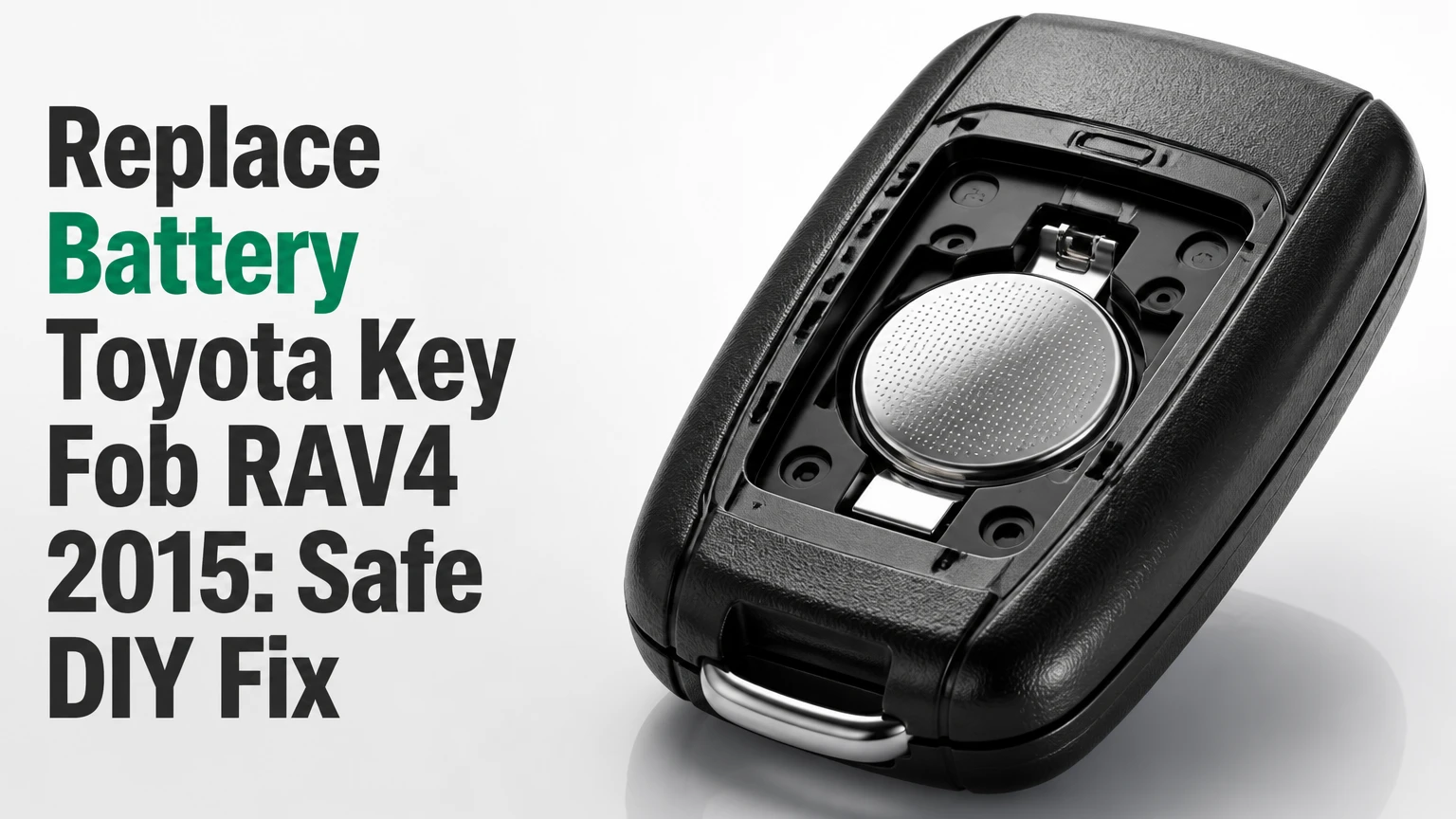
A 2015 Toyota RAV4 key fob usually takes a CR2016 lithium 3-volt coin cell when it is the standard remote-head key, while many Smart Key electronic fobs use a CR2032. Confirm the number printed on the old battery or inside the fob before buying one. Replacement normally takes 3-5 minutes and does not require reprogramming.
Key Facts at a Glance
A standard 2015 Toyota RAV4 remote-head key commonly uses a CR2016 battery.
A 2015 RAV4 Smart Key electronic fob may use a CR2032 battery, depending on the fob design.
The replacement battery is a non-rechargeable lithium coin cell rated at 3 volts.
The positive side usually faces upward, but the original orientation is the final reference.
A small flathead screwdriver, plastic pry tool, or guitar pick is sufficient for opening the housing.
A normal battery replacement does not usually erase the remote’s pairing with the vehicle.
Which Battery Fits a 2015 RAV4 Key Fob?
The correct battery depends on the physical fob, not only the vehicle year. A standard turn-key remote commonly uses CR2016, whereas an electronic Smart Key commonly uses CR2032; the old cell’s printed designation is more reliable than a generic online parts listing.
Toyota’s 2015 RAV4 Owner’s Manual describes battery replacement for the wireless remote and electronic key separately. That distinction matters because Toyota supplied different key systems across trim levels, markets, and equipment packages. The safest procedure is to remove the mechanical key, open the housing carefully, and read the marking on the installed cell before purchasing a replacement.
Do not force a thicker cell into a compartment designed for a thinner one. A CR2016 measures approximately 20 millimeters in diameter and 1.6 millimeters thick. A CR2032 has the same approximate diameter but is 3.2 millimeters thick, twice the thickness of a CR2016. A CR2025 sits between them at 2.5 millimeters.
| Battery | Nominal voltage | Approximate size | Typical 2015 RAV4 application |
|---|---|---|---|
| CR2016 | 3 volts | 20 x 1.6 mm | Standard remote-head key |
| CR2025 | 3 volts | 20 x 2.5 mm | Usually not the specified replacement |
| CR2032 | 3 volts | 20 x 3.2 mm | Many Smart Key electronic fobs |
| CR1616 | 3 volts | 16 x 1.6 mm | Wrong diameter for the listed RAV4 cells |
Why Does Battery Size Depend on the Fob?
Battery size depends on the internal battery holder and contact spacing installed in the key housing. The 2015 RAV4 model year does not guarantee one universal coin-cell number because a conventional wireless remote and a Smart Key electronic key have different housings and electronics.
Look at the fob before opening it. A conventional remote-head key has a visible metal ignition blade that folds or slides into the plastic body, while a Smart Key has a separate emergency key hidden inside a thicker electronic housing. The release mechanism and battery compartment shape can also differ.
The original battery is the deciding reference. If the old cell says CR2016, buy CR2016. If it says CR2032, buy CR2032 unless the vehicle manufacturer’s documentation or a verified replacement part specifies otherwise.
What Do You Need Before Starting?
A 2015 Toyota RAV4 key-fob battery change needs one correctly matched 3-volt coin cell and one small non-sharp prying tool. Set aside 3-5 minutes, work over a clean table, and keep the circuit board away from loose metal objects and static-producing materials.
Before You Start
| Requirement | Typical specification | Practical note |
|---|---|---|
| Replacement cell | CR2016 or CR2032, 3 volts | Match the installed battery |
| Primary tool | 1-3 mm flathead screwdriver | Use gentle twisting force |
| Safer alternative | Plastic pry tool or guitar pick | Less likely to scratch the shell |
| Working time | 3-5 minutes | Allow 10 minutes if the case is tight |
| DIY difficulty | Low | Small clips and contacts need care |
| Typical battery cost | $2-$7 for a 2-pack | Brand and retailer affect price |
| Optional cleaning item | Dry cotton swab | Do not flood the board with cleaner |
Before opening the case, photograph the fob from both sides. The picture helps you restore the rubber button mat, circuit-board orientation, and emergency key if a small component shifts during disassembly.
Toyota warns that lithium coin batteries are dangerous if swallowed. Store the unused cell in its retail packaging, keep it away from children and pets, and recycle the old battery through a retailer or household battery program rather than leaving it loose in a drawer.
How Do You Replace the Battery?
Replacing a 2015 Toyota RAV4 key-fob battery requires removing the emergency key, separating the housing at its intended seam, exposing the battery holder, and installing the matching cell with the same polarity. The operation should not require force, twisting of the circuit board, or changes to vehicle programming.
Step 1: Remove the Mechanical Key
Slide or press the small release latch on the fob, then pull the mechanical key from its slot. Place the metal key on the table so it cannot scratch the housing while you work.
The emergency key is more than a spare part. On Smart Key vehicles, it can unlock the driver’s door if the fob battery is dead. Removing it also exposes the opening point used to separate many Toyota key housings.
You will know it worked when: the metal blade comes out without bending and a narrow slot or notch is visible inside the housing.
Common mistake: pulling the key without moving the release latch. That can stress the plastic retainer.
Step 2: Open the Outer Housing
Insert a small flathead screwdriver or plastic pick into the notch revealed by the removed key. Twist the tool slightly rather than levering it deeply downward, then move around the seam until the two shell halves separate.
Protect the housing by wrapping the screwdriver tip with one layer of thin tape, although a plastic pick is preferable. Do not use a kitchen knife. A sharp blade can gouge the plastic, slip into the rubber button membrane, or injure your hand.
You will know it worked when: the perimeter clips release and the shell opens evenly without cracked plastic.
Common mistake: prying from the wrong seam. If the halves resist, remove the tool and find the molded notch instead of increasing force.
Step 3: Remove the Inner Electronics Module
Lift the electronic module or circuit-board carrier from the outer shell only if the fob design separates into those layers. Some housings allow direct access to the battery; others place the circuit board inside a smaller clipped case.
Hold the module by its plastic edges. Avoid touching the copper traces, button contacts, and antenna components with your fingers. Keep the rubber button membrane in its original position because a displaced membrane can make one or more buttons feel dead after reassembly.
You will know it worked when: the battery holder is visible and no circuit-board component has been pulled from the plastic carrier.
Common mistake: separating the board from its carrier by lifting at a corner. Use the molded tabs, not the board itself.
Step 4: Record the Battery Orientation
Read the battery marking and note which face points upward before removal. In many Toyota fobs, the side marked with a plus sign faces the top of the housing, but the existing installation is the correct reference for that particular design.
Coin cells have a positive face marked with “+” and a negative face with a flatter unmarked surface. Polarity is not interchangeable. Installing the right battery upside down leaves the transmitter without the required electrical connection.
You will know it worked when: you can identify the exact cell number and polarity before touching the old battery.
Common mistake: relying on memory after the old battery has been removed. Take a photograph first.
Step 5: Remove and Install the Coin Cell
Use a fingernail, plastic pick, or small screwdriver to slide the old battery from beneath the retaining clip. Avoid bending the clip upward more than necessary. Insert the new cell in the same direction and slide it fully under the contact tab.
Do not touch both faces repeatedly. Finger oils usually do not destroy a coin cell, but clean, dry handling reduces contamination at the electrical contacts. Confirm that the battery lies flat and cannot rattle inside the holder.
You will know it worked when: the new CR2016 or CR2032 sits level, the retaining tab holds it securely, and the contact spring touches the correct face.
Common mistake: pushing the battery directly down against the spring. Sliding it under the tab prevents unnecessary deformation.
Step 6: Reassemble and Test
Return the circuit-board carrier and rubber buttons to their original positions. Snap the inner module closed if the fob has one, join the outer shell halves, and reinstall the mechanical key.
Press lock, unlock, and panic once beside the vehicle. Test every button, then confirm that the vehicle responds from a normal parking-space distance. For a Smart Key, test passive entry and engine starting separately because those functions use different vehicle systems.
You will know it worked when: the buttons operate consistently, the shell seam is closed, and the emergency key slides fully into place.
Common mistake: closing the housing while a button membrane is shifted. A button that remains pressed can drain the new battery quickly.
What Is the Difference Between CR2016 and CR2032?
CR2016 and CR2032 batteries have the same approximate 20-millimeter diameter and 3-volt nominal voltage, but CR2032 is 1.6 millimeters thicker. Thickness changes the contact pressure and available space, so one cell should not be substituted for the other simply because both fit loosely in the opening.
| Decision factor | CR2016 | CR2025 | CR2032 |
|---|---|---|---|
| Diameter | 20 mm | 20 mm | 20 mm |
| Thickness | 1.6 mm | 2.5 mm | 3.2 mm |
| Nominal voltage | 3 volts | 3 volts | 3 volts |
| Typical RAV4 match | Standard remote key | Verify before use | Many Smart Keys |
| Main risk | Wrong fit if holder requires CR2032 | Excess thickness | Excess thickness in CR2016 holder |
A thicker battery may appear to work temporarily if the contacts reach it, but excess pressure can distort the retaining clip, prevent the housing from closing, or stress the circuit board. A thinner battery in a CR2032 holder may move enough to interrupt power when the fob is carried in a pocket.
The battery number is a fit specification, not a performance upgrade. A CR2032 is not automatically “better” than a CR2016 because it contains more capacity; it is correct only when the holder is designed for its thickness.
Which Replacement Options Make Sense?
The best replacement is a fresh battery from a reputable manufacturer that matches the original designation. Duracell, Energizer, Panasonic, Maxell, and other established brands can all be suitable when the cell is genuine, undamaged, and within its shelf-life date.
| Replacement route | Typical price | Typical time | Best use case | Main limitation |
|---|---|---|---|---|
| DIY retail battery | $2-$7 per 2-pack | 3-5 minutes | Lowest cost | Requires careful opening |
| Auto-parts counter | $5-$15 installed | 5-15 minutes | Immediate local help | Availability varies |
| Locksmith | $5-$20 installed | 5-20 minutes | Damaged or difficult housing | Service fee may apply |
| Toyota dealer | $15-$30 typical total | 15-45 minutes | Existing service visit | Highest likely cost |
Prices vary by city, battery brand, and whether installation is included. A dealer may charge more for labor, while a locksmith or auto-parts store may install the battery at no additional cost when the cell is purchased there.
Are Brand Differences Important?
Brand differences matter less than correct size, freshness, and authentic packaging. A reputable CR2016 or CR2032 should provide stable voltage for ordinary remote use, but heavy button use, extreme temperatures, and a fob with a stuck button can shorten service life.
Typical service life is about 2-4 years, although that is a practical range rather than a Toyota guarantee. Keep a spare sealed cell at home, not loose in the glove box where heat can accelerate aging. Never carry a coin cell beside keys or other metal objects because the terminals can short.
What Should You Check If the Remote Still Fails?
A 2015 Toyota RAV4 remote that remains dead after a battery change most often has an incorrect cell, reversed polarity, weak contact pressure, or a damaged button membrane. Check those conditions before assuming the key lost programming or that the vehicle receiver failed.
- Confirm the battery number. Remove the cell and compare the marking with the original. A CR2016 and CR2032 can look nearly identical from above.
- Check polarity. Match the plus-marked face to the original orientation and the holder markings.
- Inspect the contacts. The metal tabs must touch the battery firmly. Do not scrape them aggressively or bend them sharply.
- Check the battery seating. The cell must lie flat under the retaining clip, with no movement when the module is gently tilted.
- Inspect the rubber buttons. A displaced membrane can prevent the internal switch from being pressed.
- Test every button. If lock works but unlock does not, the fault may be a worn switch or membrane rather than battery power.
- Try the spare key. If both keys fail at the same time, investigate the vehicle battery, receiver, or fuse instead of replacing more coin cells.
Many key fobs do not have a visible red LED. The absence of a flashing light does not prove that the battery is defective, and a visible indicator does not prove that the vehicle is receiving a valid encrypted signal.
Why Does the Key Work Only From Nearby?
A short operating range usually indicates a weak battery, poor battery contact, physical damage, radio interference, or a vehicle-side reception problem. Test the remote outdoors from several distances, keeping the fob away from a phone, metal case, and other transmitters.
A new battery that works only when pressed against the vehicle deserves further inspection. Check whether the battery holder is loose, whether the case is cracked, and whether water entered the housing. If the spare key has normal range, the original fob has an internal fault.
Can You Start a 2015 RAV4 With a Dead Smart Key Battery?
A 2015 Toyota RAV4 equipped with Smart Key can usually be started with a depleted electronic-key battery by holding the Toyota-emblem side of the fob against the engine switch while pressing the brake and then pressing the switch. The exact sensing position is specified by the vehicle manual and may vary by market.
This emergency method uses the fob’s close-range transponder detection rather than normal remote-button transmission. It does not recharge the battery, restore remote locking range, or repair a damaged key.
For a conventional turn-key RAV4, a dead remote battery does not prevent the metal ignition key from starting the vehicle. The coin cell powers the remote functions, not the mechanical ignition switch.
Do not confuse a dead fob battery with a dead vehicle battery. If the dashboard does not illuminate or the starter does not operate with either key, test the 12-volt vehicle battery and battery terminals.
Does Replacing the Battery Require Programming?
Replacing the coin cell normally does not require programming a 2015 Toyota RAV4 key fob. The remote’s identification remains stored in the vehicle and the circuit board, provided the board is not damaged and the battery is installed correctly.
Programming may become relevant when a replacement fob, new circuit board, or previously unpaired electronic key is introduced. A battery swap alone is different from replacing the entire transmitter. If a previously working key stops responding immediately after replacement, inspect polarity and contacts first.
A key that stopped working before the battery was changed may have a separate fault. Water damage, cracked solder joints, worn microswitches, and vehicle receiver problems cannot be corrected with a new coin cell.
What Mistakes Cause the Most Damage?
The most expensive DIY errors come from forcing the wrong battery, prying at the wrong location, and bending the battery contacts. Slow, shallow tool movement prevents nearly all avoidable housing and circuit-board damage.
- Installing CR2032 in a CR2016 holder: the thicker cell can overload the clips and keep the shell from closing.
- Using a knife: a slipping blade can cut the button membrane or hand.
- Pulling on the circuit board: board-mounted components can detach from excessive leverage.
- Bending the contact tab upward: the tab may no longer press against the battery after reassembly.
- Closing the case over a displaced button mat: the fob may transmit continuously or fail to register one button.
- Leaving the old battery loose: a coin cell can short against keys, coins, or tools.
- Assuming every 2015 RAV4 uses CR2016: Smart Key and conventional remote housings may specify different cells.
A useful technician’s rule is to stop whenever the case requires force. Toyota key housings open through clips and molded access points; force usually means the tool is in the wrong place or the module has not been positioned correctly.
When Should You Use a Locksmith or Dealer?
Use a locksmith when the case is cracked, the mechanical key is stuck, the battery contacts are damaged, or you need a replacement key rather than a battery. Use a Toyota dealer when the vehicle cannot recognize a new electronic key, all available keys fail, or immobilizer diagnosis is required.
DIY replacement is the best choice for a clean, previously working fob with an accessible battery compartment. A dealer replacement is not automatically safer for a simple battery change, but it provides a useful diagnostic path when the failure is not battery-related.
| Situation | Recommended action | Expected cost range | Why |
|---|---|---|---|
| One weak remote, intact housing | DIY battery change | $2-$7 | Lowest cost and sufficient access |
| Case clips will not release | Locksmith or parts counter | $5-$20 | Reduces housing damage risk |
| Damaged contact or board | Locksmith diagnosis | $20-$75+ | May require repair or shell replacement |
| Lost or unpaired electronic key | Toyota dealer or qualified locksmith | $150-$500+ | Requires key registration and cutting |
| Both keys and vehicle systems fail | Vehicle electrical diagnosis | Varies | Battery may not be the root cause |
Frequently Asked Questions
How often should a RAV4 key-fob battery be replaced?
A 2015 Toyota RAV4 key-fob battery typically lasts about 2-4 years under ordinary use. Replace it when the operating range decreases, buttons respond inconsistently, or the vehicle displays a low-key-battery warning. Frequent button use, hot storage conditions, and a stuck button can shorten that interval.
Can I use a rechargeable coin cell in the key fob?
Do not substitute a rechargeable coin cell unless the fob specifically specifies that chemistry and voltage. The 2015 Toyota RAV4 key fob is designed for a non-rechargeable 3-volt lithium coin cell such as CR2016 or CR2032. Rechargeable alternatives can have different voltage characteristics and charging requirements.
Will changing the battery erase the mileage or immobilizer information?
Changing the remote battery normally does not erase vehicle mileage, immobilizer registration, or the key’s stored identity. Those records are maintained in vehicle and key electronics rather than in the coin cell. Damage to the circuit board or replacement of the entire transmitter is a different situation.
Why does the lock button work but unlock does not?
A lock button that works while unlock fails usually points to a worn microswitch, damaged rubber membrane, contamination, or a circuit-board fault. Battery polarity is less likely when another button operates normally. Open the case and confirm that the unlock membrane presses its switch cleanly.
Is an aftermarket Toyota key-fob shell safe to use?
An aftermarket shell can be suitable when its button layout, circuit-board carrier, emergency-key dimensions, and battery holder match the original. Transfer the original electronics rather than assuming a replacement shell includes compatible circuitry. The shell changes the housing, not the vehicle’s programming.
How should I dispose of the old coin cell?
Take the old lithium coin cell to a battery-recycling collection point, electronics retailer, or local household hazardous-waste program. Cover exposed terminals with nonconductive tape during transport, keep the cell away from children, and never place it in a fire or household incinerator.
The Bottom Line
To replace battery Toyota key fob RAV4 2015 owners should first identify the fob type and read the old cell. A standard remote-head key commonly uses CR2016, while a Smart Key may use CR2032. Open the housing through the emergency-key slot, preserve the button membrane, match polarity, install the correct 3-volt lithium cell, and test every function before discarding the old battery.


