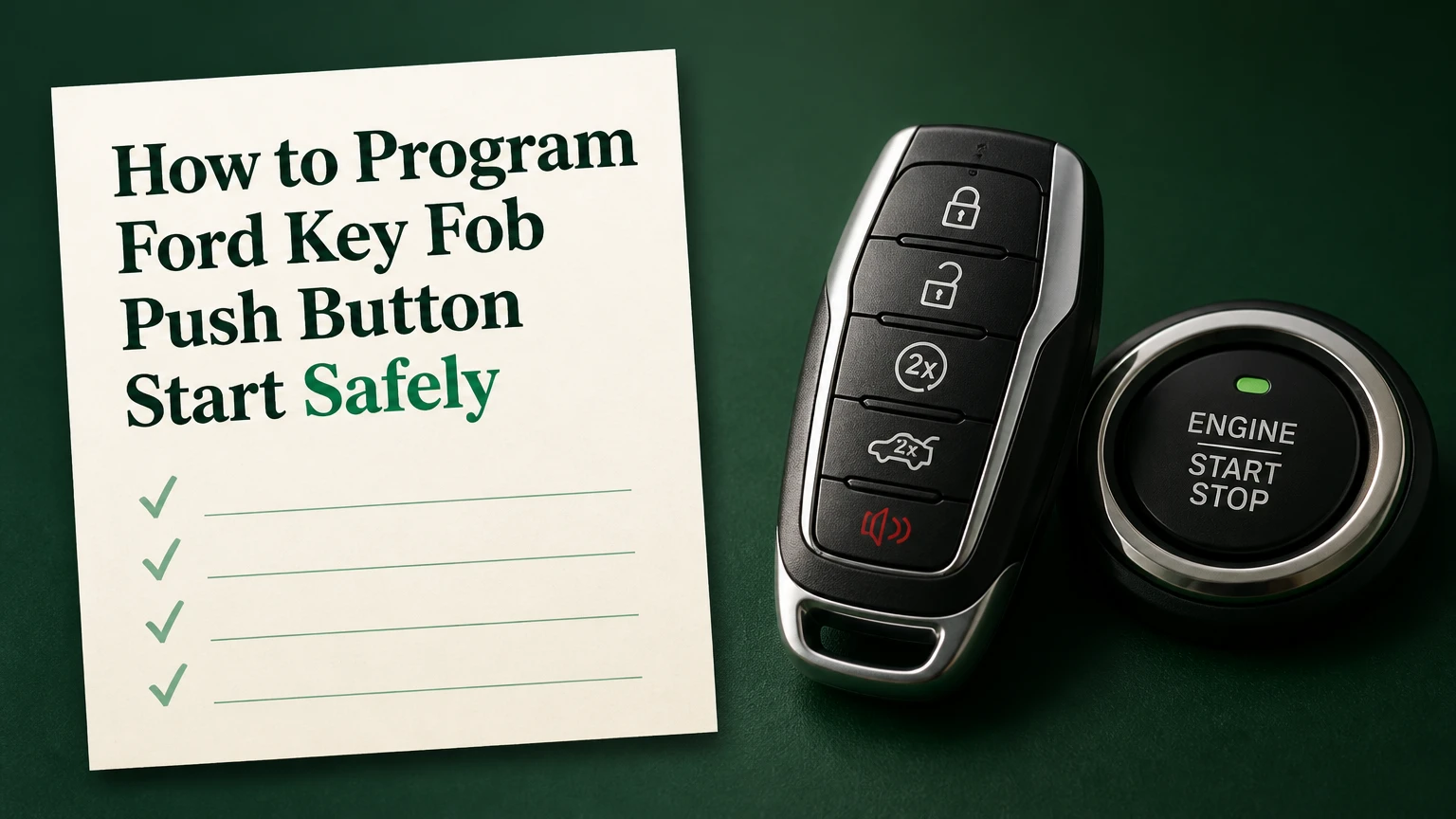
To program a Ford key fob push button start vehicle, use the vehicle’s passive backup slot and the model-specific onboard key-learning sequence, usually with two already-programmed keys. Insert each recognized key into the backup pocket, switch the ignition on without pressing the brake, then place the new compatible fob in the slot when the owner’s manual requests it.
Key facts at a glance
Ford onboard spare-key programming commonly requires two working, already-programmed keys.
The passive backup slot can authenticate a fob even when its coin-cell battery is weak or dead.
A Ford Intelligent Access fob must match the vehicle’s part number, FCC ID, frequency, market, and system generation.
Remote-button operation and engine-start authorization are related but separate functions.
One working key or no working keys normally requires an OBD-II programming tool, automotive locksmith, or Ford dealer.
A successful procedure must be verified by starting the vehicle and testing lock, unlock, trunk, panic, and remote-start functions if equipped.
Before You Program the Ford Key Fob
Check the vehicle, keys, and programming method before beginning. A compatible replacement fob, two working programmed keys, the correct backup slot, and a healthy 12-volt battery remove most avoidable failures.
What you need
| Requirement | Typical specification | Why it matters |
|---|---|---|
| Working programmed keys | 2 keys | Enables onboard spare-key authorization on supported vehicles |
| Replacement Intelligent Access fob | Correct Ford part number and FCC ID | Prevents frequency and immobilizer incompatibility |
| Vehicle battery | Approximately 12.4-12.7 volts at rest | Low voltage can interrupt module communication |
| Fob battery | Usually CR2032 or model-specific equivalent | Powers RF buttons and passive-entry functions |
| Programming location | Dry cabin with doors closed | Prevents interruptions during the learning sequence |
| Owner’s manual | Exact model-year procedure | Ford slot locations and timings differ |
Remove other keys from the cabin if they are not being programmed. Keep phones, metal tool cases, and aftermarket electronics away from the backup pocket while learning takes place.
The replacement must be for the same vehicle system. A shell that looks identical can contain a different transponder, antenna, frequency, or circuit board. Match the FCC ID printed inside the fob, the Ford engineering or service part number, button layout, emergency-blade configuration, and regional frequency.
How Ford Push-Button Key Programming Works
Ford Intelligent Access combines a passive anti-theft transponder with a radio-frequency remote. The immobilizer authorizes engine starting only after the vehicle recognizes a valid cryptographic key, while the body control system separately receives lock, unlock, trunk, panic, and remote-start commands.
The backup slot is a short-range reader connected to the vehicle’s immobilizer system. When the fob is placed inside the pocket, the reader can interrogate the transponder directly rather than relying entirely on the fob’s normal proximity signal or coin-cell battery.
Ford’s Passive Anti-Theft System, commonly called PATS, is the security function involved in key authorization. Ford owner manuals describe the system in direct terms: “The system does not allow you to start the engine with an incorrectly coded key.” The exact wording and key-count limits vary by manual, but the practical result is consistent: a remote that locks the doors is not automatically a key that can authorize the engine.
A dead fob battery therefore does not always mean the key is unusable. The backup slot may still allow starting, but the battery must be replaced to restore normal passive entry and remote-button range.
Where Is the Passive Backup Slot?
The Ford passive backup slot is usually in the center console, a cup holder, a small tray, or near the steering column, but the position changes substantially across models and years. Search the owner’s manual for “backup slot,” “key learning,” “passive key,” or “starting the vehicle with a dead key battery.”
| Common location | What to inspect | Models where this may appear |
|---|---|---|
| Center-console bin | Removable rubber mat or false floor | Explorer, Escape, Edge, Fusion |
| Front cup holder | Bottom of a molded cup recess | F-150, Ranger, Expedition |
| Rear cup holder | Hidden pocket beneath a liner | SUV and rear-console configurations |
| Dashboard tray | Small slot below climate or audio controls | Focus, Fiesta, selected earlier systems |
| Steering-column area | Marked pocket or molded key icon | Certain older push-button Ford interiors |
Do not assume the slot is the same across two trims of the same model. A 2021 Ford Explorer and a 2021 Ford F-150 can use different pocket designs, and a later model may require the fob buttons to face a particular direction.
If the dashboard displays No Key Detected, reverse the fob orientation and confirm that the fob is fully seated. Do not force the pocket, remove unrelated trim, or substitute a random storage recess.
How Many Working Keys Do You Need?
Two working, programmed keys are normally required for Ford’s owner-performed spare-key sequence. With two recognized keys, the vehicle can authorize the addition of another key without a diagnostic security-access session.
| Keys currently available | Onboard spare-key sequence | Practical next option |
|---|---|---|
| 2 working keys | Usually available on supported vehicles | Program the compatible spare at home |
| 1 working key | Usually unavailable | Use an approved programmer, locksmith, or dealer |
| 0 working keys | Unavailable | Use a locksmith or dealer with PATS access |
| 2 keys, one intermittent | Treat as 1 reliable key | Repair or verify both before starting |
| 2 keys from another vehicle | Not sufficient | Keys must already belong to this vehicle |
The two keys must be recognized by the vehicle, not merely two fobs with working lock buttons. Test both by placing each in the backup slot and starting the engine before attempting to add the replacement.
Some Ford manuals permit a programmed-key addition only on specific vehicles and production ranges. If the manual does not provide the sequence, do not infer compatibility from an online video for a different model.
How to Program Ford Key Fob Push Button Start
The following sequence applies only to Ford vehicles whose owner manual supports onboard Intelligent Access key programming. The most important success factor is following the vehicle’s exact ignition-state instructions, because Ford changed the sequence across model years and systems.
Step 1: Prepare the vehicle and keys
Place the vehicle in Park, switch off accessories, close every door, and sit in the driver’s seat. Bring the two working keys and the new compatible fob into the cabin, but keep unneeded keys away from the console.
Do not press the brake or accelerator during the learning sequence. On a push-button vehicle, pressing the brake normally commands engine starting rather than accessory or ignition mode.
You’ll know this step is correct when: the instrument cluster is off, all doors are closed, and the vehicle can recognize both working keys.
Common mistake: leaving a third, unprogrammed, or incompatible key beside the active backup pocket.
Step 2: Locate and position the first programmed key
Place Working Key 1 fully inside the passive backup slot. Use the orientation shown in the manual; if no orientation is specified, begin with the buttons facing upward and the emergency-key ring aligned with the slot’s molded guide.
You’ll know this step is correct when: the cluster responds when the Start/Stop button is pressed without the brake.
Common mistake: holding the fob above the pocket instead of seating it against the reader.
Step 3: Switch the ignition on with Working Key 1
Press and release the Start/Stop button without touching the brake. Depending on the Ford system, this may select accessory power or ignition-on mode. Wait for the period specified in the owner’s manual, often approximately five seconds, then switch the ignition off.
Remove Working Key 1 only after the ignition has returned to the required off state. Ford procedures can require a specific number of ignition cycles, so a generic internet sequence is not a substitute for the manual.
You’ll know this step is correct when: the cluster powers up normally and no “No Key Detected” message appears.
Common mistake: pressing the brake, which can start the engine and cancel the learning routine.
Step 4: Repeat the sequence with Working Key 2
Insert Working Key 2 into the same backup slot promptly after removing the first key. Switch the ignition on without the brake, observe the manual’s waiting period, switch it off, and remove the second key.
Many published Ford procedures use a short changeover window, sometimes about 10 seconds. Treat that figure as model-specific rather than universal. If the manual gives a different interval, the manual controls.
You’ll know this step is correct when: the vehicle accepts the second key without a warning and the instrument cluster remains responsive.
Common mistake: using a second fob that operates the door locks but has never been programmed for that vehicle’s immobilizer.
Step 5: Add the new Intelligent Access key
Place the new fob into the passive backup slot within the interval specified by the manual. Press the Start/Stop button without pressing the brake, or perform the final ignition action stated in the vehicle instructions.
Some Ford systems display a programming message, flash the hazard lamps, or cycle the locks. Others provide less obvious confirmation.
You’ll know this step is correct when: the cluster reports a successful key addition, the locks respond, or the vehicle accepts the new key after the ignition is switched off and on again.
Common mistake: removing the new fob immediately after the final button press, before the vehicle completes its authorization.
Step 6: Exit programming mode and test every function
Switch the ignition off, remove the new fob, and test it from outside the vehicle. Confirm lock, unlock, liftgate or trunk release, panic, passive unlock, and engine starting.
If the vehicle has factory remote start, test that feature separately. A replacement fob may start the engine yet lack remote-start authorization if the fob configuration, vehicle module, or button set is incorrect.
You’ll know this step is correct when: the new key starts the vehicle from the normal seating position and all expected buttons work from a practical distance.
Common mistake: declaring success because the engine starts while never testing the remote functions.
What If You Have One or Zero Working Keys?
One working key usually cannot trigger Ford’s two-key onboard enrollment method. A vehicle with no working keys requires a diagnostic security procedure that proves ownership and grants access to the PATS or related body-control functions.
| Method | Working keys needed | Typical equipment or service | Typical time | Typical cost |
|---|---|---|---|---|
| Onboard learning | 2 | No diagnostic equipment | 5-10 minutes | $20-$60 for a compatible fob |
| DIY diagnostic kit | 0-1 | Windows laptop, OBD-II interface, software | 20-60 minutes | $80-$180 |
| Mobile automotive locksmith | 0-1 | Professional PATS programmer and key stock | 20-60 minutes | $150-$350 |
| Ford dealer | 0-1 | Ford diagnostic software and security access | 1-3 hours | $250-$500 |
| Tow plus dealer service | 0-1 | Vehicle transport and dealer programming | 2-6 hours | $350-$700 |
FORScan is a Windows-based diagnostic platform frequently used with a suitable Ford-compatible OBD-II interface, such as an OBDLink EX. Software capability depends on the vehicle, module, subscription or security access, and current procedure. An OBD adapter alone does not program a key.
A mobile automotive locksmith is often the practical choice when every key is lost. The locksmith can verify ownership, cut the emergency blade, supply a compatible fob, and perform the security procedure at the vehicle. Do not erase all stored keys unless you have the replacement keys in hand and understand the consequences.
Which Programming Method Should You Choose?
Choose onboard learning when two tested keys are available and the owner’s manual explicitly supports the procedure. Choose a locksmith when one or zero keys remain, the car cannot be moved, or compatibility is uncertain.
| Situation | Best-fit method | Main advantage | Main limitation |
|---|---|---|---|
| Two verified keys and a spare | Onboard sequence | Lowest cost and fastest completion | Model-specific eligibility |
| One working key and technical skill | Diagnostic kit | Avoids full dealer labor | Security access and setup errors |
| No keys, vehicle at home | Mobile locksmith | On-site cutting and programming | Service-call pricing |
| No keys, unusual Ford system | Dealer | Factory tooling and VIN records | Higher cost and possible towing |
| Used fob from another vehicle | Professional compatibility check | Identifies reusable hardware | Some fobs remain locked or incompatible |
The cheapest method is not always the least expensive outcome. A failed diagnostic write can consume a morning, while an incorrect used fob can require buying a second replacement before programming succeeds.
Compatibility and Used Ford Fobs
A Ford smart key must match more than the vehicle’s model name. Confirm the vehicle identification number, model year, market, trim, fob button layout, FCC ID, Ford part number, frequency, transponder generation, and emergency-blade style.
| Compatibility attribute | Example value | Verification method | Failure consequence |
|---|---|---|---|
| FCC ID | Printed inside the fob shell | Compare with the original key | RF buttons may not respond |
| Frequency | 315 MHz or approximately 902-915 MHz system | Fob label and regional specification | Remote communication fails |
| Ford part number | Model-specific engineering number | Original fob and parts catalog | Vehicle may reject the fob |
| Button layout | 5-button or 6-button arrangement | Compare physical controls | Remote-start or trunk feature missing |
| Emergency blade | HU101 or other profile | Compare blade shape | Door cannot be opened manually |
| Key condition | New, unlocked, or vehicle-specific used | Seller and locksmith verification | PATS enrollment may be blocked |
A replacement shell is not a replacement electronic key. Moving an old circuit board into a new shell changes the housing only; it does not clear a previously assigned transponder or add a missing remote-start function.
Used fobs are particularly risky because some can be erased and reused, while others are locked to the original vehicle or use hardware that does not support relearning. Verify return rights before purchase.
What If the Fob Battery Is Dead?
A dead fob battery usually prevents normal passive entry and remote-button operation, but the passive backup slot may still permit engine starting. Replace the coin cell first, then test the fob before attempting programming.
Use the battery type printed in the owner’s manual or on the removed cell. Install the battery with the polarity shown inside the housing, keep the contacts clean, and avoid bending the retaining tabs.
A battery replacement does not normally erase the key’s programming. If the vehicle starts after replacement but the buttons do not work, check battery orientation, terminal contact, physical button damage, and the correct remote synchronization procedure for that model.
Do not disconnect the vehicle’s 12-volt battery as a routine reset. Battery disconnection can erase clock and personalization settings, trigger window or liftgate relearning, and fail to repair an incompatible or unprogrammed fob.
Common Mistakes and How to Fix Them
| Symptom | Likely cause | Corrective action | Escalation point |
|---|---|---|---|
| No Key Detected | Wrong slot or fob orientation | Reseat and reverse orientation | Test with a known working key |
| Engine starts, buttons fail | Incorrect RF part or dead coin cell | Verify FCC ID and battery | Replace or professionally test fob |
| Sequence cancels | Brake pedal pressed | Restart with brake untouched | Read exact manual procedure |
| Second key rejected | Key is not programmed to that vehicle | Test both keys independently | Locksmith or dealer diagnosis |
| Programming never confirms | Wrong model procedure or low voltage | Charge battery and verify manual | Diagnostic programming |
| New key works intermittently | Weak fob battery or RF interference | Replace cell and remove electronics | Inspect receiver and modules |
The most important practitioner rule is to test each existing key before programming. A key that starts the car only from the backup slot may have a failed passive-entry transmitter, so counting it as a fully working key creates a false assumption about the available programming method.
A second rule is to distinguish a procedure failure from a parts failure. If the original keys work but the replacement never appears in the cluster, suspect compatibility before repeating the sequence dozens of times.
A third rule is to stop after two or three clean failures. Repeated attempts do not make an incorrect FCC ID, incompatible transponder, or unsupported model procedure become valid.
Costs, Timing, and Ownership Planning
Typical do-it-yourself onboard programming takes 5-10 minutes after the correct fob is available. Total cost is usually the replacement fob, which commonly ranges from $20-$60 for aftermarket hardware and substantially more for OEM equipment.
Diagnostic programming usually takes 20-60 minutes, depending on security delays, software setup, module communication, and whether a blade must be cut. A locksmith commonly charges $150-$350, while dealer pricing often reaches $250-$500 before towing or appointment delays.
Prices vary by location, vehicle generation, fob source, key cutting, and whether all lost keys must be removed from the vehicle’s authorized list. Ask for a complete quote that includes the fob, blade cutting, programming, travel, tax, and deletion of missing keys.
When Should You Use a Locksmith or Ford Dealer?
Use a mobile locksmith when the vehicle is immobilized at home, one or zero working keys remain, or you need same-day key cutting and programming. Use a Ford dealer when the vehicle has an unusual security configuration, a warranty or ownership-record issue, or a locksmith cannot support the model.
Prepare the VIN, registration or title, government identification, vehicle location, and every key you still possess. The VIN identifies the vehicle, but it does not by itself prove ownership or guarantee that a particular aftermarket fob will fit.
A locksmith may cost less and avoid towing. A dealer may provide stronger access to factory parts and Ford diagnostic systems. Neither option eliminates the need to verify the replacement fob before programming.
Frequently Asked Questions
Can I program a Ford push-button key with only one key?
Usually no. Ford’s owner-operated spare-key sequence generally requires two already-programmed keys, although the exact requirement depends on the vehicle’s model year and manual. With one key, use a compatible diagnostic programming kit, mobile automotive locksmith, or Ford dealer, and confirm whether the service will retain the existing key.
Does changing a Ford key-fob battery require reprogramming?
Normally no. Replacing the coin-cell battery does not erase the fob’s immobilizer or remote identity. If the buttons stop working afterward, verify polarity, battery contact, housing damage, and the model-specific remote synchronization procedure before paying for immobilizer programming.
Can I program a used Ford Intelligent Access fob?
Sometimes, but not universally. A used fob must have compatible hardware, FCC ID, frequency, button layout, and a transponder that the vehicle can accept. Some units are locked to another vehicle. A locksmith or Ford parts specialist can check reuse eligibility before you purchase.
Why does my Ford start with the new key but the buttons do not work?
Engine starting and remote-button operation use different communication paths. The transponder may be authorized while the RF transmitter is incompatible, incorrectly configured, damaged, or fitted with a dead battery. Verify the FCC ID and part number, install the correct battery, and test the remote functions separately.
Will a Ford key fob work if its battery is completely dead?
The vehicle may still start when the fob is placed in the passive backup slot because the slot can read the transponder directly. Normal passive unlocking, locking, and remote-button operation generally require the coin cell. Replace the battery rather than treating the backup-slot behavior as permanent.
How many Ford keys can the vehicle store?
The permitted number varies by model, year, market, and security system. Do not rely on a generic maximum from another Ford manual. Check the vehicle-specific documentation or ask a locksmith to identify the authorized-key capacity before adding multiple replacements.
The Bottom Line
How to program Ford key fob push button start depends first on the number of working keys and the exact vehicle procedure. With two recognized keys, a compatible replacement, and a supported onboard sequence, the job may take 5-10 minutes in the passive backup slot. With one or zero keys, use diagnostic equipment or a qualified locksmith rather than guessing at a universal sequence. Always verify FCC ID, part number, slot location, ignition states, battery condition, and every key function before considering the programming complete.


