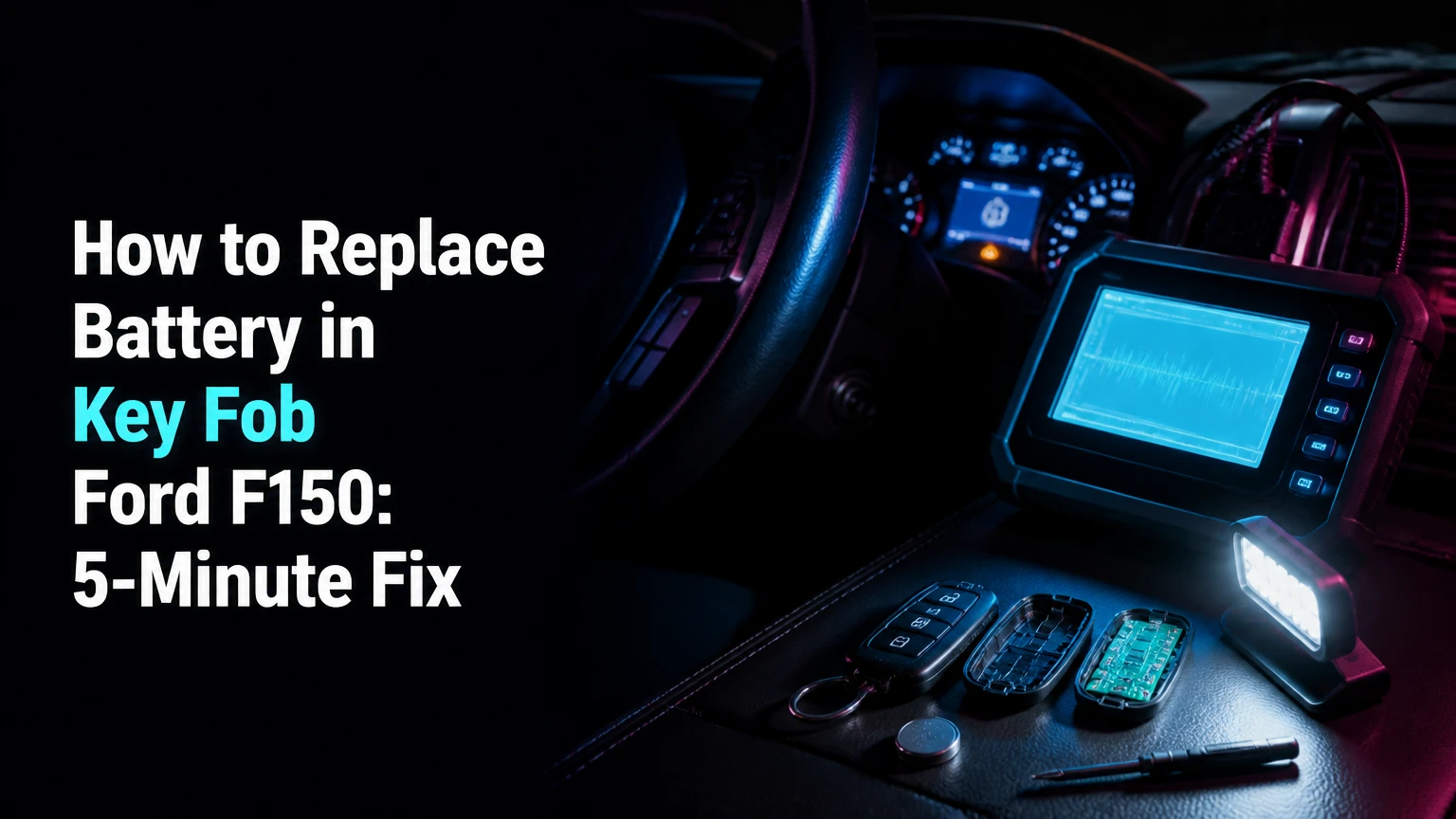
To replace the battery in a Ford F-150 key fob, identify the fob style and the battery number printed on the old cell, then open the case, install the matching 3-volt lithium coin cell with the correct polarity, and snap the housing closed. Most replacements take 2-5 minutes and require no reprogramming.
Key Facts at a Glance
- A Ford F-150 key fob commonly uses a CR2032 or CR2450 3-volt lithium coin battery.
- The battery number printed on the old cell takes priority over a year-based chart.
- Most battery changes cost $5-$8 for a two-pack and take 2-5 minutes.
- Smart-key fobs usually open after you remove the emergency key blade.
- A normal battery replacement does not erase the fob’s vehicle programming.
- A new battery should be tested for locking, unlocking, passive entry, remote start, and vehicle starting.
Which Battery Does a Ford F-150 Key Fob Use?
A Ford F-150 key fob most commonly uses a CR2450 in push-button-start intelligent-access fobs and a CR2032 in flip-key or integrated-keyhead remotes. Trim level alone cannot identify the battery with certainty because Ford changed remote designs across model years and equipment packages.
The most reliable method is to remove the existing cell and read its stamped number. CR2032 and CR2025 share a 20-millimeter diameter, but the CR2032 is thicker, approximately 3.2 millimeters versus 2.5 millimeters. That difference can affect spring pressure and electrical contact.
Ford F-150 Fob Battery Reference
| Fob style | Common F-150 application | Typical battery | Visual identifier |
|---|---|---|---|
| Intelligent Access smart key | 2018-present, with some earlier high trims | CR2450 | Rounded black body, push-button ignition |
| Flip or switchblade key | Commonly 2015-2020 keyed-ignition models | CR2032 | Metal blade folds into the remote |
| Integrated keyhead remote | Commonly 2011-2014 models and older designs | CR2032 | Fixed metal key attached to button housing |
| Replacement or aftermarket shell | Varies by replacement design | Match installed cell | Battery tray shape may differ from original |
Ford’s official support materials and owner manuals should be treated as the final reference when the physical battery marking is unreadable. The battery compartment, replacement shell, and circuit-board layout can differ even when two remotes look similar.
How Do CR2032 and CR2450 Differ?
CR2032 and CR2450 batteries both provide 3 volts, but the CR2450 is thicker and has greater nominal capacity. A CR2032 may fit loosely in a CR2450 compartment, while a CR2450 may prevent the case from closing if the housing was designed for the thinner cell.
| Battery | Diameter | Thickness | Nominal voltage | Typical use in F-150 fobs |
|---|---|---|---|---|
| CR2032 | 20 mm | 3.2 mm | 3 V | Flip-key and integrated-keyhead remotes |
| CR2025 | 20 mm | 2.5 mm | 3 V | Do not substitute unless specified |
| CR2450 | 24.5 mm | 5.0 mm | 3 V | Many intelligent-access smart keys |
| CR2016 | 20 mm | 1.6 mm | 3 V | Generally too thin for these applications |
The code itself describes the cell: “CR” identifies the lithium manganese-dioxide chemistry, the first two digits indicate diameter, and the last two indicate thickness in tenths of a millimeter. A CR2025 is not an equivalent replacement for a CR2032 merely because both are 20 millimeters wide.
What Should You Do Before Opening the Fob?
Before opening a Ford F-150 key fob, buy the battery marked on the existing cell, prepare a plastic pry tool or small flathead screwdriver, and work over a clean surface where the emergency key and case clips cannot fall away. The repair needs no vehicle scan tool, key programmer, or special reset procedure.
Before You Start
| Requirement | Typical specification | Why it matters |
|---|---|---|
| Repair time | 2-5 minutes | Covers opening, replacement, and testing |
| Battery cost | $5-$8 per two-pack | Typical retail range for name-brand cells |
| Tool | 1 small flathead or plastic pry tool | Fits the case slot without excessive force |
| Replacement cell | 1 CR2032 or CR2450 | Match the old battery and fob compartment |
| Work surface | Clean, dry, 30-60 cm clear area | Prevents lost clips, keys, and batteries |
Keep the truck nearby so you can test the remote immediately. Do not open the fob beside loose metal parts, spilled liquid, or abrasive grit. Coin cells can also be dangerous if swallowed, so store the old and new batteries away from children and pets and recycle the old cell through a battery collection program.
How to Replace Battery in Key Fob Ford F150
Replacing a Ford F-150 key fob battery requires five actions: remove the emergency key when present, separate the case, lift out the old cell, install the matching battery, and test every function. The most important success factor is correct battery orientation, followed by complete seating of the case cover.
Step 1: Identify the Fob and Confirm the Battery
Turn the remote over and look for a removable emergency key, folding blade, seam, release button, and battery marking. If the battery number is visible, photograph it before removal; if the cell is already missing, compare the compartment shape with the owner manual rather than guessing from the truck’s trim.
Check whether the remote has a dedicated remote-start button. That button does not determine battery size by itself, but it confirms that the remote may have additional functions worth testing after installation.
Success checkpoint: You know the exact cell number and can identify the case-opening point.
Common mistake: Ordering a CR2032 because it is widely available when the smart fob requires a CR2450.
Step 2: Remove the Emergency Key or Extend the Blade
For an intelligent-access fob, press the release button on the side or lower edge and pull the metal emergency key completely out. For a flip-key remote, press the blade-release button so the metal key swings outward and exposes the opening seam.
Do not pull against the key blade without pressing its release. The blade is retained by a spring-loaded mechanism, and force applied in the wrong direction can damage the button or retaining clip.
Success checkpoint: The emergency-key cavity or open blade exposes the case seam and pry slot.
Common mistake: Using the metal key as a lever from the outside edge, which can gouge the plastic or bend the blade.
Step 3: Open the Key Fob Case
Insert the tip of the emergency key, a plastic pry tool, or a small flathead screwdriver into the molded slot inside the key cavity. Twist gently until the rear cover releases, then work around the seam with light pressure rather than forcing one corner.
A thin plastic tool reduces cosmetic damage, but a small flathead works when its tip fits the slot cleanly. Place a piece of thin tape around a screwdriver tip if the housing is already scratched, but do not cover the tip so heavily that it no longer seats in the opening.
Success checkpoint: The rear cover separates without cracking, and the circuit board remains seated in the front housing.
Common mistake: Prying between the buttons and the outer shell, which can dislodge button membranes or damage the switch contacts.
Step 4: Remove the Old Battery and Install the New One
Lift the old coin cell from its recessed edge with a fingernail or small tool. Avoid levering directly against the circuit board, and do not scrape the battery contacts. Hold the new cell by its edge, then place it in the same orientation as the old one.
On many Ford F-150 remotes, the positive side marked with a plus sign faces upward, away from the circuit board. The battery compartment’s molded symbol and retaining clip control the final orientation, so copy those markings if the fob design differs.
Ford support guidance states, “Do not wipe off any grease on the battery terminals or on the circuit board.” That grease is normally intentional contact protection. Remove only dirt, spilled liquid, or corrosion, and use professional repair if the board has green corrosion or a burned contact.
Success checkpoint: The battery lies flat, the plus marking is oriented correctly, and the retaining clip holds the edge securely.
Common mistake: Installing a thinner CR2025 in a CR2032 slot. The fob may work briefly, then fail when movement breaks electrical contact.
Step 5: Reassemble and Test Every Function
Align the rear cover with the front shell and press around the perimeter until each clip snaps into place. Reinsert the emergency key, close the flip blade if applicable, and test the fob beside the truck before putting it back on a key ring.
Test lock, unlock, panic, trunk or tailgate release if equipped, remote start if equipped, passive door-handle entry, and the vehicle’s start authorization. Remote-start range can be lower during testing if the truck is inside a garage or near radio interference, so verify basic button operation first.
Success checkpoint: The case seam is closed evenly, the key blade is retained, and each installed function responds.
Common mistake: Testing only the lock button. A damaged button membrane or weak contact may affect one function while the others still work.
Does a Ford F-150 Key Fob Need Reprogramming?
A Ford F-150 key fob normally does not need reprogramming after a routine battery replacement because the remote’s stored identity remains in its circuit board. Reprogramming becomes relevant when the entire remote is replaced, the vehicle no longer recognizes the key for starting, or a diagnostic fault affects the security system.
A low remote battery can reduce button range, interfere with passive entry, or cause a “No Key Detected” condition. Those symptoms do not automatically mean the fob has lost programming.
If the buttons work but the truck will not start, place the fob in the vehicle’s backup passive-start position described in the owner manual. The backup location varies by generation. Do not assume that repeatedly pressing buttons will restore immobilizer recognition.
What Are the Typical Replacement Costs?
A DIY Ford F-150 key fob battery replacement typically costs $5-$8 for a two-pack and takes 2-5 minutes. A parts store may charge approximately $10-$15 for a single retail installation, while dealer pricing can reach $50 or more when labor, service minimums, or additional diagnosis are included.
| Replacement option | Typical out-of-pocket cost | Typical time | Best use |
|---|---|---|---|
| DIY name-brand two-pack | $5-$8 | 2-5 minutes | Correct battery and intact fob |
| Grocery or parts store | $8-$15 | 5-15 minutes | Immediate purchase or installation help |
| Automotive locksmith | $10-$30 for battery service | 10-30 minutes | Damaged shell or uncertain remote |
| Ford dealership | $50-$80 or more | 15-60 minutes | Battery plus diagnosis or other key work |
Prices vary by location, battery brand, and whether a store treats the job as free installation with a purchase. A dealer is usually unnecessary for a battery-only repair, but dealer or locksmith service is appropriate when the housing is broken, the circuit board is corroded, or the vehicle has only one functioning programmed key.
Common Mistakes and How to Fix Them
Most failed Ford F-150 key fob battery replacements result from the wrong cell, reverse polarity, incomplete case closure, or a poor-quality battery rather than lost programming. Diagnose the simplest physical cause first, then separate remote-button failure from passive-start or vehicle-receiver problems.
| Symptom after replacement | Likely cause | Corrective action | Escalation point |
|---|---|---|---|
| No buttons work | Reverse polarity or dead cell | Reopen, verify plus side, install another cell | Test with a known-good brand |
| Case will not close | Wrong thickness or displaced clip | Compare CR2032 and CR2450, reseat battery | Replace damaged housing |
| Lock works at short range only | Weak or expired cell | Install a fresh name-brand battery | Inspect board and antenna |
| Passive entry fails, buttons work | Vehicle setting, handle sensor, or receiver issue | Test spare fob and vehicle battery | Diagnose truck system |
| Truck says no key detected | Fob not recognized in normal position | Use the manual’s backup start location | Locksmith or dealer diagnosis |
| Low-battery message remains | Voltage threshold has not cleared or battery is weak | Start the truck, cycle ignition, retest | Scan vehicle if persistent |
What If the Fob Still Does Not Work?
If a Ford F-150 key fob remains unresponsive, remove and reinstall the battery, confirm that the positive face is correct, and check that the case clips are fully engaged. Then test a second fresh cell because coin batteries can be old, damaged, or improperly stored before sale.
Test the spare fob beside the same truck. If both remotes fail simultaneously, the vehicle’s 12-volt battery, receiver, settings, or central locking system deserves attention. If only one remote fails after two known-good cells, the likely fault is the fob’s contact, switch, circuit board, or housing.
Do not spray electrical cleaner into the case as a first response. Liquid can migrate beneath the buttons and worsen contamination.
What If the Emergency Key Is Missing?
A missing emergency key does not prevent battery replacement if the fob has another accessible case slot, but it removes the most convenient opening tool and the mechanical backup for unlocking the truck. Use a plastic pry tool or a precision flathead that fits the molded slot.
If the key blade is lost, order a correctly cut replacement through Ford or a qualified automotive locksmith. A replacement blade and a replacement programmed remote are separate jobs, so confirm which service is needed before paying for a complete fob.
What If the Fob Was Wet?
Dry a wet Ford F-150 key fob externally, remove the battery as soon as practical, and allow the opened housing and board to dry fully before installing a new cell. Water exposure can create corrosion that a battery swap cannot repair.
Do not use high heat from a hair dryer or place the circuit board in an oven. If corrosion, residue, or intermittent buttons remain after drying, a locksmith or electronics repair specialist can inspect the board more safely than repeated battery changes.
How Can You Extend Battery Life and Remote Range?
A quality lithium cell, clean contacts, a fully latched case, and protection from constant button pressure provide the best practical battery life. Ford F-150 owners commonly replace a key-fob battery every 2-4 years, but actual life depends on remote-start use, temperature, storage, and how often the buttons are pressed accidentally.
Cold weather can temporarily reduce coin-cell output and remote range. Keep the spare battery at normal indoor temperature until needed, and avoid storing loose coin cells against keys or other metal objects.
Replace the spare fob battery proactively when the primary battery reaches the end of its expected service period. Test both remotes once a month by checking lock and unlock response from a consistent distance.
When Should You Use a Locksmith or Dealer?
Use a locksmith or Ford dealer when the key fob cannot retain its battery, the circuit board shows corrosion, the remote has been lost, the vehicle does not recognize the key after a verified battery change, or a new programmed key is required. A dealer is not the most economical choice for an intact fob needing only a coin cell.
An automotive locksmith can often diagnose the remote, cut an emergency blade, supply a compatible shell, and program a replacement key. Dealer service may be preferable when the truck has an immobilizer fault, multiple keys are missing, or warranty documentation matters.
The repair is not suitable for improvisation when the fob case is cracked around the battery retainer. A loose cell can interrupt power while driving, leaving the remote unreliable even if it passes a brief bench test.
FAQ
Can I use a CR2025 instead of a CR2032 in my F-150 fob?
A CR2025 should not replace a CR2032 unless Ford’s documentation for that exact remote permits it. Both cells are 20 millimeters wide, but the CR2025 is 0.7 millimeters thinner, which can reduce contact pressure and cause intermittent operation. Install the battery number printed on the original cell.
How do I know whether my F-150 has a smart key?
A Ford F-150 has an intelligent-access smart key when the truck supports passive entry and push-button starting, and the remote usually has a rounded housing with a removable emergency blade. A physical ignition cylinder and folding or fixed metal key indicate a keyed remote instead.
Why does my F-150 key fob work only near the truck?
Short operating range usually indicates a weak battery, an inferior replacement cell, a loose contact, or a damaged antenna inside the remote. Replace the cell with a fresh name-brand battery, inspect seating and case closure, then compare the result with the spare fob before diagnosing the truck.
Can I replace the battery while the truck is locked?
Yes. Battery replacement can be performed with the Ford F-150 locked, but keep the mechanical emergency key available in case the remote stops responding. Afterward, unlock the truck with the fob or blade and test the remote functions before leaving the vehicle unattended.
How should I dispose of the old coin battery?
Take the old lithium coin cell to a household battery recycling point, electronics retailer, or local hazardous-waste collection service. Cover exposed terminals with nonconductive tape during transport, keep the cell away from children and pets, and never place a loose lithium coin battery in fire or household recycling.
The Bottom Line
To replace the battery in a Ford F-150 key fob, match the existing battery number, open the case through its designated slot, install a fresh CR2032 or CR2450 with the correct polarity, and test every function. The job normally costs $5-$8 and takes 2-5 minutes, while a locksmith or dealer is better for damaged housings, corrosion, missing keys, or programming faults.


