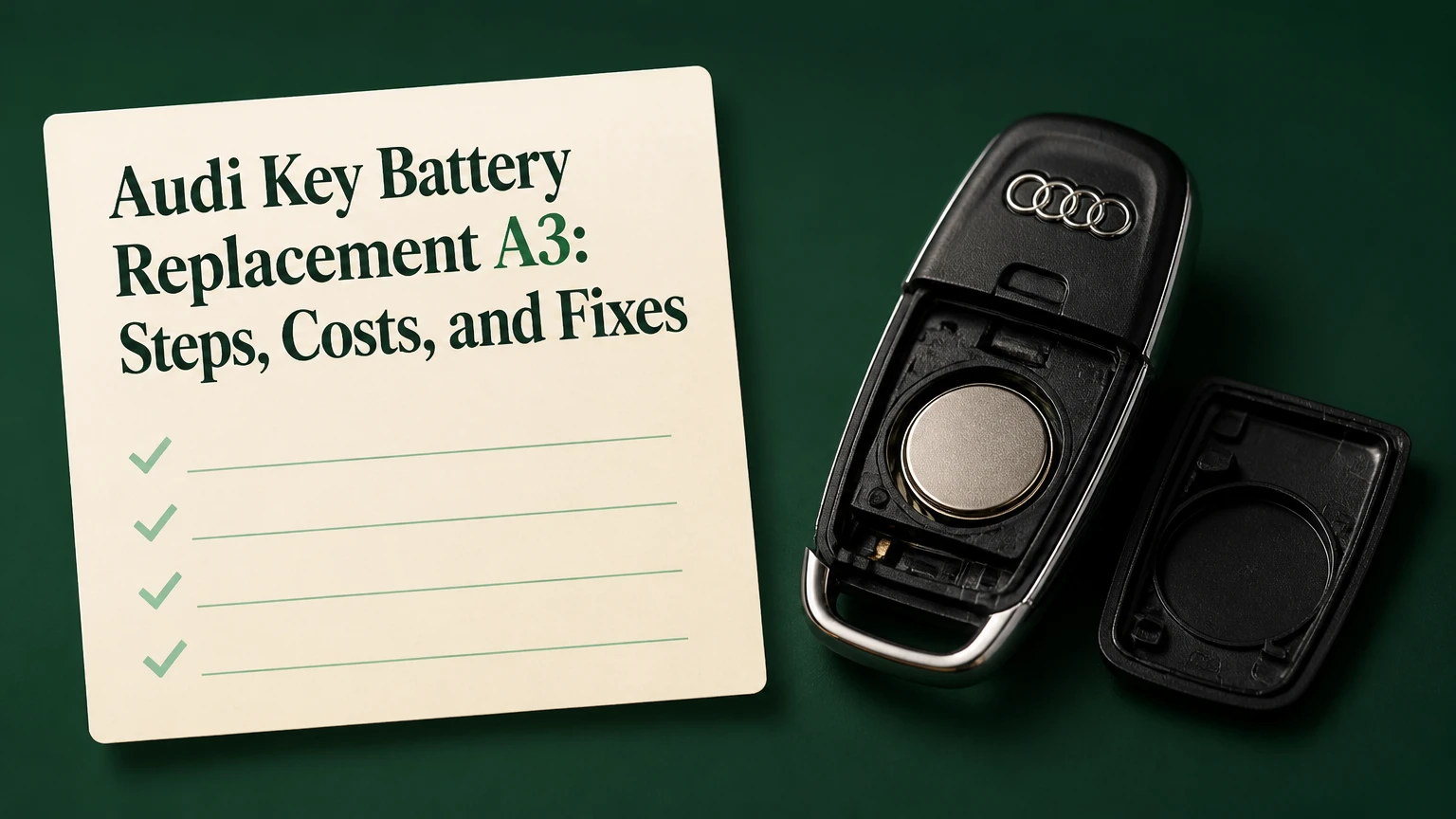
Audi key battery replacement for an A3 usually requires one CR2032 3-volt lithium coin cell and takes 3-5 minutes when the key housing is undamaged. The correct opening method and battery polarity depend on the key design, so identify the 8P, 8V, or 8Y fob before prying the case apart.
Key Facts at a Glance
- Most Audi A3 remote keys use a CR2032 lithium coin cell, but the installed cell and housing marking should confirm the fit.
- A remote battery powers locking, unlocking, luggage-compartment release, and the fob LED; it does not normally store the immobilizer authorization.
- Battery polarity varies by key carrier, so positive-side-up instructions are not safe for every A3 generation.
- A battery change normally does not erase the key’s vehicle pairing or immobilizer data.
- A DIY replacement typically costs $2-$6 and takes 3-5 minutes; dealer service commonly costs more because of handling and labor.
- A dead remote battery does not automatically mean the A3 cannot start, because many keys retain a passive immobilizer transponder.
Which Battery Does an Audi A3 Key Use?
The usual Audi A3 key battery is a CR2032, a 20-millimeter lithium coin cell rated at 3 volts nominally and approximately 220-240 mAh depending on manufacturer and test conditions. Confirm the marking on the old cell, the battery tray, or the vehicle’s owner’s manual before purchasing, because replacement keys and regional variants can differ.
A CR2032 designation identifies the cell’s chemistry and dimensions. “CR” indicates a lithium manganese-dioxide coin cell, “20” indicates approximately 20 mm diameter, and “32” indicates approximately 3.2 mm thickness. A CR2025 has the same diameter but is thinner, so it may fit loosely or provide unreliable contact even when the key buttons appear to work.
Battery specifications and practical choices
| Cell or source | Nominal voltage | Approximate thickness | Typical use in an A3 key | Practical verdict |
|---|---|---|---|---|
| CR2032 | 3.0 V | 3.2 mm | Original-style remote fob | First choice when marked by housing |
| CR2025 | 3.0 V | 2.5 mm | Temporary substitute only if manual permits | Avoid as a routine replacement |
| CR2016 | 3.0 V | 1.6 mm | Generally too thin for the carrier | Do not stack two cells |
| Panasonic CR2032 | 3.0 V | 3.2 mm | Premium replacement | Good shelf-life and temperature consistency |
| Energizer CR2032 | 3.0 V | 3.2 mm | Widely available replacement | Suitable when fresh and genuine |
| Varta CR2032 | 3.0 V | 3.2 mm | Common European-market option | Strong choice for European A3 vehicles |
A fresh branded battery is preferable to an old multipack from an unknown marketplace seller. Check the package for a future expiration date, avoid cells with damaged seals, and hold the replacement by its edges rather than coating both faces with skin oil.
How Does the Audi A3 Key Fob Work?
The Audi A3 key fob contains a battery-powered radio transmitter for convenience functions and a separate passive transponder system for immobilizer authorization. Pressing a button sends a coded radio command to the vehicle, while engine authorization is handled through a different communication path that can remain available when the coin cell is exhausted.
Remote locking usually fails first as voltage falls. Range becomes shorter, the LED may appear dim or stop flashing, and the vehicle may display a key-battery warning on equipped instrument clusters. Comfort or Advanced Key systems can consume more energy because the fob participates in proximity detection rather than transmitting only after a button press.
The exact radio frequency, receiver arrangement, and emergency-start location vary by market and production year. Do not treat commonly quoted 315 MHz or 433 MHz figures as a universal A3 specification. The vehicle’s regional equipment and owner’s manual control.
The immobilizer is not the same as the remote lock system. A replacement coin cell normally does not require programming because the battery supplies power but does not replace the coded transmitter or transponder.
Which A3 Key Design Do You Have?
Identify the physical key before opening the housing. An 8P-era flip key has a folding metal blade and a split shell, an 8V key usually has a removable blade and sliding battery carrier, while an 8Y key commonly has a removable blade and a rear battery hatch.
| A3 generation | Approximate production period | Visible key feature | Common battery access | Polarity guidance |
|---|---|---|---|---|
| 8P | 2003-2012 | Folding chrome or silver blade | Split two-piece shell | Commonly positive side up |
| 8V | 2013-2020 | Removable blade and tray | Side tabs release carrier | Follow tray imprint, often positive side down |
| 8Y | 2020-present | Slim removable blade and rear cover | Hatch behind blade cavity | Follow cover or tray marking |
| Replacement shell | Any period | Aftermarket housing shape | May not match original internals | Transfer parts only after comparison |
Production dates overlap by market, facelift, body style, and registration year. A 2019-registered A3 may use an 8V key, while a replacement key shell can resemble a later design. Shape is more reliable than registration date.
Before you start
| Requirement | Typical value | Why it matters |
|---|---|---|
| Replacement cell | 1 CR2032 | Match the old cell or housing marking |
| Working time | 3-5 minutes | Includes opening, changing, and testing |
| Small tool | 1 flat plastic pick or small flat screwdriver | Opens seams without excessive force |
| Cleaning material | 1 cotton swab plus isopropyl alcohol | Removes residue from contacts |
| Safety condition | Dry, clean work surface | Prevents contamination and lost springs |
| Cost | $2-$6 DIY | Typical price for a branded two-pack |
Photograph the old battery orientation before removal. That single step prevents the most common avoidable error, particularly on slider-tray keys where the positive face may point downward.
How Do You Replace an 8P Flip-Key Battery?
An Audi A3 8P flip-key battery replacement involves opening the shell at its internal seam, removing one CR2032, and reinstalling the cell with the positive face matching the original orientation. The job takes about 3-5 minutes, but a damaged seam or bent contact can make a simple battery change appear to be an electronic failure.
Step 1: Open the flip blade
Press the silver release button and swing the metal blade fully open. Look inside the recess where the blade folds into the key body, because the opening point is usually located within or beside that recess.
Insert a small flat tool into the molded seam and twist gently rather than levering against the buttons. Work around the seam only far enough to release the retaining clips.
Success checkpoint: The shell separates evenly without cracked clips or a lifted circuit board.
Common mistake: Inserting the tool into the button face can damage the rubber membrane or switch.
Step 2: Remove and record the cell
Lift the old coin cell from its retaining ring with a fingernail or insulated plastic pick. Note which face carries the “+” mark before removal, then inspect the ring for corrosion or flattened spring pressure.
Do not force a metal screwdriver under the cell at a steep angle. The retainer can bend away from the battery and create an intermittent connection.
Success checkpoint: The cell releases while the circular retainer remains flat and secure.
Common mistake: Throwing away the old cell before checking its orientation.
Step 3: Install and close the housing
Press the replacement CR2032 into the retainer with the same polarity orientation unless the housing marking states otherwise. Align the two shell halves, press around the perimeter, and confirm that the seam is flush.
Operate every button once after closure. A healthy fob LED should flash when the remote design includes an indicator.
Success checkpoint: The shell closes fully, the blade locks in place, and buttons feel unchanged.
Common mistake: Leaving one clip outside the shell, which allows moisture entry and weakens button operation.
How Do You Replace an 8V Slider-Tray Battery?
An Audi A3 8V key battery replacement uses the removable blade to expose two carrier-release tabs. The battery tray slides out of the shell, and the replacement CR2032 must follow the polarity symbol molded into that tray, which may place the positive face downward.
Step 1: Remove the mechanical blade
Press the release button and pull the metal emergency blade completely out. Keep the blade beside the fob rather than using it immediately as a pry tool.
Locate the two small plastic locking tabs inside the exposed cavity. They may require firm, even pressure from both sides.
Success checkpoint: The carrier begins moving outward without shell distortion.
Common mistake: Pulling on the outer shell instead of releasing the internal carrier.
Step 2: Release the battery carrier
Squeeze the side tabs and pull the inner tray straight out. If the tray resists, stop and reposition your fingers; twisting can break the guide rails.
Read the polarity icon on the tray. Compare the icon with the old cell before removing it, since online instructions often describe different key revisions.
Success checkpoint: The tray exits as one piece and its retaining clips remain intact.
Common mistake: Assuming every 8V key uses positive-side-up installation.
Step 3: Change the CR2032
Pop the old cell from the carrier and install the new one with the marked positive and negative faces aligned to the tray. Press only around the edge until the cell sits flat beneath the retaining lip.
Avoid touching both battery faces repeatedly. Finger residue can reduce contact reliability, especially if the key has previously been exposed to moisture.
Success checkpoint: The cell cannot move sideways and the tray’s contact points touch the correct surfaces.
Common mistake: Installing the cell backward, which can produce no LED and no remote response.
Step 4: Refit and test
Slide the tray into the key until it clicks, then insert the mechanical blade. Test locking, unlocking, trunk release, and the LED from close range before walking away from the vehicle.
Success checkpoint: All available buttons respond consistently at a few meters.
Common mistake: Testing only the lock button and missing a damaged trunk-release switch.
How Do You Replace an 8Y Hatch-Style Battery?
An Audi A3 8Y key battery replacement requires removing the emergency blade, using the blade or a plastic tool in the internal slot, and lifting the rear battery cover. The cover design differs slightly between suppliers and markets, so the molded arrow, notch, or manual instruction should guide the opening direction.
Step 1: Remove the emergency blade
Press the release button on the rear or chrome edge and pull out the mechanical blade. Inspect the exposed cavity for the slot used to release the battery cover.
Do not insert the blade deeply. The slot needs controlled leverage, not force against the circuit board.
Success checkpoint: The blade is fully removed and the cover-release slot is visible.
Common mistake: Trying to pry the outer decorative trim, which can mark the housing without releasing the cover.
Step 2: Lift the battery cover
Insert the blade tip or a plastic pick at the indicated angle, commonly around 45 degrees, and gently lift the cover. Stop if the cover flexes sharply or the tool slips.
Some 8Y housings use a rear hatch that snaps upward; others require sliding pressure before lifting. Compare the cover’s molded marks rather than applying a generic motion.
Success checkpoint: The rear cover separates without breaking its tabs.
Common mistake: Levering from the button side instead of the designed access slot.
Step 3: Install the new cell
Remove the old battery with a fingernail or nonconductive pick. Install a new CR2032 with polarity matching the cover or tray marking, then press the cover down until its perimeter is even.
Success checkpoint: The cover does not rock, and the blade reinserts completely.
Common mistake: Closing the hatch over a battery that is not seated under its retaining lip.
Does a New Battery Require Audi Key Programming?
A normal Audi A3 coin-cell replacement does not require immobilizer reprogramming. The key’s coded electronics remain in the fob, so removing power briefly usually restores operation as soon as the new cell makes contact.
A remote can occasionally lose synchronization after a long battery-disconnected period, repeated low-voltage events, or work on the vehicle’s convenience system. The exact resynchronization sequence varies between A3 generations and markets, so the owner’s manual is the controlling source.
A commonly used procedure is to lock the driver’s door manually with the mechanical key, unlock it, then press the remote button while close to the vehicle. Some vehicles require the key in the ignition or a specific button sequence. If that procedure fails, stop repeating it and check the key type, vehicle battery, and fault codes.
Programming is different from synchronization. Adding a replacement key, replacing a lost key, or repairing immobilizer authorization generally requires security access through Audi diagnostic equipment or a qualified automotive locksmith.
What If the New Battery Does Not Work?
A new CR2032 that fails immediately usually indicates reversed polarity, poor contact, a damaged carrier, an incompatible cell, or a fault outside the fob. Diagnose the key in a fixed sequence instead of buying multiple batteries or attempting programming first.
- Check polarity: Remove the cell and compare its “+” face with the tray or shell symbol.
- Check the LED: No flash suggests polarity, contact, battery, or circuit trouble; a flash with no vehicle response suggests synchronization, range, or receiver trouble.
- Inspect contacts: Look for flattened spring tabs, corrosion, dirt, moisture marks, or a film on the cell.
- Clean carefully: Use a cotton swab lightly dampened with isopropyl alcohol, then allow the contact to dry completely.
- Test the spare key: If the spare works, the primary fob is the likely fault; if neither works, investigate the vehicle.
- Check the vehicle battery: Low 12-volt voltage can disable or limit convenience functions even when the fob is healthy.
A coin cell can measure near 3 volts with no load and still fail under transmission demand if it is old, counterfeit, or contaminated. A battery tester designed for coin cells provides more useful evidence than voltage alone.
Diagnostic symptoms and likely causes
| Symptom | Most likely cause | First test | Usual remedy |
|---|---|---|---|
| No LED after replacement | Reversed cell or open contact | Recheck polarity and retainer | Reinstall or restore contact pressure |
| LED flashes, car does not respond | Synchronization or receiver issue | Test spare key and manual lock | Resynchronize or scan vehicle |
| Works only at close range | Weak cell, shielding, or antenna fault | Try a fresh branded CR2032 | Replace cell, inspect fob |
| Buttons feel soft | Damaged rubber membrane | Compare with spare key | Replace shell or button membrane |
| Remote works, car will not start | Immobilizer or vehicle fault | Use emergency key position | Follow manual, obtain diagnosis |
| Battery dies within weeks | Constant button pressure or moisture | Inspect case and key storage | Replace shell or repair fob |
Can an A3 Start With a Dead Key Battery?
Many Audi A3 models can start with a dead remote battery because the immobilizer transponder can be read when the key is placed at the vehicle’s designated emergency recognition area. The exact location differs, including the steering-column area, ignition switch, center-console location, or a marked slot depending on equipment and year.
For a push-button-start A3, hold the key directly against the location specified in the owner’s manual while pressing the start control. Keep the brake or clutch pedal applied as required by the vehicle. A dead remote battery may prevent remote unlocking, but it does not prove that the immobilizer system has failed.
For a keyed ignition, insert the mechanical blade or key assembly normally. If the engine still does not authorize starting, the cause may be a missing transponder, damaged key, vehicle 12-volt battery, steering-lock fault, or immobilizer malfunction.
The passive-start feature is an emergency path, not a reason to ignore a low-battery warning. Replace the cell before the vehicle becomes inconvenient to access.
How Much Does Replacement Cost?
DIY Audi A3 key battery replacement typically costs $2-$6 and takes 3-5 minutes. An independent locksmith or repair shop commonly charges $10-$30, while dealer pricing often reaches $30-$80 depending on local labor policy and whether inspection or synchronization is included.
Prices vary by country, city, battery brand, and whether the shop is replacing only a coin cell or diagnosing a keyless-entry fault. A new key, shell, transponder, or programming service is a separate purchase.
| Service option | Typical parts cost | Typical labor or service cost | Typical total time | Best fit |
|---|---|---|---|---|
| DIY branded CR2032 | $2-$6 | $0 | 3-5 minutes | Undamaged key with clear access |
| Independent shop | $3-$8 | $10-$22 | 10-20 minutes | Battery plus basic inspection |
| Automotive locksmith | $3-$8 | $15-$40 | 15-30 minutes | Battery, shell, or synchronization |
| Audi dealership | $3-$10 | $25-$70 | 20-60 minutes | Owners wanting dealer documentation |
| New programmed key | $80-$300+ | $50-$200+ | 30-120 minutes | Lost, damaged, or additional key |
A dealer replacement is not automatically technically superior because the installed component is still usually a CR2032. Dealer value comes from access to vehicle records, diagnostic equipment, and key-system support when a simple battery replacement does not solve the problem.
Should You Use DIY, a Locksmith, or Audi?
DIY is the best choice for a clean, undamaged fob with a clearly marked CR2032 carrier. Use an independent locksmith when the shell is cracked, the transponder needs attention, or synchronization remains unsuccessful; choose an Audi dealer when security authorization, diagnostic faults, or a replacement key is involved.
| Situation | Recommended route | Expected spend | Reason |
|---|---|---|---|
| Key works, battery warning appears | DIY | $2-$6 | No coding normally required |
| Shell cracked but electronics work | Locksmith or shell repair | $15-$60 | Prevent moisture and button damage |
| Remote LED works but car ignores key | Locksmith diagnostic | $20-$100 | Separates pairing from receiver faults |
| All keys fail after vehicle battery work | Audi or specialist scan | $50-$150 | Vehicle-side diagnosis may be needed |
| Lost key or additional key required | Audi or automotive locksmith | $130-$500+ | Security programming is involved |
The honest limitation of DIY replacement is scope. It changes a power cell, not a damaged RF transmitter, water-corroded circuit board, failed vehicle receiver, or missing immobilizer authorization.
How Long Should an A3 Key Battery Last?
A standard Audi A3 remote battery commonly lasts 2-4 years, while Comfort or Advanced Key use can reduce typical life to approximately 1.5-2.5 years. Temperature, button frequency, storage near the vehicle, and the battery’s age before purchase can move those ranges substantially.
A fob stored beside the car may wake more often than one kept across the house, particularly with proximity-entry equipment. Repeated accidental button presses in a pocket also shorten service life.
Replace the battery when range declines, the LED becomes weak, the instrument cluster reports low key power, or the vehicle requires repeated button presses. Preventive replacement every 18-24 months is reasonable for high-use proximity keys, but a calendar interval cannot replace symptom-based inspection.
Which Battery-Buying Mistakes Matter?
The most damaging purchasing mistake is choosing a cell by vehicle year alone. Audi A3 keys can be replaced, reshelled, or imported across markets, so the physical battery marking and tray polarity provide stronger evidence than a generic compatibility list.
Avoid these errors:
- Buying a CR2025 because it fits the diameter, then tolerating intermittent contact.
- Purchasing unsealed cells with an unknown manufacturing or expiration date.
- Touching both faces repeatedly before installation.
- Using two thinner cells to imitate one CR2032, which creates unsafe pressure and incorrect electrical contact.
- Leaving the spare battery loose with metal objects, where a short circuit can discharge or heat the cell.
- Disposing of the old lithium cell in household trash where local recycling rules prohibit it.
Keep a spare sealed cell at home rather than permanently inside a hot vehicle. Extreme heat accelerates battery aging and can deform nearby plastic items.
FAQ
Will changing the Audi A3 key battery erase my settings?
No, a normal coin-cell change does not erase the key’s coded identity or vehicle settings. Remove the old battery briefly, install the correct replacement, and test the remote. If synchronization is lost, follow the model-specific owner’s manual procedure rather than assuming the key requires full programming.
Can I replace the key shell at the same time?
Yes, provided the replacement shell matches the original blade, buttons, battery carrier, and circuit-board layout. Transfer the existing circuit board and immobilizer components carefully. A shell replacement does not create a new key, and a poor-fit aftermarket case can press buttons continuously or allow water entry.
Why does my Audi A3 key battery keep dying?
Rapid drain commonly results from a stuck button, damaged housing, moisture on the circuit board, proximity-key activity near the vehicle, or a low-quality cell. Inspect whether the LED remains lit without pressing a button, compare the spare key, and check for cracked seams before replacing another battery.
Is a CR2025 safe in an Audi A3 key?
A CR2025 is generally not an appropriate routine substitute for a CR2032 because it is 0.7 mm thinner. The key may lose contact when moved or squeezed. Use the cell specified by the tray or manual, and never stack two CR2025 batteries to create the missing thickness.
What should I do if the key works but the car will not start?
Use the emergency key-recognition position specified for your A3 and try the spare key. If neither key starts the vehicle, check the 12-volt battery and seek a diagnostic scan. Remote locking and immobilizer authorization are separate systems, so a working LED does not prove that starting authorization is available.
Can a dealership replace only the battery?
Usually, yes. A dealer can replace the coin cell without supplying a new key, although local service policies and charges differ. Ask whether the quoted price covers only the battery or also inspection, synchronization, and diagnostic time. A simple cell change should not require a new immobilizer key.
The Bottom Line
Audi key battery replacement for an A3 is usually a short maintenance task, not a key-programming job. Confirm the physical key design, install a fresh CR2032 with the marked polarity, protect the contacts, and test every remote function before closing the task. If the LED works but the vehicle does not respond, investigate synchronization, the vehicle battery, and receiver faults instead of repeatedly replacing cells.


