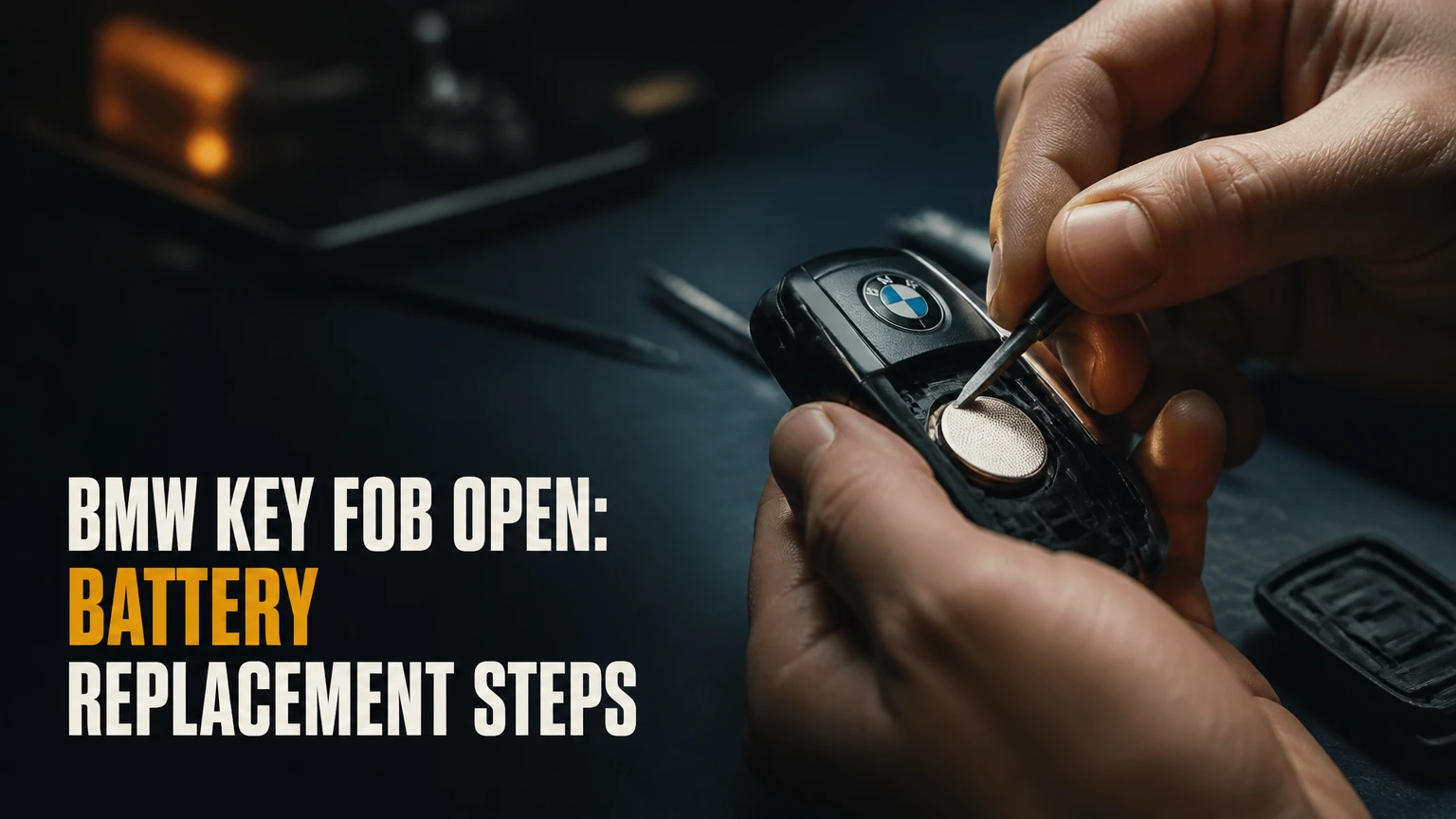
To open a BMW key fob, first identify whether it has a removable emergency-key blade, a touchscreen Display Key, or a sealed rechargeable Diamond-style case. Most modern Comfort Access fobs open through a slot inside the emergency-key cavity, while sealed older keys require professional shell or battery repair rather than ordinary prying.
Key Facts at a Glance
- A replaceable-battery BMW Comfort Access fob commonly uses a 3-volt CR2032 cell, but the correct battery depends on the exact fob.
- A BMW Diamond key is usually sealed and contains a rechargeable battery that charges inductively while inserted in the ignition.
- Replacing a coin cell normally does not erase the key’s immobilizer authorization or vehicle coding.
- A BMW Display Key uses a rechargeable lithium-ion battery and should not be treated like a CR2032 fob.
- A key that starts the engine but cannot lock or unlock the car usually has a weak remote battery, not a failed immobilizer transponder.
- A new BMW key generally requires VIN-specific ordering and may require dealer or automotive-locksmith programming.
Before You Open the BMW Key Fob
Prepare a clean, well-lit work area, a replacement battery that matches the marking inside the fob, and a non-marring plastic pry tool. A small flat screwdriver can work on some cases, but plastic is safer because metal tools can scratch the circuit board, short a battery contact, or damage the sealing groove.
| Item | Typical specification | Purpose |
|---|---|---|
| Replacement coin cell | CR2032, 3 V, 1 battery | Common modern Comfort Access fob |
| Plastic pry tool | 1 tool, 2-5 mm tip | Separates the battery cover without gouging plastic |
| Lint-free cloth | 1 cloth, dry | Prevents fingerprints and debris on contacts |
| Small flashlight | 1 light, 50-200 lumens | Reveals the release button and internal slot |
| Clean work surface | About 30 cm by 30 cm | Prevents a small transponder or cover from being lost |
Check the old battery before buying a replacement. CR2032 and CR2450 cells both measure 20 mm across, but the CR2450 is approximately 4.5 mm thick compared with approximately 3.2 mm for a CR2032. A thicker cell can prevent the cover from seating or crush the contact spring.
Do not open the case beside loose metal objects. Keep the emergency blade, rear cover, battery, and any rubber gasket together because each part has a defined fit and orientation.
How to Open a BMW Key Fob by Design
The emergency-key cavity is the main access point on most modern BMW remote fobs. The exact seam varies by part number, so the fob’s physical construction is more reliable than a model-year chart.
| BMW key design | Common vehicle context | Battery arrangement | Opening approach |
|---|---|---|---|
| Comfort Access remote | Many F-series and G-series BMWs | Replaceable CR2032 or model-specific coin cell | Remove blade, use internal slot |
| Earlier rectangular remote | Selected E-series vehicles | Replaceable or sealed rechargeable design | Inspect seam and battery cover |
| Diamond-style key | Many early E-series vehicles | Rechargeable VL2020 or equivalent design | Sealed case, specialist repair |
| BMW Display Key | Selected 7 Series, 5 Series, X5, and related models | Rechargeable lithium-ion pack | Remove blade, release rear cover carefully |
| Digital Key phone access | Compatible modern BMW vehicles | Smartphone or smartwatch battery | No physical fob opening |
Vehicle generation is only a guide. BMW used overlapping key designs, regional variations, and different equipment packages, so the part number and existing battery marking should control the repair.
Step 1: Remove the Emergency Key
Turn the BMW remote over and locate the release button on its rear or narrow edge. Press the button while pulling the mechanical emergency key straight out of the fob.
Do not twist the blade while removing it. You should feel a spring release, followed by a smooth slide. If the blade will not move, press the release button fully and check that dirt is not blocking the channel.
The emergency key is useful even when the electronic remote battery is dead. It can unlock the driver’s door through the concealed mechanical lock cylinder, although the alarm may sound when the door is opened until the vehicle recognizes the key.
You will know it worked when: the blade is completely separated and a narrow cavity is visible.
Common mistake: inserting a screwdriver into the outer casing seam before removing the blade. That approach can break retaining clips and hides the intended access point.
Step 2: Release the Battery Cover
Look inside the exposed key cavity for a small notch or rectangular slot. Insert the tip of a plastic pry tool into that slot, then apply gentle upward pressure to release the rear battery cover.
Work along the designed split line rather than forcing the entire shell apart at once. If the cover lifts only a few millimeters, move the tool around the perimeter and release the remaining clips one at a time.
Some BMW fobs have a separate battery door. Others use a rear panel that clips over the battery compartment. The cover should separate with controlled resistance; a sharp crack, bending plastic, or visible board movement means the tool is in the wrong location.
You will know it worked when: the rear cover lifts without the circuit board moving with it.
Common mistake: using the metal blade as a lever against the circuit board. Use the blade only if the fob’s slot is specifically designed for it, and keep leverage directed toward the cover.
Step 3: Identify and Remove the Old Battery
Read the battery marking before removal. Note whether the positive side faces outward or upward, then lift the cell from the edge using a fingernail or plastic tool.
| Battery marking | Nominal voltage | Approximate diameter | Approximate thickness | Typical BMW application |
|---|---|---|---|---|
| CR2032 | 3.0 V | 20 mm | 3.2 mm | Many modern replaceable-battery remotes |
| CR2450 | 3.0 V | 20 mm | 4.5 mm | Some larger or higher-capacity key designs |
| VL2020 | 3.0 V rechargeable | 20 mm | 2.0 mm | Specialist-repaired older rechargeable keys |
| Lithium-ion pack | 3.7 V nominal | Fob-specific | Fob-specific | BMW Display Key |
The battery’s positive terminal is usually the marked, flat side with a “+” symbol. Never substitute a CR2450 for a CR2032 solely because both batteries measure 20 mm wide. Thickness and contact geometry determine whether the cell fits safely.
Avoid prying directly across both battery terminals. A metal tool can create a short circuit, and a damaged spring contact may cause intermittent remote operation after reassembly.
Step 4: Install the Replacement Cell
Install the new battery in the same orientation as the old one, normally with the positive side facing the marked side of the holder. Slide one edge beneath the retaining lip, then press the opposite edge down until the contact holds it securely.
Use a reputable lithium coin cell from a recent production batch. Battery brand matters less than correct chemistry, fresh stock, undamaged packaging, and a clean contact surface.
Do not apply grease to the battery terminals. If a contact is visibly dirty, wipe it with a dry lint-free cloth; use electronics cleaner only when the product is suitable for circuit boards and has fully evaporated before closure.
You will know it worked when: the cell sits flat, does not rattle, and remains below the cover’s internal clearance.
Common mistake: touching both sides of the battery repeatedly with bare fingers. A few fingerprints will not normally kill a cell, but contamination can increase contact resistance in a marginal holder.
Step 5: Close and Test the Remote
Align the rear cover with the shell, press around its perimeter, and snap it into place without bending the case. Reinsert the emergency key until the release mechanism holds it.
Test the lock and unlock buttons beside the vehicle. Then test the trunk release, panic function if fitted, and engine start. A battery replacement generally leaves the immobilizer transponder and remote authorization unchanged.
You will know it worked when: the vehicle responds consistently from several meters away and the fob starts the car normally.
Common mistake: testing only one button. A partially seated battery can make one function appear normal while another fails under a higher current demand.
BMW Display Key Procedure
A BMW Display Key has a removable mechanical key, a screen, and a rechargeable battery, so its service procedure differs from a standard Comfort Access remote. Remove the mechanical key, inspect the cavity for the release notch, and use a plastic tool to separate the rear cover only if the design provides that access.
Do not install a CR2032 in a Display Key. BMW Display Keys use an internal rechargeable lithium-ion battery and are normally charged through the specified USB connection or a compatible charging tray, depending on version.
| Display Key symptom | First action | Likely cause | Appropriate next step |
|---|---|---|---|
| Screen is dark after storage | Charge for 30-60 minutes | Deep discharge | Retest before opening |
| Screen works but charge drops quickly | Record runtime over 2 charge cycles | Battery aging | Battery or module service |
| Remote buttons work, display fails | Test vehicle functions separately | Screen or display electronics | Specialist diagnosis |
| Case is cracked | Keep moisture away from electronics | Physical damage | Shell or module replacement |
| Key will not charge | Try approved cable or tray | Cable, port, or battery fault | Repair evaluation |
Display Key access is not a routine home battery swap. Opening the rear panel can damage the screen, clips, charging circuit, or water resistance. If the key holds no charge after a known-good charger and a controlled charging period, a BMW dealer or specialist electronics repairer is safer than cutting the sealed module.
BMW Diamond Key Procedure
A Diamond-style BMW key is generally a sealed rechargeable remote, not a conventional coin-cell fob with a removable door. The key charges through an inductive coil while inserted in the ignition during driving, and its internal battery is soldered to the circuit board on many versions.
Do not slice the case open with an X-Acto knife unless you are performing board-level electronics repair with the correct battery, insulation, soldering equipment, and replacement shell. Cutting through the seam can sever antenna traces, puncture the cell, damage the transponder, or leave the case unable to seal.
| Diamond-key condition | Typical interpretation | Safe response |
|---|---|---|
| Works after regular driving | Rechargeable cell still accepts charge | Continue normal use |
| Works only immediately after driving | Reduced battery capacity | Arrange specialist repair |
| Starts car but buttons fail | Remote battery or circuit fault | Test key functions and repair |
| No start and no remote response | Multiple possible faults | Use spare key and diagnose |
| Cracked or opened shell | Water and board exposure | Replace shell or complete key |
A key that has stopped holding charge after years of use usually needs a rechargeable-cell replacement or a replacement key. The correct repair depends on the key’s circuit board and battery specification, not merely the vehicle’s model name.
Which Battery Fits a BMW Key?
The correct BMW key battery is the number printed on the existing cell or specified for the exact key part number. CR2032 is common in modern replaceable-battery remotes, CR2450 appears in some larger designs, and older sealed keys may use rechargeable cells rather than disposable batteries.
A battery label alone is not enough when the holder is damaged or missing. Compare the diameter, thickness, terminal arrangement, and polarity marking before installation. A battery with the right voltage but the wrong thickness can create poor contact or prevent the case from closing.
Replace the battery when the remote range becomes inconsistent, the vehicle displays a key warning, buttons respond only close to the car, or the fob works intermittently. A typical replaceable coin cell lasts about 2-4 years, but heavy button use, cold weather, and Comfort Access proximity detection can shorten that interval.
Does Battery Replacement Require Programming?
Replacing the battery in an existing BMW key normally does not require programming because the immobilizer authorization and stored key identity remain in the key electronics. Remote synchronization is a separate procedure, and immobilizer coding is a separate security process.
Some older BMW remotes can be resynchronized at home after the battery or vehicle battery has been disconnected. A common sequence is to enter the car, close the doors, switch the ignition on briefly without starting, switch it off, remove the working key, hold unlock on the target key, and press the lock button three times.
The exact sequence varies by chassis and remote. Synchronizing one key can also affect other remote keys, so perform the procedure for every key that needs remote operation, following the vehicle-specific owner’s manual.
Modern F-series and G-series keys are not normally made fully functional through a generic button sequence. A replacement key must match the vehicle’s VIN and security system, and dealer or qualified automotive-locksmith equipment may be required.
Synchronization, Coding, and Programming
These terms describe different operations:
- Battery replacement: restores electrical power to a serviceable fob.
- Remote synchronization: reconnects lock, unlock, and trunk commands to the vehicle.
- Immobilizer coding: authorizes the transponder to permit engine starting.
- Key programming: may include security authorization, remote setup, and vehicle-specific configuration.
A battery swap cannot create a new immobilizer authorization. Cheap online keys can also have the wrong frequency, incompatible electronics, or a previously locked security slot, even when the outer shell looks identical.
Starting the BMW With a Weak or Dead Fob
A BMW with a dead remote battery can often start when the key is placed against the vehicle’s designated emergency detection area. On many push-button-start BMWs, that location is marked near the steering column, but the exact position varies by chassis and owner’s manual.
Press the brake or clutch as required, hold the fob against the marked key symbol or receiver area, and press the Start/Stop button. The passive transponder can remain readable even when the remote transmitter lacks enough power to operate the locks.
If the vehicle still does not recognize the key, use the mechanical emergency blade to unlock the driver’s door, try the spare key, remove other wireless devices from the area, and move away from suspected radio interference. A no-start condition with two known-good keys points more strongly toward the vehicle’s receiver, antenna, battery voltage, or immobilizer system than toward a coin cell.
Common Problems After Opening the Fob
| Symptom after repair | Most likely cause | Check first | Corrective action |
|---|---|---|---|
| No lock or unlock response | Battery reversed or not contacting | Positive side and holder spring | Reinstall or replace holder |
| Starts car, remote fails | Weak cell or damaged remote circuit | Battery voltage under load | Fit fresh cell or repair board |
| Cover will not close | Wrong battery thickness | CR2032 versus CR2450 marking | Use the specified cell |
| Buttons feel trapped | Rubber membrane displaced | Button alignment | Reseat membrane before closing |
| Key works only nearby | Poor contact or interference | Test away from buildings | Clean contacts and inspect antenna |
| No start after repair | Transponder or vehicle fault | Spare key test | Stop prying and seek diagnosis |
Expert Rules That Prevent Expensive Damage
- Do not infer battery type from the car’s year alone. Two BMW vehicles from the same year can use different fobs because Comfort Access, market, trim, and replacement history change the hardware.
- Separate remote failure from immobilizer failure. Locking range uses the fob’s powered transmitter, while engine authorization uses a separate transponder pathway. Their symptoms can differ.
- Treat a sealed key as an electronics repair. The cost of a specialist shell repair is often lower than the cost of replacing a damaged circuit board, but an improvised cut rarely preserves the original water resistance.
- Test before discarding the old battery. If a fresh cell does not restore operation, the original battery was not the only fault, and repeated disassembly increases case and clip damage.
- Do not place two keys together during testing. Keep the target key separate from the spare so you can identify which key the vehicle recognizes.
Physical Fob Versus Digital Key
A physical BMW fob remains the most dependable everyday option when the vehicle supports it, while BMW Digital Key is convenient for compatible phones and vehicles. Digital Key Plus can add passive entry and phone-based starting through compatible near-field and ultra-wideband hardware, but compatibility depends on the car, phone, market, and software.
| Access method | Power source | Typical range or action | Main limitation |
|---|---|---|---|
| Standard remote fob | CR2032 or CR2450 | Button operation from roughly 10-30 m in open conditions | Battery replacement required |
| Diamond rechargeable key | Inductive rechargeable cell | Button operation after charging through ignition use | Sealed repair design |
| Display Key | Rechargeable lithium-ion battery | Remote commands plus screen functions | Larger, more fragile, charging required |
| BMW Digital Key | Phone battery and NFC | Tap phone near handle or reader | Phone and vehicle compatibility |
| BMW Digital Key Plus | Phone battery, NFC, UWB | Passive approach and start functions | Compatible UWB hardware required |
BMW’s Digital Key sharing features can be useful for households, but a phone is not a universal emergency substitute. A depleted phone, account problem, unsupported device, or vehicle software mismatch can remove access, so retaining a physical key or an approved backup method is prudent.
Battery, Repair, and Replacement Costs
Prices vary by country, model, security system, and whether the key is new, repaired, or used. The following are typical US consumer ranges, not BMW’s fixed prices; dealer quotes can be substantially higher for newer VIN-locked keys.
| Service | Typical parts cost | Typical labor or service cost | Typical completion time |
|---|---|---|---|
| CR2032 or CR2450 battery | $3-$10 | $0-$25 | 5-15 minutes |
| Rechargeable Diamond-key repair | $20-$80 | $60-$150 | 1-5 business days |
| Standard replacement shell | $10-$40 | $30-$100 | 30-90 minutes |
| Automotive-locksmith replacement key | $150-$450 | Included or $50-$150 | Same day to 3 days |
| New dealer Comfort Access key | $250-$600 | Often included, varies | 2-10 business days |
| Display Key replacement | $500-$1,200 | Often included, varies | 3-14 business days |
A dealer generally needs the VIN, government-issued identification, and proof of ownership before ordering a replacement key. A qualified automotive locksmith may offer a lower price, but compatibility and security authorization must be confirmed before payment.
Do not buy a used key solely because its shell matches. The internal frequency, transponder status, vehicle generation, and security slot may make the key unusable for your BMW.
If the Vehicle Does Not Recognize the Key
A BMW that does not recognize a key should be tested with the spare key before the vehicle is disassembled. If the spare starts the car, inspect the repaired fob’s battery orientation, contacts, case pressure, and physical damage.
If neither key works, check the vehicle’s 12-volt battery and attempt the emergency start procedure at the marked receiver location. Strong radio-frequency interference can affect remote locking, but it is less likely to explain a persistent no-start condition with multiple keys.
Arrange professional diagnosis when the vehicle displays a persistent “key not detected” warning, the steering-column receiver does not respond, the diversity antenna has water damage, or the key was opened and a component may have been lost. Repeatedly opening the fob will not repair a failed vehicle antenna module.
What to Do When You Are Locked Out
Use the mechanical emergency key to unlock the driver’s door if the fob battery is dead. The lock cylinder may sit behind a small trim cap on the handle, and the emergency blade is designed for this access even when the electronic buttons do nothing.
Once inside, place the fob at the vehicle’s emergency detection point and attempt a normal start. If the alarm sounds, keep the key at the receiver and switch the ignition on or start the engine according to the vehicle’s instructions.
Do not force a window, wedge the upper door frame, or use an untrained wire-entry method. BMW door seals, frameless glass, airbags, and wiring can be damaged, turning a battery problem into a much larger repair.
FAQ
How long does a BMW key fob battery last?
A replaceable BMW key battery typically lasts 2-4 years, although Comfort Access proximity detection, frequent button use, cold temperatures, and battery age can reduce that period. Replace the cell when range becomes inconsistent or the vehicle reports a weak key battery, then verify both remote operation and engine starting.
Can you open a BMW key without the emergency blade?
Some BMW fobs can be opened without the blade, but the emergency-key cavity usually provides the safest access point. Removing the blade exposes the intended release slot and reduces the chance of breaking the outer clips. A sealed Diamond key should not be forced open as if it had a removable battery door.
Why does my BMW key start the car but not unlock it?
A BMW key that starts the engine but will not unlock the doors usually has a depleted remote battery, poor battery contact, damaged buttons, or a remote-circuit fault. The immobilizer transponder can still authorize starting because it uses a different function from the powered lock transmitter.
Will a new BMW key work immediately?
A new BMW key may arrive mechanically correct but still require VIN-specific security authorization or setup. Older remote keys may support a vehicle-specific synchronization sequence, while many modern BMW replacements require dealer or qualified locksmith equipment. Battery replacement on an existing authorized key is a different operation.
Can a locksmith replace a BMW key?
A qualified automotive locksmith can replace or repair many BMW keys, but capability varies by chassis, market, immobilizer system, and equipment. Ask whether the locksmith can supply a compatible key, perform immobilizer authorization, cut the emergency blade, and provide a working warranty before authorizing the job.
Is BMW Digital Key safer than a physical fob?
BMW Digital Key uses phone security, account controls, NFC, and, on compatible vehicles, ultra-wideband positioning, but it is not automatically safer in every situation. Digital access can be revoked and shared without handing over a key, while a physical fob remains useful during phone, account, software, or compatibility failures.
The Bottom Line
To open a BMW key fob safely, remove the emergency blade, use the slot inside the cavity, and install only the battery specified for that exact fob. Modern replaceable-battery remotes commonly use CR2032 cells, while Display Keys and Diamond keys use rechargeable designs that require different handling. Replacing a battery normally does not erase programming, but a new key may need security authorization. If the BMW key fob open procedure reveals a sealed case, damaged contacts, or a transponder fault, stop prying and use a qualified BMW specialist.


