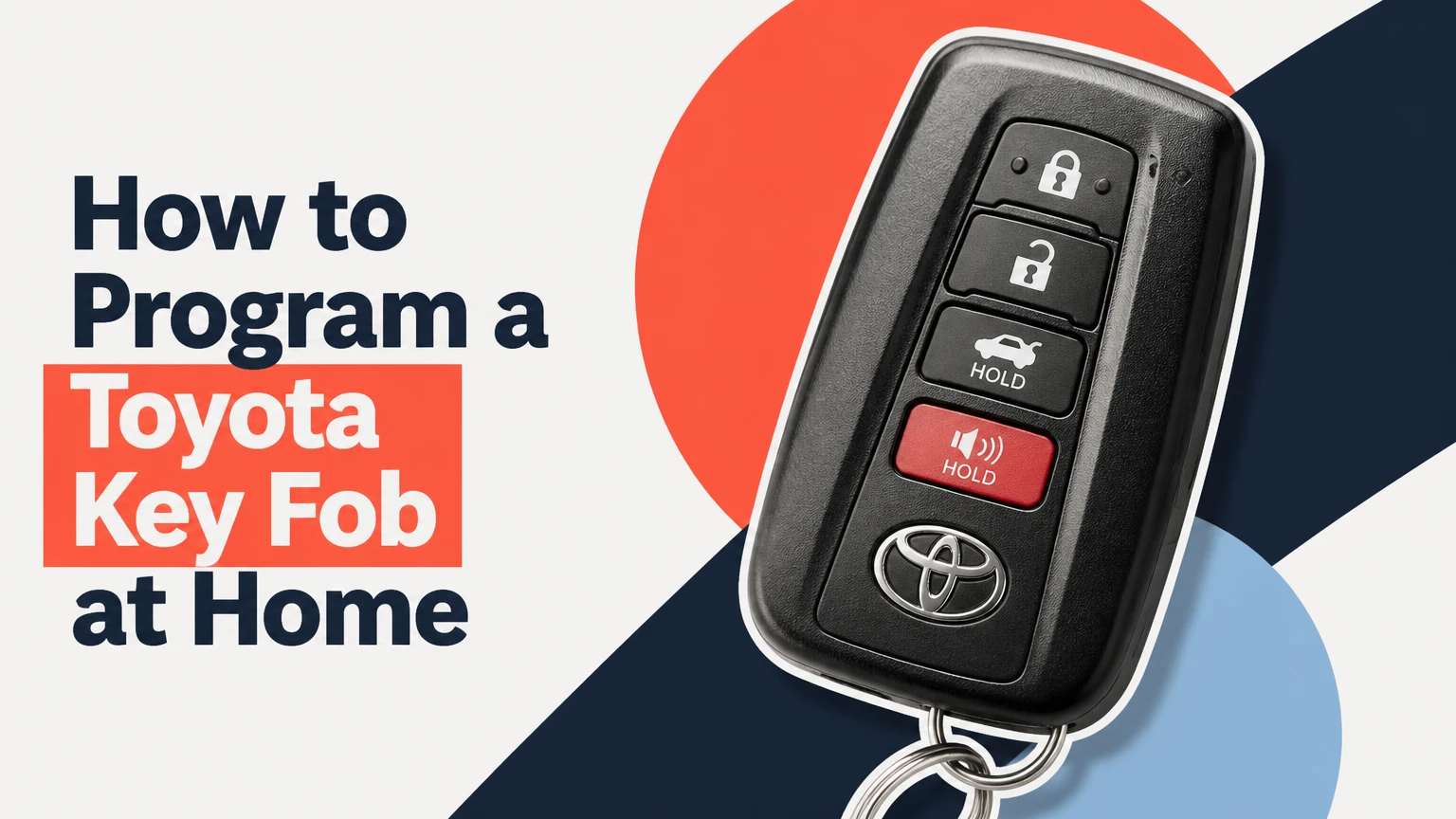
To program a Toyota key fob, first identify whether the vehicle has a conventional ignition key or a push-button Smart Key system, then use the model-specific registration procedure. Older Toyota remote transmitters may accept a manual ignition-and-door sequence in about 10-15 minutes, while transponder keys and Smart Keys usually require immobilizer-capable diagnostic equipment.
Key Facts
Remote-button programming and engine-start authorization are separate functions in many Toyota vehicles.
A matching FCC ID alone does not prove compatibility; model year, market, board, chip, frequency, and part number can also matter.
The common manual Toyota remote procedure is limited to selected older models and does not universally program a transponder or Smart Key.
A Toyota Smart Key normally requires security access through Toyota Techstream or a compatible professional key programmer.
Adding a key with one working key is usually simpler and less expensive than recovering a vehicle with no registered keys.
Used proximity fobs may remain locked to another vehicle and can be unusable without specialist refurbishment.
What Must Be Programmed in a Toyota Key?
A Toyota key assembly can contain three separate functions: a mechanical blade, a remote transmitter, and an immobilizer transponder. A push-button Smart Key adds proximity detection and usually an emergency mechanical blade, so “programming the fob” can mean different operations.
The remote transmitter sends a coded radio signal to the vehicle’s body control or wireless door-lock system. The immobilizer transponder communicates with the engine immobilizer, allowing the vehicle to authorize starting. A fob can therefore lock and unlock the doors while still failing to start the engine.
Toyota’s system design varies by model, year, trim, and sales market. A 2006 Corolla, a 2012 Camry, and a 2021 RAV4 may use visibly similar three-button remotes but require different registration tools or part numbers.
Remote registration versus immobilizer registration
Remote registration teaches the vehicle to recognize lock, unlock, panic, or hatch commands. Immobilizer registration authorizes the transponder to start the engine. Smart Key registration adds the vehicle’s proximity and push-button-start functions.
This distinction explains a common diagnostic result: working buttons with a no-start condition usually indicate that the remote portion registered but the immobilizer portion did not. Repeating the door-lock sequence will not normally solve that problem.
Which Toyota Fob Do You Have?
Identify the fob type before buying parts or selecting a procedure. The ignition hardware and start method provide the fastest classification.
| Toyota key type | Vehicle interface | Main functions | Typical DIY position |
|---|---|---|---|
| Standalone remote | Separate metal ignition key | Lock, unlock, panic | Often replaceable without engine-key programming |
| Integrated transponder key | Blade and buttons in one housing | Lock, unlock, immobilizer start | Remote may be manual; transponder often needs a programmer |
| Smart Key fob | Push-button ignition and proximity antennas | Passive entry, remote locking, immobilizer start | Usually requires diagnostic registration |
| Valet or emergency key | Mechanical blade only | Door or backup ignition access | Cannot operate remote functions |
A Smart Key normally has no conventional ignition cylinder used for everyday starting. Its hidden metal blade may open the door, but that blade does not replace electronic registration.
Which identifiers should match?
Match the original fob’s FCC ID, Toyota part number, board number, frequency, button layout, and vehicle application. The FCC ID identifies the radio device, but it does not independently confirm immobilizer compatibility.
Check the original shell, circuit board, Toyota parts catalog, owner’s manual, or a dealer parts department using the vehicle identification number. In the United States, many Toyota remotes use 315 MHz systems, while some other markets use 433.92 MHz equipment. Frequency and regulatory markings differ by market, so imported parts can be incompatible even when the shell looks identical.
| Identifier | Where to find it | What it confirms | What it does not confirm |
|---|---|---|---|
| FCC ID | Fob case or label | US radio approval identity | Complete vehicle compatibility |
| IC number | Canadian-market label | Canadian radio approval | Immobilizer compatibility |
| Toyota part number | Label, catalog, or packaging | OEM application reference | Whether a used fob is unlocked |
| Board or chip marking | Circuit board interior | Hardware generation | Correct vehicle software |
| Frequency | Label, board, or catalog | Radio band | Correct immobilizer system |
Practitioner rule: compare the circuit board, not only the outside case. Aftermarket sellers frequently use one shell for several incompatible boards.
How Does a Toyota Key Fob Work?
A Toyota remote fob transmits a coded radio message when a button is pressed, while a Smart Key uses low-frequency vehicle antennas to detect proximity and a separate immobilizer exchange to authorize starting. The vehicle validates the message before operating the locks or enabling the engine.
Rolling or changing-code systems reduce the value of a captured transmission, although the exact cryptographic implementation is not identical across all Toyota generations. Smart Key systems also depend on interior and exterior antennas, the main body ECU, the certification or immobilizer ECU, and the fob battery.
A weak battery can reduce remote range without deleting the vehicle’s stored registration. A completely dead Smart Key battery may still permit emergency starting on some models by holding the Toyota-emblem side against the engine switch, but that emergency method does not register a replacement fob.
Before You Program a Toyota Fob
Prepare the correct part, a stable vehicle battery, and the vehicle-specific instructions before starting. The most important prerequisite is knowing whether the procedure registers only the remote buttons or also adds engine-start authorization.
| Preparation item | Typical requirement | Why it matters |
|---|---|---|
| Vehicle battery | 12.4 V or higher at rest is preferable | Low voltage can interrupt diagnostic registration |
| Replacement fob | Correct FCC ID, part number, board, frequency | Similar appearance does not establish compatibility |
| Existing key | One working registered key when available | Some add-key procedures require an authorized key |
| Tools for manual method | Original ignition key and replacement remote | No scan tool is required for eligible remotes |
| Tools for Smart Key | Toyota Techstream or capable key programmer | Basic OBD2 code readers cannot register keys |
| Time | 10-20 minutes manual, 30-90 minutes diagnostic | Timing depends on model and security access |
Turn off aftermarket alarms, unplug nonessential accessories, and keep all intended keys present. Some Toyota procedures erase previously registered transmitters when the vehicle enters rewrite mode.
Can you program a Toyota fob without a working key?
Sometimes, but not reliably across Toyota models. A selected older remote-only system may enter manual registration without a working remote, provided the ignition key operates the cylinder; an all-keys-lost immobilizer or Smart Key situation generally requires proof of ownership and professional diagnostic equipment.
Do not assume an online “all Toyota” sequence applies to the vehicle. Toyota owner manuals and service information separate procedures by model and production range.
How to Program a Key Fob Toyota Manually
The commonly published ignition-and-door sequence applies to selected older Toyota remote systems, often from the late 1990s through the 2000s. It registers the remote buttons only, and the exact sequence differs by model, production date, and body ECU configuration.
Step 1: Prepare the vehicle
Sit in the driver’s seat with the driver’s door open. Unlock all doors, remove the key from the ignition, and keep the replacement remote within reach.
Checkpoint: The ignition is empty, all doors are unlocked, and the driver’s door is open.
Common mistake: Starting with the driver’s door closed or leaving another door ajar can prevent the vehicle from recognizing the entry sequence.
Step 2: Complete the ignition and door cycles
For the common older sequence, insert and remove the ignition key twice within approximately five seconds. Close and open the driver’s door twice, leaving it open. Insert and remove the key once more, then close and open the driver’s door twice again and leave it open.
Insert the key, close the driver’s door, and turn the ignition from LOCK to ON without starting the engine. Return it to LOCK and remove it. On versions using this sequence, one ignition cycle adds remotes while two cycles rewrite the remote memory.
Checkpoint: The power locks cycle once after the key is removed, indicating entry into remote-registration mode.
Common mistake: Counting an ON position as a start attempt. Do not crank the engine.
Step 3: Register the replacement remote
Within the model’s registration window, commonly about 40 seconds, press and hold LOCK and UNLOCK together for roughly 1-1.5 seconds. Release both buttons, then press and hold LOCK for about one second.
Checkpoint: The power locks cycle once to confirm acceptance. A double lock cycle commonly indicates rejection or an incorrect sequence.
Common mistake: Holding the buttons too long or pressing LOCK before releasing both buttons.
Step 4: Add other remotes and exit
Repeat the remote-button operation for every transmitter that should remain registered. Open the driver’s door to exit programming mode, then test LOCK, UNLOCK, panic, trunk, and interior-door behavior from several feet away.
Checkpoint: Every intended remote operates the locks, and the original remote still works if the vehicle was placed in add mode.
Common mistake: Using rewrite mode unintentionally, which can erase previously registered remote transmitters.
This method is not a universal Toyota “chicken dance.” Some models use a different number of ignition cycles, omit the sequence entirely, or require a scan tool. If the locks never cycle, stop repeating the sequence and verify the exact model-year instructions.
How Do You Program a Toyota Smart Key?
Toyota Smart Key registration normally requires an immobilizer-capable diagnostic tool, vehicle security access, and a compatible replacement fob. A standard OBD2 reader that clears engine fault codes cannot usually add a Smart Key.
Toyota Techstream is the factory diagnostic environment, while professional aftermarket tools may support only specific Toyota models and key types. Tool menus can include Main Body, Certification ECU, Smart Key, Wireless Code Registration, or Immobilizer functions, but menu names vary by vehicle and software version.
Step 1: Connect an approved diagnostic tool
Connect the tool to the OBD2 diagnostic connector below the dashboard. Use a fully charged vehicle battery or a regulated power supply where the tool manufacturer specifies one, because loss of voltage during immobilizer work can interrupt communication.
Select the exact model, year, engine, and market. Do not choose a nearby model merely because the fob appears identical.
Step 2: Select the correct registration function
Open the Smart Key, immobilizer, or certification-ECU menu and choose the add-key or key-registration function. Follow the tool’s security-access prompts, which may require an existing master key, a seed-and-password process, or a timed security delay.
The tool should state whether it will add one key, register all keys, or erase existing keys. Read that distinction carefully before confirming.
Step 3: Present the new fob as instructed
Place the registered key and replacement Smart Key at the locations specified by the tool or service information. On some Toyota push-button systems, holding the fob against the ENGINE START STOP switch permits emergency recognition, but that action alone is not a universal programming procedure.
Wait for the tool’s confirmation tones or on-screen result. Do not press the start button repeatedly while the tool is writing data.
Step 4: Verify every function
Test passive unlock, passive lock, remote buttons, interior detection, engine starting, the emergency blade, and any trunk or hatch button. Test each registered fob separately, including the original key.
A fob that starts the engine but does not operate remote buttons may need separate wireless-transmitter registration. A fob that operates buttons but cannot start the engine needs immobilizer diagnosis.
Which Programming Option Should You Choose?
The best option depends on the vehicle system, available keys, and consequence of failure. DIY manual programming is suitable for an eligible older remote-only system; a locksmith is often practical for a modern vehicle; a Toyota dealer is the safest route when all keys are lost or warranty documentation matters.
| Option | Typical cost, USD | Typical time | Best fit | Main limitation |
|---|---|---|---|---|
| DIY manual remote | $20-$100 for a compatible fob | 10-20 minutes | Older remote-only Toyota | Does not normally add immobilizer authorization |
| Mobile automotive locksmith | $100-$350, plus parts | 30-90 minutes | Most spare or replacement keys | Equipment and coverage vary |
| Toyota dealership | $200-$600 or more | 1-3 hours, appointment dependent | All-keys-lost and verified OEM work | Highest labor and parts pricing |
| Professional programmer rental | $80-$250 rental, plus fob | 1-2 hours | Supported add-key jobs | Incorrect use can erase keys or trigger security lockout |
Prices are typical US consumer ranges, not fixed Toyota prices. Smart Key fobs, laser-cut blades, emergency service, immobilizer security access, and regional labor rates can raise the total.
When is a locksmith better than a dealer?
A qualified automotive locksmith is often the lower-cost choice when the vehicle is out of warranty and at least one working key remains. A mobile locksmith can cut the blade, verify the board, and perform remote and immobilizer registration at the vehicle.
Ask for the exact fob brand, programming method, total price, guarantee, and what happens if the supplied part fails. A cheap shell-only replacement does not solve a missing transponder or incompatible circuit board.
When should you use a Toyota dealer?
Use a Toyota dealer when every key is lost, the vehicle has a newer encrypted Smart Key system, the vehicle is leased, or an aftermarket programmer cannot identify the certification ECU. Bring government-issued identification, registration or title, and the VIN.
A dealer may require the vehicle on-site or require towing when no authorized key is available. That requirement is a security control, not evidence that the remote buttons are defective.
Common Problems After Programming
Most failed Toyota key registrations result from an incorrect part, a procedure mismatch, a low vehicle battery, or confusion between remote and immobilizer functions. Diagnose the exact failed function before buying another fob.
| Symptom | Likely cause | First action | Likely next step |
|---|---|---|---|
| Locks never cycle | Wrong sequence or vehicle not eligible | Verify model-year procedure | Use service information or a scan tool |
| Locks cycle twice | Fob rejected or wrong hardware | Compare FCC ID and board | Obtain VIN-matched fob |
| Buttons work, engine will not start | Transponder not registered | Test original key | Perform immobilizer registration |
| No remote response | Dead battery or wrong polarity | Install correct CR2032 or CR1632 | Inspect contacts and board |
| New fob starts car, passive entry fails | Smart Key function incomplete | Test interior and exterior antennas | Complete Smart Key registration |
| Original keys stop working | Rewrite mode erased memory | Re-register every intended key | Use add mode where supported |
Why does the fob battery matter?
A Toyota remote commonly uses a CR2032 or CR1632 coin cell, but the required battery depends on the fob design. Install the battery with the polarity shown by the housing or circuit board, keep contacts clean, and avoid bending the spring terminals.
A new battery cannot correct an incompatible FCC ID, a locked used Smart Key, or an unregistered immobilizer chip. Battery replacement restores power; it does not pair the fob with the vehicle.
Can a used Toyota Smart Key be reused?
A used Smart Key may be reusable on some systems, but many remain registered or locked to the original vehicle. Reuse depends on the fob generation, immobilizer architecture, available reset or refurbishment service, and whether the tool supports that specific part.
Ask the seller whether the fob is new, unlocked, refurbished, or previously registered. “OEM” describes origin, not programmability. A used OEM fob can be a worse purchase than a compatible new aftermarket unit if the original registration cannot be cleared.
What happens when all keys are lost?
All-keys-lost recovery requires stronger ownership verification and often deletes or resets the vehicle’s registered key data. A locksmith or dealer may need to access the immobilizer, replace or reset a Smart Key ECU in some cases, and cut a new mechanical blade.
Do not connect an unknown programmer and select “erase all keys” as an experiment. If the tool fails during security access, the vehicle may require a second service visit and towing.
Model and Situation Variations
Older Toyota with a turn-key ignition
Start by checking whether the vehicle has a separate remote or an integrated transponder key. The manual door-and-ignition procedure may register the buttons, while the transponder still requires a supported onboard or diagnostic method.
Toyota with push-button start
Treat the vehicle as a Smart Key system unless the owner’s manual says otherwise. Holding a registered fob against the start switch may provide an emergency-start function, but it is not proof that a replacement fob has been registered.
Toyota with one working key
Choose an add-key procedure rather than an erase-and-rewrite procedure when the vehicle supports it. Preserve the working key outside the vehicle during tool setup, then verify both keys before leaving the service location.
Toyota purchased in another country
Use the vehicle’s market specification, not only its model name. Frequency, FCC or regional approval, immobilizer generation, emergency-blade profile, and software coverage can differ between North American, European, and Asian-market Toyota vehicles.
Expert Rules That Prevent Expensive Errors
- Do not buy by photograph. The same three-button shell can contain different boards, frequencies, or transponder generations.
- Separate failure domains. If the locks work but the engine does not, stop troubleshooting the remote transmitter and test immobilizer authorization.
- Preserve a working key before experimenting. Rewrite functions can erase every remote in memory, turning a cheap spare-key job into an all-keys-lost recovery.
- Stabilize voltage during diagnostic programming. A weak battery may allow normal starting but still drop below the safe communication threshold while a key ECU is being written.
- Confirm tool coverage before purchase. “OBD2 compatible” usually means diagnostic communication, not Toyota Smart Key registration.
Toyota service procedures are model-specific. The most reliable reference is the owner’s manual for basic remote functions and Toyota repair information or a qualified locksmith for immobilizer work.
Frequently Asked Questions
How much does it cost to program a Toyota key fob?
A manual remote-only job may cost $20-$100 for the replacement fob and take 10-20 minutes. A locksmith commonly charges $100-$350 for a programmed replacement, while dealer pricing often reaches $200-$600 or more, especially for Smart Keys, laser-cut blades, emergency service, or all-keys-lost recovery.
Can I program a Toyota key fob with a phone?
A phone cannot directly register most Toyota remotes or immobilizer keys because the vehicle requires approved radio hardware and security authorization. A phone may display instructions or control a compatible diagnostic interface, but the interface and software must specifically support the Toyota model and key system.
Does changing the battery erase Toyota key programming?
Changing a Toyota fob battery normally does not erase its stored registration. The remote may stop working if the replacement battery has reversed polarity, poor contact, incorrect voltage, or a damaged circuit board, but battery replacement alone usually does not require pairing again.
Why does my Toyota say key not detected?
A Toyota may display Key Not Detected when the fob battery is weak, the fob is outside the interior antenna range, another radio device causes interference, or the Smart Key is not registered. Hold the Toyota-emblem side against the start switch as an emergency test, then replace the battery or arrange registration if starting remains unreliable.
Can a Toyota key fob be programmed without the original?
A replacement fob can sometimes be added without the original on eligible older remote systems, but modern Smart Key and all-keys-lost cases usually require diagnostic security access. The vehicle’s year, immobilizer type, available key slots, and local proof-of-ownership rules determine the practical method.
The Bottom Line
To program a Toyota key fob, identify the vehicle’s exact model year and key system before choosing a method. Use the manual ignition-and-door sequence only for a confirmed older remote system, and use a Toyota-capable diagnostic tool or qualified locksmith for transponder and Smart Key registration. The correct part number, board, frequency, and immobilizer compatibility matter more than the fob’s appearance.
A Toyota key fob that locks the doors but cannot start the vehicle is only partially programmed. A Toyota key fob that fails every function may have the wrong battery or hardware. Confirm those distinctions before repeating a procedure, erasing registered keys, or purchasing another replacement.


