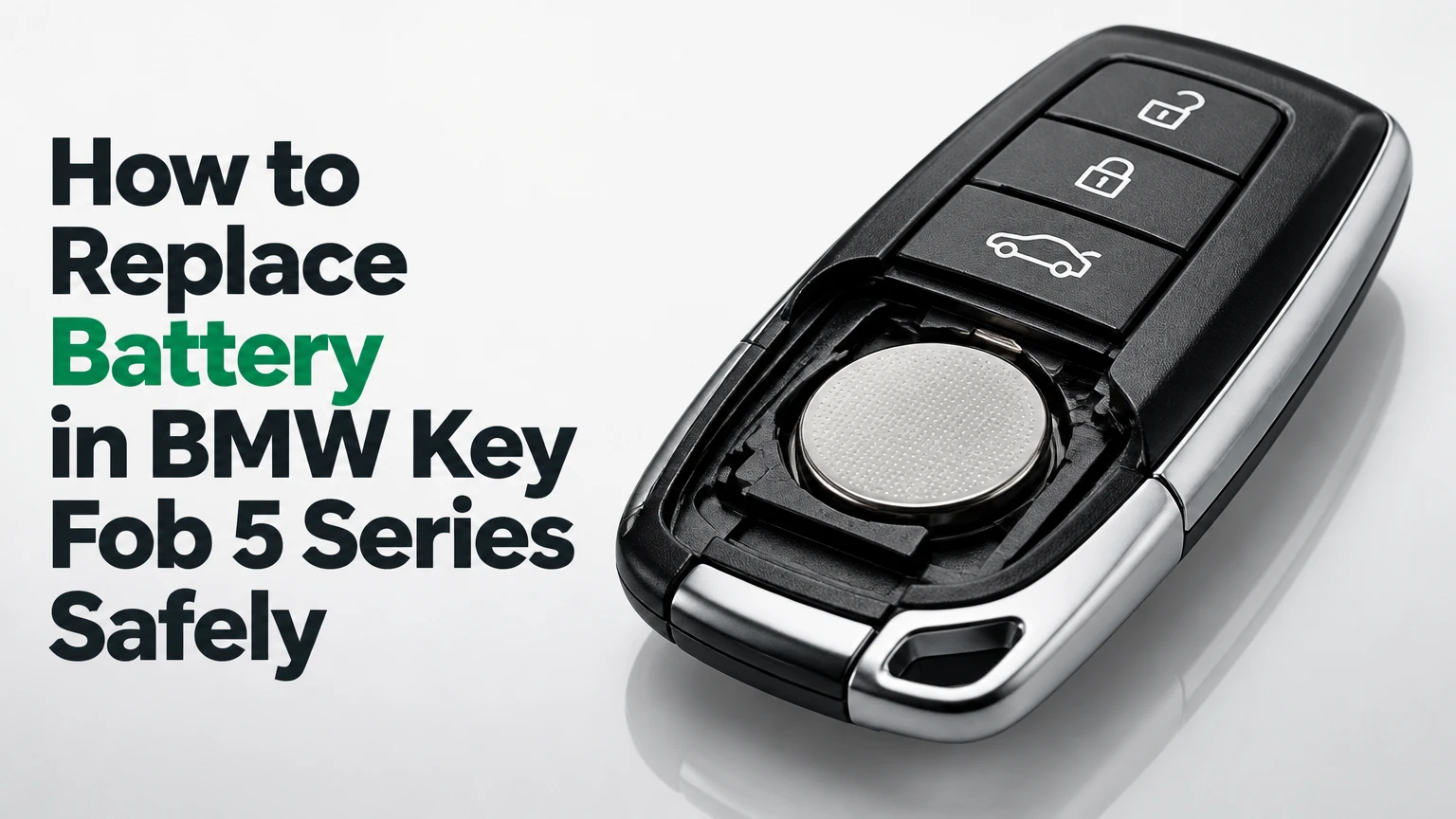
To replace the battery in a BMW 5 Series key fob, remove the emergency key blade, open the rear cover at the designated notch, install the exact coin cell shown for that fob, and refit the cover. Most replaceable-battery keys take 2-5 minutes, but the correct battery type and polarity marking determine success.
Key Facts at a Glance
F10 and F11 BMW 5 Series keys commonly use a CR2450 3-volt lithium coin cell.
G30 and G31 replaceable-battery keys commonly use a CR2032 3-volt lithium coin cell.
Many E60 and E61 standard diamond keys use a rechargeable VL2020 cell that is not designed for a normal battery-door replacement.
A coin-cell replacement normally does not require key programming or immobilizer re-pairing.
Battery polarity must follow the plus and minus markings inside the holder, because key revisions can differ.
A completely dead remote can usually still unlock and start the BMW through the emergency-key procedure.
Before You Start: Identify the Key, Battery, and Tools
A BMW 5 Series key is identified more reliably by its physical housing than by the vehicle year alone. BMW used multiple key designs within some generations, especially where Comfort Access, standard remote entry, and Display Key equipment were available as separate configurations.
Which Battery Does a BMW 5 Series Key Use?
The correct BMW 5 Series key battery depends on the key housing and internal battery holder. A CR2032 is 20 mm wide and 3.2 mm thick, while a CR2450 is 24.5 mm wide and 5.0 mm thick, so the two cells are not interchangeable in a correctly designed holder.
| BMW 5 Series application | Typical key design | Battery or power source | Nominal voltage | User replacement |
|---|---|---|---|---|
| G30 or G31 standard remote | Slim rectangular fob with removable blade | CR2032 | 3.0 V | Yes |
| G30 or G31 Display Key | Large fob with color screen | Internal lithium-ion pack | Approximately 3.7 V | Rechargeable, not coin-cell replacement |
| G60 standard remote | Newer rectangular fob with emergency blade | CR2032 in many configurations | 3.0 V | Usually yes |
| F10 or F11 standard remote | Rectangular comfort-access-style fob | CR2450 | 3.0 V | Yes |
| E60 or E61 standard diamond key | Sealed diamond-shaped housing | Rechargeable VL2020 | 3.0 V | Usually requires opening and soldering |
| E60 or E61 Comfort Access key | Housing with a removable battery compartment | CR2032 in many configurations | 3.0 V | Yes |
The table describes common configurations, not a substitute for inspecting the key. BMW equipment packages and replacement keys can change the expected battery. The printed code on the old cell, the molded polarity symbol, and the shape of the battery cradle provide the final confirmation.
What Tools Are Required?
A replaceable BMW 5 Series key battery requires one new name-brand lithium cell and a thin non-marring pry tool. The emergency blade, a plastic pick, or a small flat screwdriver wrapped with tape can open many housings, while needle-nose pliers are unnecessary and increase the chance of damaging contacts.
| Item | Recommended specification | Quantity | Purpose |
|---|---|---|---|
| Replacement cell | CR2032, CR2450, or specified equivalent | 1 | Powers the key electronics |
| Plastic pry pick | Nylon or other non-conductive material | 1 | Releases the cover without gouging plastic |
| Small flat screwdriver | 2-3 mm tip, tape-wrapped if used | 1 | Opens stubborn access slots |
| Isopropyl alcohol | 70% or higher | A few drops | Cleans contaminated contacts |
| Soft cloth | Lint-free microfiber | 1 | Protects the fob and catches loose parts |
Avoid touching the new cell on both flat faces for extended periods. Finger oils do not instantly destroy a lithium coin cell, but clean handling reduces contamination at the contact surfaces. Never short the positive and negative faces with a metal tool.
How to Replace Battery in BMW Key Fob 5 Series
A replaceable-battery BMW 5 Series key can normally be serviced in four stages: remove the mechanical key, release the rear cover, change the cell, and test every function. The most important success factor is opening the housing at its intended slot instead of forcing the decorative seam.
Step 1: Remove the Emergency Key Blade
Press the small release button on the side or rear of the BMW key fob and pull the metal emergency blade straight out. Place the blade on a cloth where it cannot scratch the fob while the battery compartment is open.
The release button may be black, recessed, or flush with the housing, depending on generation. Do not pry the blade sideways, because lateral force can deform the blade channel or crack the surrounding plastic.
Success checkpoint: The metal blade separates fully, exposing a slot or access area in the key housing.
Common mistake: Pulling on the decorative trim instead of pressing the release button. If the blade does not move, press the button farther inward and pull along the blade’s axis.
Step 2: Open the Rear Cover
Insert the tip of the emergency blade or a plastic pry pick into the access notch exposed after blade removal. Twist gently to release the rear panel, working around the cover only if the first release point does not free the panel.
Use controlled pressure. A BMW key case is molded plastic, and the retaining clips are designed to release from a particular point rather than from the entire perimeter at once. A taped screwdriver is acceptable in an emergency, but a nylon pick leaves fewer marks.
Success checkpoint: The rear cover lifts away without bending, whitening, or cracking the housing.
Common mistake: Driving the tool deep into the case. The circuit board and antenna components sit close to the cover, so limit insertion to the visible access slot.
Step 3: Confirm the Battery Code and Polarity
Read the code printed on the old battery before removing it, then photograph the battery holder. Confirm the plus symbol and the contact arrangement inside the fob rather than relying only on a model-year chart.
Most replacement-cell holders show a plus sign on the side that faces the battery’s positive surface. Some BMW key variants place the positive face outward, while others orient the cell differently because the holder is reversed. The physical marking wins over generic online instructions.
Success checkpoint: You can state the new cell number and identify which face carries the plus symbol before the old cell leaves the holder.
Common mistake: Assuming every G30, F10, or E60 key has identical polarity. BMW key revisions and replacement housings can invalidate a generation-only instruction.
Step 4: Remove the Old Coin Cell
Lift the old battery from the edge opposite the strongest retaining tab. Use a plastic pick or a small flat tool, and release one side at a time instead of levering directly against the circuit board.
Do not bend the gold-colored spring contacts. These terminals provide the battery pressure needed for reliable operation, and a terminal that loses tension can produce intermittent range even when a multimeter shows a healthy cell.
Success checkpoint: The old cell comes out with the retaining tabs still level and the contacts still spring-loaded.
Common mistake: Pushing a screwdriver underneath the circuit board. The board is not a pry surface, and a lifted trace can turn a low-cost repair into key-module replacement.
Step 5: Install the New Battery
Fit the new cell with the same polarity orientation as the original and press it beneath the retaining lip. Use a fresh, reputable lithium battery from Panasonic, Varta, Energizer, or Duracell, provided the code and dimensions match the holder.
A new 3-volt coin cell may measure slightly above 3.0 V without load. Voltage alone does not prove that a cell will remain reliable under radio transmission, so replace a suspect battery rather than repeatedly testing it at the counter.
Success checkpoint: The cell lies flat, cannot rotate freely, and remains captured when the fob is turned upside down.
Common mistake: Substituting a CR2032 for a CR2450. Both cells produce approximately 3.0 V, but their different diameter and thickness can create a loose fit, excessive pressure, or an incomplete electrical connection.
Step 6: Refit the Cover and Test the Key
Align the cover’s upper tabs first, then press the center and lower edge until every clip sits flush. Slide the mechanical key blade back into its channel and test lock, unlock, trunk release, and the panic button if equipped.
Test the key beside the vehicle before putting the fob back on a key ring. Then test it from several meters away, because a marginal contact can work at close range but fail at normal parking-lot distance.
Success checkpoint: The cover has no raised corner, the blade locks into place, and the vehicle responds consistently to each button.
Common mistake: Closing the cover before checking battery seating. If the cell is upside down or tilted, reopening the fob may damage the clips.
Generation-Specific Battery Procedures
BMW 5 Series battery replacement follows the same basic logic across generations, but the case-opening method and battery chemistry change. The F10 and newer replaceable-cell keys are suitable for home replacement, while many E60 standard keys require electronics repair.
F10 and F11 Battery Replacement
F10 and F11 BMW 5 Series standard key fobs commonly use a CR2450 battery. After removing the emergency blade, use the blade tip or a plastic tool in the internal slot to release the rectangular rear battery cover, then lift the old cell from its cradle.
Install the replacement CR2450 according to the holder’s polarity symbol. The cell should sit under the retaining hooks without bowing the cover. A CR2450 offers greater physical capacity than a CR2032, but the larger diameter means it cannot correctly substitute for a CR2032 housing.
F10 and F11 examples include the 528i, 535i, 550i, and some hybrid models. Trim level does not determine the battery as reliably as the actual key housing does.
G30 and G31 Battery Replacement
G30 and G31 BMW 5 Series replaceable-battery keys commonly use CR2032 cells. Remove the emergency blade, release the rear panel at the exposed notch, and replace the cell while copying the orientation shown by the original battery and molded holder symbols.
The G30 generation was sold with more than one key style. A standard remote key has no large display, while the optional BMW Display Key has a screen and internal rechargeable battery. A Display Key should be charged through its vehicle charging system or the charging method specified for that key, not opened for CR2032 installation.
G60 Battery Replacement
The G60 BMW 5 Series uses newer key designs, and many standard versions use a replaceable CR2032. The housing may open differently from a G30 fob, so the access notch and internal polarity marking should guide the work.
Do not apply a G30 orientation instruction automatically to a G60 key. BMW can reverse the holder layout between key revisions, and the plus sign inside the particular fob provides the authoritative instruction.
E60 and E61 Keys
E60 and E61 BMW 5 Series keys require a design check before any repair. A standard diamond-shaped key with a sealed case generally contains a rechargeable VL2020 cell that charges inductively while the key is positioned in the ignition slot during driving.
A sealed VL2020 key does not have a normal user-access battery door. Opening the case involves cutting the factory seam, removing or desoldering the old cell, and soldering a compatible rechargeable replacement, which can damage the circuit board or immobilizer electronics if performed poorly.
Comfort Access Keys
An E60 or E61 Comfort Access key may have a removable battery door and a replaceable coin cell. If the rear housing clearly includes a removable compartment, follow the door and holder markings, commonly using a CR2032, rather than cutting the sealed shell.
The presence of a removable door is the decisive feature. Remote range loss in a sealed diamond key may improve temporarily after a long drive if the rechargeable cell was merely discharged, but a cell that no longer holds charge requires specialist repair or a replacement key.
What Does the Key Battery Actually Power?
The BMW key battery powers the remote-control electronics and, on compatible vehicles, the communication needed for Comfort Access functions. The immobilizer’s passive transponder and emergency start method are separate from ordinary button operation, so a dead coin cell does not automatically erase the key’s vehicle authorization.
| Key function | Battery condition | Typical result | First check |
|---|---|---|---|
| Remote lock and unlock | Low or dead | Buttons have short range or no response | Battery code and polarity |
| Trunk release | Low or dead | Delayed or failed release | Test after lock and unlock |
| Comfort Access entry | Low or dead | Touch-handle unlocking stops | Try button operation |
| Engine authorization | Coin cell dead | Vehicle may still recognize key nearby | Use emergency start position |
| Vehicle warning message | Low measured voltage | Battery replacement prompt | Install matching new cell |
| Display Key screen | Internal pack low | Screen or remote functions weaken | Recharge using specified method |
The battery does not provide the mechanical force for the locks, and replacing it cannot repair a failed door actuator, damaged antenna, broken button membrane, or water-corroded circuit board. Battery replacement is a sensible first repair only when symptoms match low power.
How Do You Start a BMW 5 Series With a Dead Key?
A BMW 5 Series can often start with a dead remote battery by using the emergency blade for entry and placing the fob against the vehicle’s designated key-recognition area. The exact location varies by generation, so the owner’s manual or the key symbol near the steering column takes priority.
Remove the metal blade and unlock the driver’s door manually. Enter the vehicle, hold the key against the marked steering-column area or the Start/Stop recognition point, and press the brake or clutch as required while pressing Start/Stop.
The passive transponder may still work without the coin cell because it can be energized by the vehicle’s reader. If the vehicle still reports that no key is present, try the spare key, move other electronic keys away from the recognition area, and inspect for a damaged fob.
Common Mistakes and How to Fix Them
Most failed BMW key-battery replacements result from a mismatched cell, reversed polarity, damaged contacts, or confusing a rechargeable key with a coin-cell design. The recovery depends on whether the fob is electrically intact or physically damaged.
| Symptom after replacement | Likely cause | Corrective action | Escalation point |
|---|---|---|---|
| No buttons work | Battery reversed or wrong code | Reopen and compare polarity markings | Test with a second new cell |
| Range remains very short | Weak cell, bent contact, corrosion | Inspect pressure contacts and clean lightly | Key-board diagnosis |
| Cover will not close | CR2450 in CR2032 housing or tilted cell | Remove and verify dimensions | Replace damaged cover |
| Vehicle says key not detected | Dead battery, damaged transponder, interference | Use emergency recognition area | Test spare key |
| Key works only when squeezed | Loose holder or broken solder joint | Inspect battery tension | Specialist repair |
| E60 key stops holding charge | Failed rechargeable VL2020 | Recharge during a longer drive once | Battery or key-module repair |
Clean Contaminated Contacts
If the fob worked intermittently before replacement, inspect the metal contacts for dirt, oxidation, or moisture. Apply a small amount of isopropyl alcohol to a cotton swab, wipe the contacts gently, and allow the area to dry fully before installing the cell.
Do not scrape plated contacts aggressively. Removing the surface plating can create a more persistent connection problem than the original contamination.
Check for Water Damage
A key exposed to rain, washing-machine cycles, or a drink spill may show green residue, cloudy plastic, or corrosion around the battery holder. A new battery cannot reverse a corroded circuit board, and repeated replacement attempts can spread contamination across the board.
Remove the battery, dry the fob, and seek electronics repair if corrosion is visible. Do not use a household hair dryer on high heat, because heat can distort the housing and damage display or battery components.
Protect the Retaining Tabs
Battery tabs must maintain spring pressure against the cell. If a tab is flattened, lift it only slightly with a plastic pick, because repeated bending can break the terminal or detach its solder joint from the board.
This is a practitioner rule: a cell that moves in its cradle is not secure, even if the buttons work on the workbench. Vibration inside a vehicle can produce intermittent operation within days.
Does a BMW Key Need Programming After Battery Replacement?
A BMW 5 Series key normally does not need programming after a correctly installed battery replacement. Battery installation restores power to the existing remote circuit, while immobilizer authorization and key identity remain stored in the vehicle and key electronics.
If the remote buttons fail after replacement, confirm the battery orientation, clean the contacts, and test the spare key before attempting any synchronization procedure. Reprogramming will not repair a cracked circuit board, failed radio transmitter, broken antenna, or wrong battery size.
Some older BMW remote-control systems can lose button synchronization after unusual power interruptions, but the recovery sequence depends on the vehicle generation and market. Use the BMW owner’s manual for the exact procedure rather than applying a generic sequence from another model.
How Long Does a BMW Key Battery Last?
A quality replaceable coin cell typically lasts about 2-4 years in a BMW 5 Series, although heavy button use, frequent Comfort Access detection, extreme temperatures, and storage near the vehicle can shorten that period. A rechargeable E60 VL2020 cell follows a different charging and aging pattern.
| Usage condition | Typical battery life | Observable symptom | Practical response |
|---|---|---|---|
| Light button use, standard remote | 3-4 years | Gradual range reduction | Replace at first warning |
| Frequent daily remote use | 2-3 years | Delayed lock response | Install a fresh matching cell |
| Frequent Comfort Access use | 1.5-3 years | Passive entry fails first | Test buttons and battery |
| Severe cold exposure | Variable, often shorter | Temporary range loss | Recheck at room temperature |
| E60 rechargeable key | Several years, condition-dependent | Charge does not hold | Specialist cell replacement |
A dashboard warning such as “Remote control battery: Replace battery” is a useful prompt, but the absence of a warning does not prove that the key is healthy. One fob can lose range before the vehicle detects a threshold condition.
Time, Cost, and Replacement Options
A DIY BMW 5 Series coin-cell replacement usually costs the price of one battery and takes 2-5 minutes. A dealership or automotive locksmith generally costs more because the service includes diagnosis, testing, and possible key replacement rather than only a cell swap.
| Replacement route | Typical parts cost | Typical total cost | Time range | Best use |
|---|---|---|---|---|
| DIY CR2032 replacement | $2-$7 | $2-$7 | 2-5 minutes | G30, G31, G60, or Comfort Access key |
| DIY CR2450 replacement | $3-$8 | $3-$8 | 2-5 minutes | F10 or F11 replaceable-cell key |
| Independent BMW specialist | $5-$15 | $15-$50 | 10-30 minutes | Stiff covers or contact diagnosis |
| BMW dealership inspection | $5-$20 | $30-$100 | 30-90 minutes | Warning plus suspected vehicle fault |
| Sealed E60 key repair | $10-$40 cell or parts | $50-$150 | 1-7 days | Rechargeable-cell or circuit repair |
| New programmed key | Vehicle-specific | $200-$600 or more | Same day to several days | Lost, damaged, or unrepairable key |
The amounts are typical consumer ranges in the United States and vary by region, tax, labor rate, and key availability. A dealership quote for a complete replacement key should not be compared directly with the cost of a CR2032, because the quote includes the electronic key module and vehicle authorization process.
When Should You Stop and Use a Specialist?
Use a BMW specialist when the key has a sealed rechargeable cell, visible corrosion, a broken circuit board, a missing immobilizer function, or a cover that will not release without cutting. A standard coin-cell swap is low risk, but soldering or case cutting is not a routine owner procedure.
An honest limitation matters here: replacing the battery cannot restore a key that has suffered water damage or a failed radio transmitter. If the spare key works normally at the same distance, the vehicle is probably functional and the original fob deserves repair; if both keys have poor range, inspect the vehicle antenna, receiver, or battery voltage before buying another key.
BMW dealership service offers factory parts and vehicle-specific diagnosis. An established automotive locksmith or BMW electronics specialist can be less expensive for sealed-key repairs, but confirm that the provider can preserve the original immobilizer data before authorizing work.
FAQ
Can I Use a CR2032 Instead of a CR2450 in a BMW Key?
No, a CR2032 should not replace a CR2450 in a BMW 5 Series holder designed for the larger cell. Both batteries provide approximately 3.0 volts, but a CR2032 is smaller and thinner, which can create a loose connection and intermittent remote operation. Use the code printed on the original battery.
Why Does My BMW Key Work Only Close to the Car?
Short range after battery replacement usually indicates reversed polarity, a weak or counterfeit cell, dirty contacts, or a battery holder with insufficient spring pressure. Test the spare key at the same distance. If the spare works normally, inspect the original fob; if both keys fail, investigate vehicle-side antennas or interference.
Will Removing the Battery Delete My BMW Key Settings?
Removing the coin cell normally does not delete the BMW key’s stored vehicle authorization, comfort settings, or immobilizer identity. The remote may require a generation-specific synchronization procedure only in unusual cases. Check polarity and contact pressure before assuming that programming has been lost.
Can I Keep Driving With a BMW Key Battery Warning?
Yes, the vehicle can usually continue operating after a remote battery warning, but remote locking and Comfort Access may stop working as the cell weakens. Replace the battery promptly and keep the emergency blade available. Test the backup starting method before a long trip.
What Happens if My BMW Key Gets Wet?
A wet BMW key may continue working briefly while corrosion develops inside the housing. Remove the battery if possible, dry the case at room temperature, and inspect for residue before fitting a new cell. A sealed E60 rechargeable key or visibly corroded fob should go to an electronics specialist.
Should I Replace Both BMW Key Batteries at Once?
Replace both batteries at the same time only if both keys show similar age or declining range. Each key has its own cell, so a recently replaced spare does not need another battery merely because the primary key does. Label spare batteries with their purchase date and store them away from heat.
The Bottom Line
To replace the battery in a BMW 5 Series key fob, match the battery to the physical key design, remove the emergency blade, open the cover at its access notch, copy the marked polarity, and test every function after reassembly. Most F10 and F11 keys use CR2450 cells, many G30, G31, and G60 keys use CR2032 cells, and many sealed E60 diamond keys require rechargeable-cell repair rather than a normal coin-cell swap.


