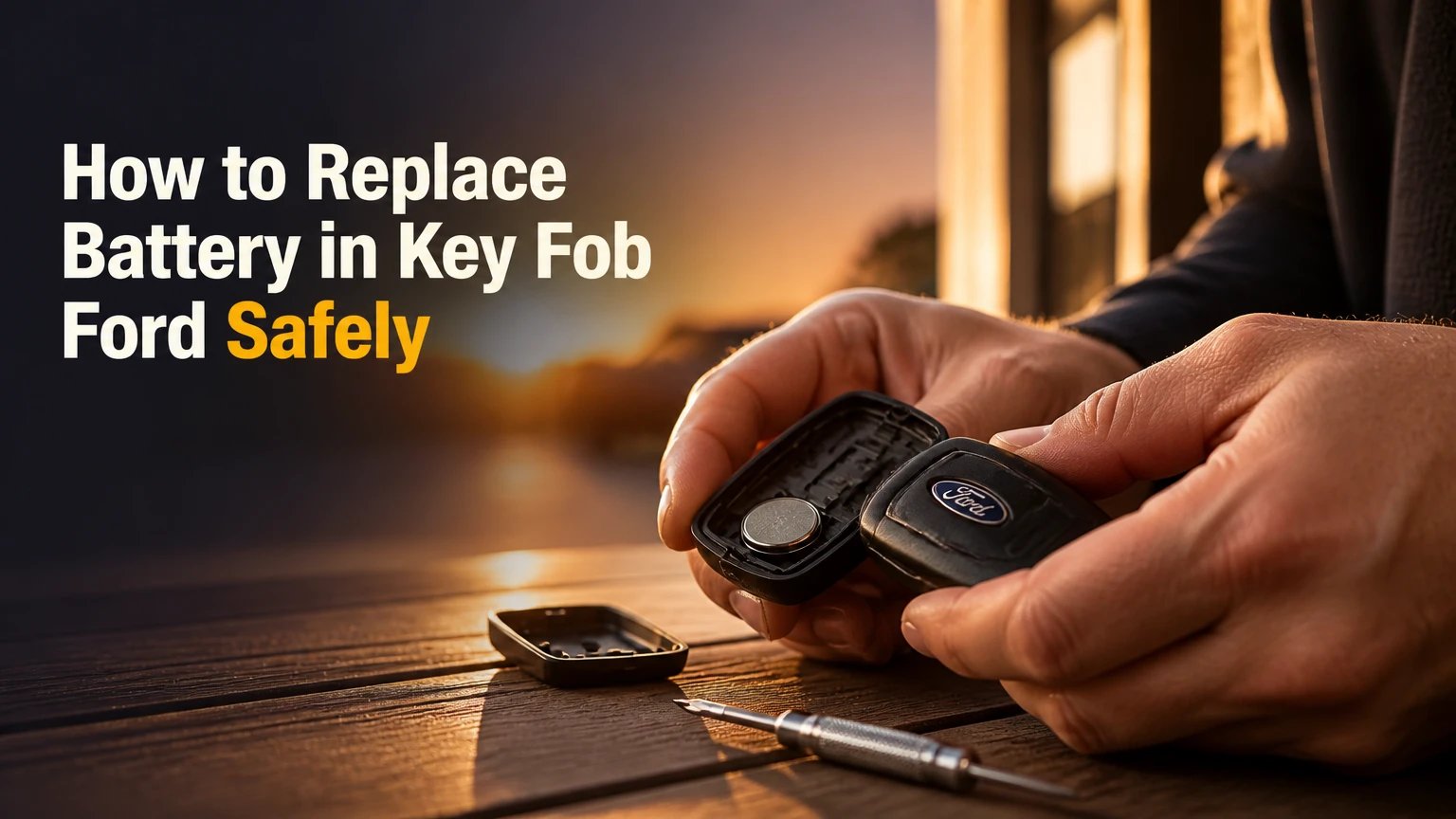
To replace a battery in a Ford key fob, identify the required coin cell, remove the emergency key or rear cover, open the housing at its molded seam, install the new battery in the marked polarity direction, and snap the case closed. Most replacements take 2-5 minutes, and a normal battery change does not require key reprogramming.
Key Facts at a Glance
Ford key fobs commonly use a 3-volt CR2032 or CR2450 lithium coin cell.
The correct battery number and positive-side orientation depend on the specific fob design.
A small flat tool, the emergency key blade, and a new battery are usually sufficient.
Ford key fob programming normally remains intact during a quick battery replacement.
A dead fob can often start a push-button Ford from its backup detection location.
A replacement battery that still fails may have protective film, poor contacts, incorrect polarity, or a damaged circuit board.
Before You Open the Ford Key Fob
Prepare the replacement cell, a non-marring pry tool if available, and a clean work surface before separating the housing. The most important success factor is matching the existing battery number and the molded polarity diagram, because Ford uses several fob designs with different openings and orientations.
| Preparation item | Typical specification | Why it matters |
|---|---|---|
| Replacement battery | CR2032 or CR2450, 3 volts | Prevents an incorrect fit or weak electrical contact |
| Pry tool | 1 plastic trim tool or 2 mm flat screwdriver | Reduces scratches and housing damage |
| Work surface | Clean, dry, 30 cm area | Keeps the battery and transponder parts contained |
| Replacement time | 2-5 minutes | Covers opening, swapping, testing, and closing |
| Typical DIY cost | $2-$7 | Battery price varies by brand and pack size |
| Difficulty | Low, with delicate plastic clips | Excessive force can break the case or tabs |
Wash and dry your hands first. Lithium coin cells should remain free of oil, moisture, and adhesive residue. Keep the removed battery away from children and pets, and take it to a battery-recycling collection point rather than placing it in household rubbish.
Which battery does a Ford key fob use?
A Ford key fob most often uses a CR2032 or CR2450 battery, but the vehicle model and remote housing do not reliably identify the cell by themselves. Read the number printed on the old battery, inspect the holder, or confirm the part number in the Ford owner’s manual before buying a replacement.
| Ford fob design | Common battery | Typical physical difference | Verification method |
|---|---|---|---|
| Intelligent Access smart fob | CR2450 | 24 mm diameter, 5.0 mm thick | Battery marking and owner’s manual |
| Slim proximity fob | CR2032 | 20 mm diameter, 3.2 mm thick | Holder marking and old cell |
| Flip-key remote | CR2032 | 20 mm diameter, 3.2 mm thick | Rear-cover marking |
| Integrated keyhead remote | CR2032 | 20 mm diameter, 3.2 mm thick | Housing or manual |
| Older standalone remote | Usually CR2032 | Separate remote body | Old battery and replacement guide |
The CR2032 and CR2450 are both nominally 3 volts, but they are not interchangeable. A CR2450 is wider and thicker, so forcing it into a CR2032 holder can deform retaining contacts or prevent the case from closing. A CR2032 placed in a CR2450 cavity may move, lose contact, or provide unreliable operation.
Battery labels from Panasonic, Energizer, and Duracell are common examples, but brand matters less than authenticity, correct dimensions, and recent manufacture. Store unused lithium coin cells in their original packaging at room temperature, away from loose metal objects.
Identify Your Ford Fob Before Opening It
Ford key fobs fall into five practical visual groups: Intelligent Access smart fobs, slim proximity remotes, flip keys, integrated keyhead remotes, and older standalone remotes. Model-year ranges overlap, so the housing shape and opening seam provide better identification than the vehicle’s year alone.
| Fob appearance | Recognition feature | Opening location | Common risk |
|---|---|---|---|
| Intelligent Access | Separate emergency key in rear | Slot inside key cavity | Prying against the circuit board |
| Slim proximity | Thin rectangular body | Hidden tab near key slot | Splitting the wrong seam |
| Flip key | Metal blade folds into body | Rear cover near blade hinge | Breaking hinge-side clips |
| Integrated keyhead | Key blade and remote share one body | Side or rear seam | Losing small rubber buttons |
| Standalone teardrop | Compact remote without ignition blade | Perimeter seam | Cracking aged plastic |
Ford owner manuals show the approved battery procedure for the exact remote supplied with a vehicle. Use that manual when a physical feature conflicts with a general guide, especially on newer models with multiple regional or trim-level fobs.
What should you record before removing the battery?
Record the old battery number, polarity direction, button-pad position, and any small rubber gasket before opening the remote. A quick photograph of the open battery compartment gives you a reliable reference if the cell holder has no clear plus or minus symbol.
Do not press remote buttons repeatedly while the battery is removed. Button presses will not normally erase programming, but avoiding unnecessary handling reduces the chance of dislodging a loose rubber keypad or contaminating the contacts.
How to Replace Battery in Key Fob Ford
The general replacement sequence is: remove the emergency key, open the housing at its designated slot, lift the old cell without bending the contacts, match the polarity marking, and test every button before leaving the work area. The following procedures separate the most common Ford designs because their openings and battery orientations differ.
Step 1: Remove the emergency key from a smart fob
Slide or press the release control on the back or side of the Ford fob, then pull the metal emergency key from its channel. Place the key on the work surface rather than using it as a lever until you locate the opening slot.
You’ll know this step worked when the blade comes out without force and a narrow recess becomes visible in the fob body. The common mistake is twisting the blade before fully operating the release, which can stress the release latch.
Step 2: Open an Intelligent Access smart fob
Insert the emergency key blade or a small flat tool into the slot inside the empty key cavity, then twist gently until the rear cover releases. Work around the molded seam only as far as necessary, because repeated flexing can whiten or crack older plastic.
Use a plastic trim tool when the housing is valuable or already scratched. Never drive a screwdriver toward the green circuit board. The correct checkpoint is a separated rear cover with the circuit board still seated in the main shell.
Step 3: Replace the smart-fob battery
Lift the CR2450 from its retaining edge with a nonconductive tool or carefully with a small screwdriver placed under the battery rim. Install the new cell according to the plus and minus symbols inside the holder, rather than assuming the positive side always faces upward.
Many Ford Intelligent Access remotes place the positive face toward the visible side, but orientation varies by housing revision. The battery should sit flat beneath the retaining lip. If the battery rocks, the holder is wrong, the cell is too small, or a contact tab has moved.
Step 4: Close and test the smart fob
Align the rear cover with the shell, press around the perimeter until every clip engages, and slide the emergency key back into place. Test lock, unlock, panic, trunk, and remote-start buttons if the fob includes them.
You’ll know the repair worked when the vehicle responds consistently at a normal parking-lot distance. A case that closes only with heavy pressure usually contains an incorrectly sized battery, a displaced rubber keypad, or a cover clip that is not aligned.
Step 5: Open a slim proximity fob
Remove the emergency key, then locate the hidden separation tab near the top of the key slot. Insert a small flat tool into that tab and twist carefully to split the two housing halves.
The slim proximity design is more likely to separate completely than the rear-cover smart design. Keep the halves facing upward so the rubber button mat and circuit board remain in their original positions. The common mistake is levering along the button edge, where the thin plastic is easiest to damage.
Step 6: Replace the slim-fob CR2032
Remove the old CR2032 from beneath its retaining tabs and compare the new cell with the marking inside the holder. Install the replacement with the same polarity orientation as the removed battery, because some slim Ford remotes place the positive face downward.
Do not bend the tabs flat while prying out the cell. The success checkpoint is firm spring pressure against the battery edge and a cell that cannot slide sideways when the housing is gently tilted.
Step 7: Replace a Ford flip-key battery
Press the release to deploy the metal blade, then find the battery cover or seam near the blade cavity. Pry the rear panel upward at the intended notch, remove the CR2032, and install the new cell with the orientation printed in the compartment.
The flip-key cover should snap shut with moderate finger pressure. If the cover springs back open, inspect the cell thickness, the rubber button mat, and the blade hinge area before applying more force.
Step 8: Replace an integrated keyhead or older remote battery
Separate an integrated keyhead remote at its side or rear seam using the designated notch, then lift the CR2032 from its holder. Older standalone remotes may have a perimeter screw or a narrow slot, so check for a fastener before prying.
Keep the transponder and circuit board inside the original housing. The vehicle’s immobilizer identity is stored in the key electronics, not recreated by installing a new coin cell.
How Long Does a Ford Key Fob Battery Last?
A Ford key fob battery typically lasts 2-4 years, although frequent remote-start use, long periods near the vehicle, extreme temperatures, and weak replacement cells can shorten that interval. Reduced operating range and intermittent button response usually appear before complete failure.
A fob stored beside the vehicle can wake repeatedly on some passive-entry systems, using more energy than a remote kept several metres away. Cold weather temporarily lowers coin-cell output, so a marginal battery may fail during winter mornings even if it worked indoors the previous day.
Replace the battery when range drops sharply, the vehicle displays a low-key-battery warning, or multiple buttons respond inconsistently. Do not wait for a no-start event if the remote is the only available key.
What Does Ford Key Fob Battery Replacement Cost?
DIY Ford key fob battery replacement typically costs $2-$7 and takes 2-5 minutes. A parts store may install the cell for free or for a small service charge, while a dealership or locksmith commonly charges more because labor, inspection, and local pricing are included.
| Replacement option | Typical parts cost | Typical total cost | Typical time |
|---|---|---|---|
| DIY branded coin cell | $2-$7 | $2-$7 | 2-5 minutes |
| Auto-parts counter | $2-$8 | $2-$15 | 5-15 minutes |
| Ford dealership | $3-$10 | $20-$50 | 15-30 minutes |
| Automotive locksmith | $3-$10 | $15-$40 | 10-20 minutes |
These are typical consumer ranges, not fixed Ford prices. Dealer charges vary by location and may be waived during another service visit. Battery replacement alone is different from cutting a new key or programming a replacement transmitter, which can cost substantially more.
Does Changing the Battery Erase Ford Key Fob Programming?
Changing a Ford key fob battery normally does not erase programming, because the encrypted remote identity remains stored in nonvolatile electronics. Reprogramming is usually unnecessary when the housing is opened briefly and the circuit board is not damaged.
If the fob fails afterward, check the battery number, polarity, protective film, seating, and metal contacts before attempting programming. Reprogramming cannot correct a CR2032 installed in a CR2450 cavity or a circuit board damaged by a tool.
A remote that was already unpaired, water-damaged, or electronically defective may need diagnostic testing. Treat programming as a later diagnostic step, not the first response to a battery replacement problem.
What If the Ford Says No Key Detected?
A Ford with push-button start can often detect a dead key fob through a backup location, allowing the engine to start without usable remote-locking power. Depending on the model, the backup location may be a slot in the center console, a marked pocket, or a designated position near the steering column.
Consult the owner’s manual for the exact location, then place the fob there while pressing the brake and start button. Keep the emergency key available because a dead fob battery does not unlock a locked door by remote control.
The passive immobilizer and backup detection arrangement varies by Ford model and year. Do not assume that a compartment used by one Ford, such as an Explorer, exists in a different vehicle such as a Fiesta or F-150.
Common Mistakes and How to Fix Them
Most failed Ford key fob battery replacements result from a wrong cell, reversed polarity, incomplete contact, or a housing that was not reseated. Inspect those four conditions before buying another key or paying for programming.
- The new battery still has its plastic film. Remove any shipping film from both faces, then reinstall the cell without touching the surfaces excessively.
- The battery is backward. Match the plus symbol inside the holder, not a generic online photograph of another Ford fob.
- The retaining tab is flattened. Lift the contact slightly so it presses against the coin cell, but do not crease or detach the metal.
- The wrong battery was forced into place. Remove it immediately and inspect the holder for bent contacts or cracked plastic.
- The rubber keypad moved. Reposition every button over its molded post before closing the shell.
- The circuit board was scratched or contaminated. Stop prying, clean only according to a technician’s advice, and use a locksmith or dealer if traces are damaged.
An expert rule of thumb is to test the fob before fully snapping the final cover shut. A temporary button test can reveal polarity or contact problems without requiring another complete disassembly.
When Should You Use a Dealer or Locksmith?
Use a Ford dealer or automotive locksmith when the case is glued, the battery holder is broken, the circuit board is corroded, the emergency key will not release, or the vehicle has no spare key. A simple coin-cell swap is a poor task for a metal tool when the housing is already brittle.
Parts-store assistance is practical for a standard CR2032 or CR2450 replacement, but staff may not support every Ford design or diagnose an immobilizer fault. Ask whether installation is included before purchasing the battery.
A battery replacement is also not a substitute for a complete replacement key. Lost keys, damaged transponders, new key cutting, and transmitter programming require vehicle-specific equipment and proof of ownership.
Frequently Asked Questions
Can I use a rechargeable battery in a Ford key fob?
No. Ford coin-cell holders are designed for disposable 3-volt lithium cells such as CR2032 or CR2450, not rechargeable substitutes with different charging requirements or voltage behavior. Use the exact non-rechargeable battery specified for the remote, and recycle the old cell through an approved collection program.
Will a Ford key fob work if the battery is installed loosely?
A loose battery can produce intermittent locking, reduced range, or complete failure because vibration breaks electrical contact. The correct cell should sit flat beneath the retaining tab without rattling. If it moves, inspect the holder for bent contacts and confirm that the battery diameter and thickness match the original.
Can I replace the battery without the emergency key?
Some Ford remotes open at a rear notch without removing the blade, but many Intelligent Access and proximity fobs use the empty key cavity to expose the release slot. Do not force a seam that lacks a molded opening. The owner’s manual identifies the intended entry point.
Why does the Ford remote work close to the car but not from far away?
Short range usually indicates a weak coin cell, dirty contacts, a damaged antenna, radio interference, or a second fault in the vehicle receiver. Replace the cell with a fresh branded battery first, then test the spare fob. If both remotes have poor range, inspect the vehicle side.
How can I protect a Ford key fob after replacing its battery?
Keep the remote dry, avoid dropping it, and inspect the case seal before closing the housing. Do not store the fob beside loose coins or keys that can short a coin cell. A cracked shell or missing gasket permits moisture entry and can damage the circuit board after a successful battery replacement.
The Bottom Line
Replacing a Ford key fob battery usually requires one correctly matched CR2032 or CR2450 cell, a small pry tool, and 2-5 minutes. Open the housing at its designed slot, copy the original polarity, protect the contact tabs and circuit board, then test every function before reassembly. If the remote still fails, diagnose contact, fit, film, and damage before considering programming.
The safest answer to how to replace battery in key fob ford is therefore design-specific: confirm the cell in the owner’s manual or existing remote, follow the molded polarity symbols, and use the Ford backup detection location if a weak battery leaves the vehicle reporting No Key Detected.


