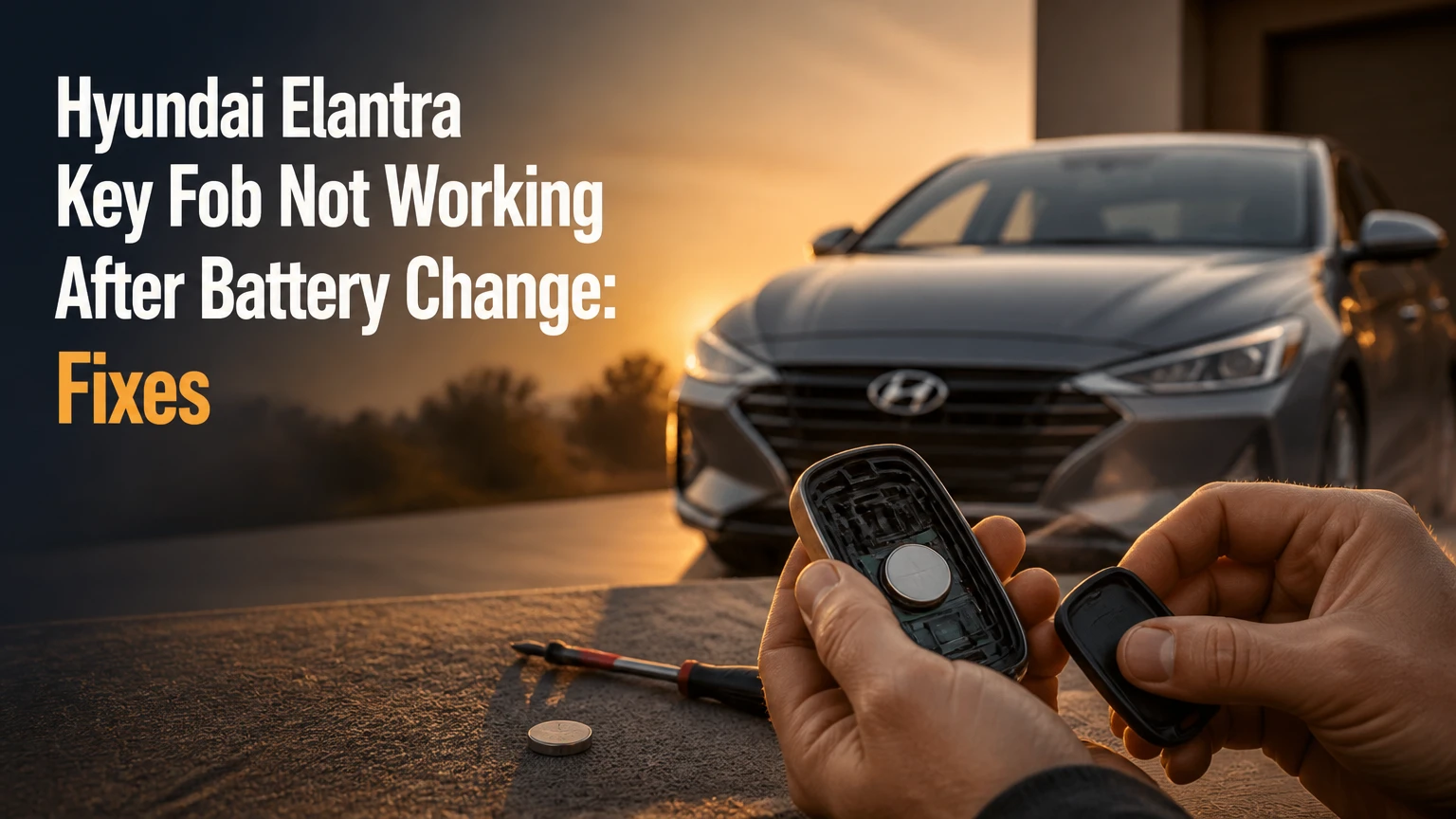
A Hyundai Elantra key fob that stops working after a battery change usually has an incorrectly oriented battery, poor contact, a damaged internal component, or a depleted replacement cell. Battery removal alone does not normally erase the fob’s identity, so check power and physical contacts before attempting synchronization or buying another remote.
Key Facts at a Glance
- Most Hyundai Elantra remote fobs use a 3-volt CR2032 coin cell, but the correct battery and polarity depend on the fob’s markings.
- The positive battery face may point down or up, so the tray symbol and the old battery position are more reliable than a generic model-year rule.
- A fob LED that does not flash after a fresh battery indicates a power, contact, switch, or circuit-board problem.
- A replacement transmitter may require vehicle programming, while a battery change usually does not require immobilizer reprogramming.
- A dead smart-key battery may prevent remote buttons from working while still allowing emergency vehicle starting.
- Typical professional replacement and programming costs range from $80-$250, depending on the fob type and local labor rates.
Why Is the Hyundai Elantra Key Fob Not Working After Battery Change?
The most likely cause is a battery installation or contact problem, not lost rolling-code memory. A coin cell can be new yet unusable when installed upside down, held by contaminated terminals, flattened against the tray, or discharged because it was old stock.
A Hyundai Elantra fob contains a printed circuit board, tactile button switches, a coin-cell holder, an RF transmitter, and, in smart keys, a passive transponder. The remote buttons need battery power, while the immobilizer system can use a separate passive function that does not depend on the coin cell in the same way.
The supplied AI Overview correctly identifies polarity and bent contacts as high-probability causes. Its claim that a battery replacement commonly causes rolling-code desynchronization is too broad. Normal battery removal generally does not erase a Hyundai transmitter’s stored identity; synchronization problems are more likely after repeated button presses outside the vehicle, transmitter replacement, or a vehicle-side fault.
What does the fob LED tell you?
The fob LED provides a fast first division between transmitter power faults and vehicle communication faults. Press Lock or Unlock while watching the indicator in a shaded area, because some LEDs are difficult to see in sunlight.
| LED result | Most likely fault | Next check |
|---|---|---|
| No flash after two batteries | Polarity, contact, switch, or board fault | Reopen the case and inspect the holder |
| Bright flash, car gives no response | Vehicle pairing, receiver, car battery, or wrong fob | Test the second fob and vehicle locks |
| Dim or intermittent flash | Weak cell or unstable contact | Measure cell voltage and clean terminals |
| Flash only when case is squeezed | Loose contact or cracked holder | Reseat the battery and inspect plastic clips |
| Flash with one button only | Failed tactile switch or torn solder joint | Compare every button and inspect the board |
A flashing LED does not prove that the RF signal is correct. It only shows that the button circuit is receiving enough power to illuminate the indicator.
How Do You Fix It in the Correct Order?
Use the following sequence before attempting programming. The complete inspection typically takes 5-10 minutes, requires no scan tool, and succeeds when the problem began immediately after opening the fob.
Before You Start
| Item | Typical requirement | Purpose |
|---|---|---|
| Replacement battery | 1 CR2032, 3 volts | Supplies the transmitter |
| Small plastic pry tool | 1 tool | Opens the housing without marring it |
| Isopropyl alcohol | 70% or higher, 1-2 drops | Removes oil or residue |
| Cotton swab | 1 | Cleans battery contacts |
| Digital multimeter | Optional, DC volts | Checks cell voltage |
| Time | 5-10 minutes | Covers inspection and testing |
Keep the old battery until the new battery’s orientation is confirmed. Avoid touching the circuit board, and remove rings or metal objects that could bridge contacts.
Step 1: Install the Correct Battery Orientation
Open the Hyundai Elantra key fob and place the CR2032 according to the polarity symbol molded into the holder. The positive face is the flat side marked with a plus sign and printed text, but its direction varies by fob design, so do not assume that positive always faces downward.
- Release or remove the mechanical key if the housing uses the blade as an opening point.
- Separate the case at its seam with a plastic tool.
- Photograph the old battery before removing it.
- Match the new cell to the holder’s plus and minus symbols.
- Press the battery into the clip without bending the spring contacts.
- Press each button once after closing the case.
You will know the step worked when the fob LED flashes brightly and the locks respond from a normal distance. The common mistake is copying a generic internet diagram for a different Elantra fob, trim, or market.
A CR2032 normally measures near 3.0 volts at rest. A reading below about 2.8 volts suggests replacement, although an open-circuit reading cannot reveal every battery defect under load. Do not substitute a CR2025 merely because it fits the diameter; its thinner profile can produce unreliable holder pressure.
Step 2: Restore Battery Contact Pressure
Inspect the metal battery terminals for flattening, oxidation, fingerprints, or displacement. A terminal that moved downward during battery removal may touch the cell visually yet fail when the case is closed.
Clean accessible metal surfaces with a small amount of isopropyl alcohol on a cotton swab, then allow them to dry completely. If a terminal is visibly low, lift it by less than 1 millimeter with a plastic pick or fine tool; excessive force can break the holder from the circuit board.
You will know the step worked when the LED remains consistently bright while you press and release the case lightly. The common mistake is prying directly against a soldered terminal until the copper pad separates from the board.
A practitioner rule is to test contact stability before testing range. If squeezing the case changes LED behavior, radio reprogramming cannot solve the underlying mechanical fault.
Step 3: Inspect the Board, Buttons, and Case
Look for liquid residue, green or white corrosion, a cracked plastic battery retainer, loose board alignment tabs, or a button dome that no longer clicks. Battery replacement can expose an existing fault, especially when a thin screwdriver slips across the board or the case is twisted during opening.
Use only electronics-safe cleaner sparingly on a contaminated board. Do not soak the circuit board, scrape corrosion aggressively, or apply household oil. If liquid damage reaches under the integrated circuit or RF component, replacement is usually more economical than repair.
You will know the case is assembled correctly when both halves close evenly, the emergency key locks into place, and every button produces the same tactile response. The common mistake is forcing a misaligned board into the housing, which can crack the board or trap a button in a permanently pressed position.
Does a Hyundai Elantra Key Fob Need Resynchronization?
A Hyundai Elantra fob may need synchronization when its LED works but the vehicle does not respond, yet there is no single button-hold procedure guaranteed across all Elantra generations. A battery replacement by itself usually does not require resynchronization, and an unverified Lock plus Unlock sequence should not be treated as a universal Hyundai procedure.
First stand beside the driver’s door, close the case fully, and press Lock once. Try Unlock once, then test the trunk button if equipped. Keep the fob away from a second transmitter, a wireless charging pad, and large metal objects.
Some older keyed Hyundai remotes support an ignition-based learning procedure, while many modern Elantra smart keys require a dealer or automotive locksmith scan tool. The exact procedure depends on the vehicle market, model year, immobilizer system, transmitter part number, and whether the fob is an original or replacement unit.
Which reset methods are safe to try?
| Vehicle situation | Appropriate action | Programming status |
|---|---|---|
| Same fob, battery only replaced | Test buttons and LED first | Usually no programming |
| Older keyed remote, locks ignore a working LED | Check the owner’s manual for learning mode | Model-specific |
| Push-button smart key, remote is dead | Use emergency start procedure | Does not necessarily program buttons |
| New replacement transmitter | Match part number and FCC ID | Usually requires scan-tool registration |
| Fob works only after repeated presses | Diagnose contacts and switches | Sync is unlikely to fix hardware |
Do not cycle the ignition randomly while pressing buttons. On vehicles without a supported user-learning mode, those actions accomplish nothing and may create confusion about whether the car accepted the fob.
How Do You Start an Elantra When the Smart-Key Battery Is Dead?
A push-button-start Hyundai Elantra can often start with a dead smart-key coin cell by placing the fob directly against the designated backup area, commonly the Engine Start/Stop button or a marked holder. Hold the brake, touch the fob to the button as described in the owner’s manual, and press the button.
The passive transponder is designed to let the vehicle authenticate the key at very short range. This emergency function is different from the remote-locking circuit, so a car that starts normally with the fob touching the start button may have only a depleted battery or failed RF transmitter.
For entry, slide the release on the smart key and remove the mechanical blade. Insert the blade into the driver-door key cylinder, which may be hidden under a trim cap. The metal blade unlocks the door mechanically; it does not operate the remote buttons and does not replace immobilizer authorization.
If the car still displays “Key not detected,” hold the fob against the start button and follow the exact procedure for that model year. A completely failed transponder, an unregistered replacement key, or a vehicle battery problem requires professional diagnosis.
How Can You Tell Whether the Fob or the Elantra Is at Fault?
Test the fob LED, the second key, the vehicle’s interior electrical system, and the physical door locks. A second original fob that also fails points toward the car, while one fob failing and another working points toward the failed transmitter.
| Test | Result | Probable conclusion |
|---|---|---|
| New cell plus no LED | No light | Fob power or circuit fault |
| LED works, second fob works | One remote fails | First fob fault |
| Both fobs fail | No remote response | Vehicle battery, receiver, fuse, or interference |
| Interior locks operate | Vehicle lock actuators have power | Remote-side diagnosis continues |
| Interior locks also fail | Vehicle electrical or lock-system issue | Check fuse and 12-volt battery |
| Remote works beside car only | Weak RF output or interference | Inspect board, antenna, and environment |
A weak vehicle 12-volt battery can create strange electronic symptoms, including unreliable remote responses and “key not detected” warnings. Check the vehicle battery before purchasing a replacement fob, especially after the car has sat unused or needed a jump-start.
Test the remote in an open area at least 10 meters from the vehicle. If it works there but not near a particular building, gate, charger, or aftermarket alarm, radio-frequency interference may be masking the signal.
Which Battery and Replacement Fob Should You Buy?
Buy the battery size printed in the original fob or owner’s manual, then match a replacement transmitter by FCC ID, Hyundai part number, button layout, frequency, market, and immobilizer compatibility. Appearance alone is not sufficient because visually identical Hyundai remotes can use different electronics.
| Fob category | Typical battery | Common replacement issue | Verification |
|---|---|---|---|
| Older keyed remote | CR2032 | Different blade and remote layouts | Back-label part number |
| Flip-key transmitter | CR2032 | Integrated blade may differ | FCC ID and blade profile |
| Smart key, earlier generation | CR2032 | Similar shells use different frequency | FCC ID and vehicle fitment |
| Newer smart key | CR2032 or listed equivalent | Trim and regional differences | VIN-based supplier check |
| Aftermarket shell only | Existing cell | Electronics are not included | Transfer board and buttons |
FCC ID identifies the radio transmitter approval, but it does not by itself guarantee immobilizer compatibility or correct mechanical-key cutting. A supplier that verifies the VIN and original part number offers more protection than a listing that says “fits all Elantra models.”
A replacement fob is not the same as a replacement shell. A shell changes plastic housing components, while a complete transmitter includes electronics that may require registration to the car.
How Much Does Hyundai Elantra Key-Fob Programming Cost?
Typical professional costs range from $80-$250 for a replacement transmitter and programming, while a dealer may charge more when the OEM fob, cutting, diagnostics, and labor are bundled. A battery-only repair normally costs $3-$10 for the cell and does not require programming.
| Repair route | Typical total cost | Typical time | Best fit |
|---|---|---|---|
| DIY battery replacement | $3-$10 | 5-10 minutes | Same fob, no board damage |
| Locksmith, existing fob diagnosis | $40-$100 | 20-45 minutes | Contact or programming diagnosis |
| Locksmith, aftermarket replacement | $80-$180 | 30-60 minutes | Cost-conscious owner |
| Dealer, OEM replacement | $180-$450 | 1-3 hours | VIN-verified OEM service |
| DIY programming kit | $50-$150 | 30-90 minutes | Supported model and confident user |
These are typical U.S. market ranges, not fixed Hyundai prices. Location, model year, security access, the number of keys present, and whether an emergency blade must be cut can change the total.
Programming may erase or require verification of existing keys on some systems. Ask the provider whether all currently owned keys must be present before the procedure begins.
Can You Program an Elantra Fob Yourself?
DIY programming is appropriate only when the specific Elantra year, transmitter, and kit are explicitly supported. Many newer smart-key systems require security access or an automotive scan tool, so an online ignition sequence copied from another Hyundai model may not work.
Before buying a kit, confirm:
- Exact model year and trim.
- Vehicle market, such as North America or Europe.
- FCC ID and Hyundai part number.
- Whether the kit includes a complete transmitter or only a shell.
- Whether all existing keys must be present.
- Whether the kit requires an internet-connected diagnostic device.
- Whether the seller accepts returns for incompatible electronics.
A locksmith is usually the practical middle option because the technician can test the vehicle and fob before ordering another part. A dealer is preferable when the vehicle has a security fault, all keys are lost, or an OEM warranty and VIN record matter more than price.
What Common Mistakes Make the Problem Worse?
The most damaging mistake is forcing tools against the circuit board or battery holder. Hyundai fob cases contain small clips and soldered components that can fail after one careless opening.
Installing the battery by internet advice
Generic instructions often claim that every Hyundai CR2032 faces the same direction. Use the holder’s polarity mark, because fob construction varies.
Testing only from inside a building
Concrete, metal doors, wireless chargers, and nearby electronic equipment can reduce apparent range. Test outdoors before condemning the transmitter.
Replacing the fob before testing the second key
Two failed remotes suggest a car-side problem. A new fob will not fix a blown fuse, low vehicle battery, or receiver fault.
Assuming a flashing LED proves a good transmitter
The LED can illuminate even when a switch, RF antenna, or circuit trace is damaged. Compare range, button response, and second-fob behavior.
Buying by appearance
A shell that looks identical can contain the wrong frequency or incompatible immobilizer electronics. Match identifiers and VIN fitment.
Applying excessive contact pressure
Bending terminals upward several millimeters can deform the holder or crack the board. Adjust only enough to restore stable contact.
What If the Key Fob Still Does Not Work?
If the Hyundai Elantra key fob still fails after a correctly installed battery, stable contacts, and second-fob comparison, stop repeating reset sequences and obtain a transmitter and vehicle diagnosis. The next likely causes are a damaged board, failed tactile switch, incorrect replacement electronics, vehicle receiver trouble, low vehicle voltage, or a programming requirement.
Use the situation-specific path below:
- No LED from one fob: inspect or replace that fob.
- LED works and another fob works: repair or program the failed fob.
- Both fobs fail: test the 12-volt battery, fuses, locks, and receiver.
- Car starts only with fob touching the button: replace the smart-key battery and retest remote range.
- New fob is accepted by the seller but not the car: verify FCC ID, part number, market, and programming support.
- Buttons feel stuck or inconsistent: replace the switch-equipped board or complete fob rather than forcing the case.
A Hyundai dealer can confirm VIN-specific compatibility and security registration. An automotive locksmith can often provide the same programming function at a lower typical cost, but credentials, equipment, and aftermarket-part quality vary by provider.
Hyundai Elantra Key-Fob Questions
Will disconnecting the Elantra car battery reset the key fob?
Disconnecting the vehicle’s 12-volt battery is not a reliable key-fob reset and can create additional issues, including lost clock settings, window initialization, or diagnostic codes. The remote transmitter normally retains its stored identity when vehicle power is removed. Diagnose the fob and vehicle separately.
Why does my Elantra key work but the remote buttons do not?
The mechanical blade and passive immobilizer can remain functional when the coin-cell-powered remote circuit fails. Replace the correct cell, inspect contacts, and use the emergency-start location if the vehicle has push-button start. A damaged RF circuit or failed tactile switch needs fob repair or replacement.
Can a locksmith program a Hyundai Elantra smart key?
A qualified automotive locksmith can often diagnose and program a Hyundai Elantra smart key when the vehicle year, market, and security system are supported by the technician’s equipment. Ask whether the quoted price includes the transmitter, cutting, programming, security access, and testing of every existing key.
How long should an Elantra key-fob battery last?
A CR2032 commonly lasts about 2-4 years under ordinary use, but frequent button presses, extreme temperatures, accidental button activation, and poor-quality cells shorten that period. A battery that fails immediately after installation usually indicates wrong polarity, old stock, contact failure, or a damaged fob.
Does the metal emergency key start a Hyundai Elantra?
The metal emergency blade generally unlocks the door mechanically but does not itself authorize the engine. A keyed Elantra may use a separate transponder in the key head, while a push-button model uses the smart key’s passive transponder. The exact starting method depends on the vehicle’s security design.
Should I go to Hyundai or an automotive locksmith?
Choose a locksmith for a supported replacement, mobile service, or lower typical cost, and choose Hyundai when VIN-specific OEM sourcing, all-keys-lost recovery, or a complex security fault is involved. For a fob that stopped immediately after a battery change, inspect polarity and contacts before paying either provider.
The Bottom Line
The fastest fix for a Hyundai Elantra key fob not working after battery change is to confirm the correct CR2032 orientation, restore clean contact pressure, inspect the board, and test the LED before attempting synchronization. If the LED works but the vehicle remains unresponsive, compare the second fob and check the vehicle battery before ordering a replacement.
A battery change usually does not erase key programming. When a replacement transmitter is required, match the FCC ID, Hyundai part number, market, and VIN, then use a qualified locksmith or Hyundai dealer for programming when the model does not support verified owner learning.


