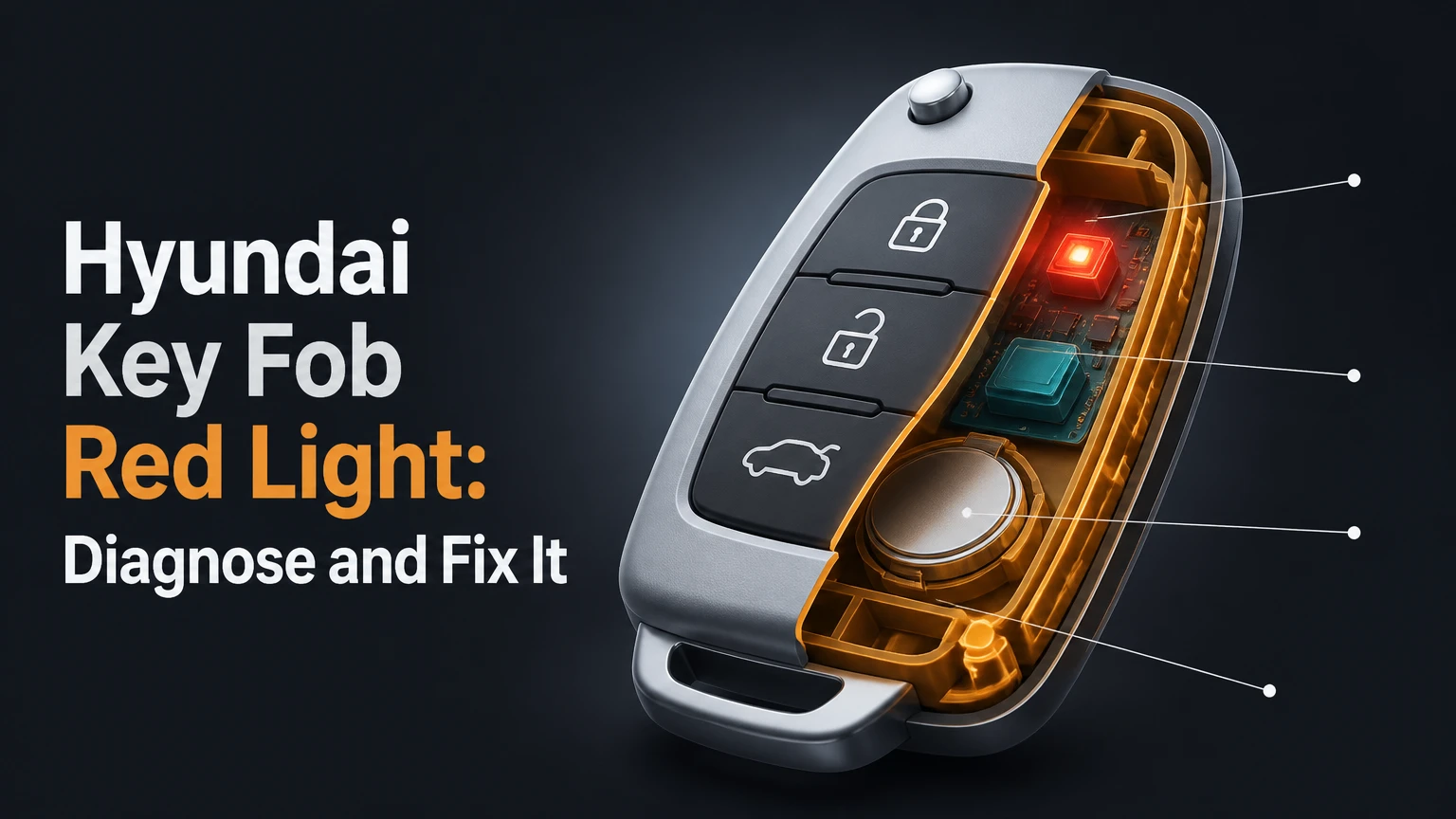
The Hyundai key fob red light usually confirms that a button has activated the remote transmitter, but the LED alone does not prove that the vehicle received the signal. A brief flash is generally normal; repeated flashing, a continuously illuminated LED, or no light points toward a weak battery, stuck button, damaged contacts, or failed electronics.
Key Facts at a Glance
- A single red flash after pressing a button usually means the Hyundai fob has power and the button circuit activated.
- A flashing LED does not always identify a low battery because many fobs flash whenever a button is pressed.
- The correct replacement cell may be CR2016, CR2025, or CR2032, depending on the exact fob housing.
- Replacing the coin cell normally does not erase the vehicle’s immobilizer registration.
- A working LED does not guarantee that the Hyundai vehicle can receive the signal.
- A dead smart-key battery may still allow emergency entry and engine starting through the vehicle’s backup detection procedure.
What Does the Hyundai Key Fob Red Light Mean?
The Hyundai key fob red light is a transmitter-status indicator, not a universal fault code. When a driver presses Lock, Unlock, Trunk, Panic, or another remote button, the LED commonly illuminates briefly while the fob powers its radio-frequency transmitter. The vehicle must still receive and authenticate that transmission before the doors respond.
Hyundai has used several remote designs across the Accent, Elantra, Kona, Santa Fe, Sonata, Tucson, Palisade, Ioniq, and Genesis-related platforms. LED color, flash duration, internal circuitry, battery size, and emergency-start instructions can differ by model year and market. The vehicle’s owner’s manual and the battery marking inside the fob take priority over a generic chart.
A practical diagnostic rule is simple: treat the LED as evidence that the fob button was pressed, then test the battery, range, second key, and vehicle response separately. That approach prevents a common mistake, which is replacing a key fob when the actual fault is a discharged 12-volt vehicle battery or a failed door receiver.
Does one red flash mean the Hyundai fob works?
One brief red flash means the button circuit probably activated and the fob has enough power to illuminate its LED. It does not confirm adequate radio range, correct vehicle pairing, or successful reception by the Hyundai security system.
Test the fob from close range, approximately 1-2 metres from the vehicle, while watching for lock confirmation. If the car responds consistently, the flash is normal. If the LED flashes but the car does not respond, continue with vehicle-side and signal troubleshooting rather than assuming the fob battery is the only problem.
Hyundai Key Fob LED Patterns and Likely Causes
The following table provides a practical interpretation, not a universal Hyundai fault-code chart. Button design and model-specific electronics can change the meaning of a pattern.
| LED behavior | Most likely explanation | Immediate test | Likely next action |
|---|---|---|---|
| One brief flash after pressing | Normal button and transmitter activation | Test Lock and Unlock at close range | Continue using the fob if the vehicle responds |
| Dim or inconsistent flash | Weak CR2016, CR2025, or CR2032 cell | Install the exact battery specified for the housing | Replace the coin cell |
| Several flashes after one press | Repeated switch activation or low voltage | Check for a physically depressed button | Inspect the rubber pad and switch |
| LED remains illuminated | Stuck button, contamination, or switch failure | Remove the battery promptly | Clean, repair, or replace the fob |
| No LED response | Flat battery, reversed polarity, poor contact, or board failure | Recheck orientation and terminals | Replace the cell, then test contacts |
| LED flashes, car remains silent | Vehicle battery, interference, receiver, or pairing issue | Test a second fob and mechanical key | Diagnose the vehicle or seek programming service |
A rapid sequence after one press is less specific than many online guides suggest. Some remotes flash repeatedly when the button is held, when a switch bounces, or when the fob circuitry is repeatedly restarting. Do not use flash frequency alone to decide that a Hyundai fob needs programming.
Which Hyundai Key Fob Battery Do You Need?
The correct battery is the cell number printed on the old battery, stamped inside the holder, or listed in the Hyundai owner’s manual. Common Hyundai remote batteries include CR2016, CR2025, and CR2032, but the numbers describe different thicknesses and capacities, so a thicker cell should not be forced into a housing designed for a thinner one.
| Battery type | Nominal voltage | Approximate thickness | Common use pattern | Compatibility rule |
|---|---|---|---|---|
| CR2016 | 3 volts | 1.6 mm | Thin older remote housings | Use only where the fob specifies CR2016 |
| CR2025 | 3 volts | 2.5 mm | Many flip-key remotes | Match the original cell and holder clearance |
| CR2032 | 3 volts | 3.2 mm | Many smart proximity fobs | Do not substitute for CR2016 without manual confirmation |
| CR2450 | 3 volts | 5.0 mm | Selected specialized electronics | Use only when the housing explicitly requires it |
The CR designation identifies lithium chemistry and the approximate dimensions. A CR2032 is not automatically a stronger or better replacement for a CR2025. Its greater thickness can prevent the case from closing, deform the terminal, or apply excessive pressure to the circuit board.
How can you identify the right battery?
Open the fob only far enough to read the existing marking, then photograph the polarity orientation before removal. Confirm the code, voltage, and positive-side direction against the model-specific manual.
Buy a fresh lithium coin cell from a reputable manufacturer and avoid cells with damaged wrapping, corrosion, or uncertain storage history. Do not stack two batteries, bend the terminal to force a fit, or handle the cell with wet fingers. If a child or pet could access the removed battery, place it in a secure container immediately because coin cells present a serious ingestion hazard.
How Do You Replace a Hyundai Key Fob Battery?
Most Hyundai coin-cell replacements take 5-10 minutes and require the emergency key blade, a small flat tool, and the specified battery. The main success factor is matching the original battery orientation and avoiding force near the circuit board, rubber button membrane, and retaining clips.
Before you start
| Requirement | Typical specification |
|---|---|
| Time | 5-10 minutes |
| Difficulty | Low, but the case clips are easy to damage |
| Battery | One exact replacement cell, usually CR2016, CR2025, or CR2032 |
| Tools | Emergency key blade or plastic pry tool; small flat screwdriver if necessary |
| Work area | Dry, clean table with bright lighting |
| Precaution | Keep the old and new cells away from children and pets |
Step 1: Remove the mechanical key
Slide the release latch on the rear of the Hyundai fob and pull out the emergency metal key. Inspect the key slot for the small case-separation notch.
You will know this step worked when the blade comes out without twisting the housing. A common mistake is forcing the blade sideways, which can damage the release latch before the battery has even been reached.
Step 2: Separate the case
Insert the key blade or a plastic pry tool into the designed notch and twist gently until the two shell halves separate. Protect painted or glossy surfaces with a thin piece of tape if a metal blade must be used.
You will know the case is open when the perimeter clips release progressively rather than cracking at one corner. Do not insert the tool deeply because the printed circuit board and button contacts may sit close to the shell.
Step 3: Record polarity and remove the old cell
Before lifting the battery, note which side faces upward or downward and photograph the holder. Release the retaining clip with the tool tip, then slide the cell out without bending the spring terminal.
You will know the battery is removed when the holder remains flat and its contact spring still presses against the cell location. A frequent error is pulling upward against the retaining tab, which can detach a soldered terminal from the board.
Step 4: Install the exact replacement
Slide the new battery under the fixed edge of the holder and press it down until the retaining clip engages. Match the plus and minus markings exactly; the correct orientation is not identical across every Hyundai fob.
You will know the cell is seated when it lies flat, does not rattle, and the case closes without resistance. A coin cell that needs force is the wrong size, incorrectly positioned, or obstructed by a damaged terminal.
Step 5: Reassemble and test
Align the shell halves, press around the perimeter until each clip snaps shut, reinstall the mechanical key, and press Lock once. Test the fob beside the vehicle, then test it from a normal parking distance.
You will know the replacement succeeded when the LED gives a brief response and the Hyundai locks or unlocks consistently. If the LED works but the vehicle does not respond, battery replacement has not proved that the remote is paired or that the vehicle receiver is healthy.
Why Does the Red Light Stay On or Blink Repeatedly?
A Hyundai fob red light that stays on usually indicates a continuously activated button, contamination, moisture, or a failed tactile switch. Repeated blinking after one touch can result from a weak cell, a damaged rubber membrane, switch bounce, or a circuit-board fault.
Remove the battery if the LED remains on because a stuck switch can drain a new cell within hours. Open the case and inspect for liquid residue, grit, crushed rubber, or a button that no longer returns to its normal height. Use 90% or higher isopropyl alcohol sparingly on a clean swab, allow the board to dry fully, and do not scrape plated contacts.
| Symptom | Inspection point | Safe first response | Replacement trigger |
|---|---|---|---|
| LED stays on after release | Lock, Unlock, Trunk, or Panic switch | Remove battery and inspect button travel | Switch remains electrically closed |
| LED flashes without touching fob | Membrane pressure or internal short | Remove battery, dry case, inspect shell | Uncommanded activation continues |
| LED flashes dimly | Coin-cell voltage or dirty terminal | Replace cell and clean contact lightly | New cell remains weak |
| Button feels sunken | Torn rubber pad or broken plastic | Replace membrane or shell | Button cannot release reliably |
| Green or white residue | Battery leakage or moisture | Isolate battery and clean carefully | Corrosion reaches solder joints |
A low battery does not necessarily produce a standardized blinking warning on every Hyundai remote. The LED circuit may continue to flash normally while the radio output becomes unreliable, especially at longer range or in cold weather.
What If the LED Flashes but the Car Will Not Unlock?
A flashing Hyundai fob with no vehicle response means the fob is activating, but the signal may be weak, blocked, unregistered, or unheard by the car. The fastest diagnosis compares distance, a second programmed key, the mechanical lock, and the vehicle’s interior electrical operation.
Follow this sequence:
- Press Unlock within 1 metre of the driver’s door.
- Try Lock, Unlock, and Trunk separately.
- Replace the fob battery if its age is unknown or the range has declined.
- Test the spare Hyundai fob.
- Check whether the vehicle’s interior lights, horn, dashboard, or hazard lamps operate.
- Move away from radio transmitters, metal structures, wireless charging equipment, and dense parking-garage interference.
- Use the mechanical key to determine whether the problem is remote entry or the door lock itself.
If both fobs fail, suspect the vehicle before blaming both remotes. A discharged 12-volt battery can disable central locking and keyless-entry receivers, while a single failed fob points more strongly toward its battery, switch, board, or registration.
Do not disconnect the vehicle’s 12-volt negative terminal as a routine “hard reset.” Hyundai model procedures differ, and disconnecting power can erase learned settings or create additional warning lights without repairing a failed receiver or unregistered key.
Does Replacing the Battery Require Hyundai Key Programming?
Replacing the coin cell normally does not require programming because the immobilizer transponder and remote identity remain stored in the fob. Programming becomes relevant when the entire fob is replaced, the vehicle no longer recognizes the remote, or the transmitter has lost synchronization on a model that supports a resynchronization procedure.
Remote locking and engine immobilization are related but separate functions. A fob may unlock the doors while its transponder is not accepted for starting, or the vehicle may start with a weak remote battery through its backup antenna even though remote buttons fail.
| Situation | Battery replacement | Programming likely? | Appropriate provider |
|---|---|---|---|
| Same fob, weak coin cell | Yes | No | Owner or locksmith |
| Same fob, no remote response after new cell | Maybe | Model-dependent | Manual, locksmith, or dealer |
| Lost or damaged complete fob | Not sufficient | Yes | Automotive locksmith or dealer |
| Used online fob of uncertain origin | Usually no | Often yes, compatibility uncertain | Locksmith with Hyundai-capable equipment |
| Immobilizer warning after key replacement | No | Yes, security registration required | Hyundai dealer or qualified locksmith |
A new battery cannot create a missing immobilizer code. The vehicle may need a security PIN, diagnostic authorization, or proprietary programming equipment, depending on market and model generation. Never assume that an inexpensive online shell contains a compatible transponder.
How Much Does Hyundai Key Fob Replacement Cost?
Typical U.S. pricing ranges from about $5-$15 for a replacement coin cell, $80-$250 for a compatible aftermarket fob supplied and programmed by a locksmith, and $200-$600 or more for a dealer-supplied smart key and programming. Prices vary by model, year, key type, location, availability, and whether emergency service is required.
The BDT figures sometimes displayed in generic search summaries are not universal Hyundai prices. Currency, country, labor rates, taxes, and parts availability must be identified before a cost comparison is meaningful.
| Service option | Typical parts cost | Typical labor or programming | Typical total time | Main limitation |
|---|---|---|---|---|
| DIY coin-cell replacement | $5-$15 | $0 | 5-10 minutes | Requires the correct battery and intact housing |
| Automotive locksmith | $50-$180 | $50-$150 | 30-90 minutes | Newest encrypted systems may require dealer access |
| Hyundai dealership | $120-$400 for fob | $80-$250 | 1-3 hours, sometimes longer | Higher price and appointment dependence |
| Online blank or used fob | $25-$150 | Separate programming fee | 1-3 days plus service visit | Wrong frequency, region, or immobilizer chip may make it unusable |
Ask for a complete price before authorizing work. The quote should identify the fob part number, blade cutting, remote programming, immobilizer registration, tax, and mobile-service fee.
Locksmith or Hyundai Dealer: Which Is Better?
An automotive locksmith is usually the better first choice for a lost or damaged Hyundai remote when the locksmith confirms the exact model, frequency, transponder system, and programming capability. A Hyundai dealer is the safer choice when the vehicle has a new platform, an immobilizer fault, no working keys, or a security-registration problem that aftermarket equipment cannot complete.
| Decision factor | Automotive locksmith | Hyundai dealer |
|---|---|---|
| Mobile service | Common, often 30-90 minutes | Rare; vehicle may need to be present |
| Typical total price | $100-$300 | $250-$600 or more |
| OEM part availability | Varies by model | Usually strongest |
| Programming capability | Strong for common platforms | Broadest factory coverage |
| Best use case | One lost key, emergency access, lower cost | New model, all keys lost, immobilizer fault |
| Verification needed | Confirm equipment and warranty | Confirm total quote and part availability |
Online blanks are economical only when the seller provides an exact compatible part number and the buyer already has access to programming. A shell that fits physically may have the wrong radio frequency, circuit board, transponder, or regional configuration.
Can You Start a Hyundai With a Dead Key Fob?
A Hyundai with a dead smart-key battery can often be unlocked with the hidden mechanical key and started using the vehicle’s backup smart-key detection position. The exact location varies, so the owner’s manual controls: many push-button-start Hyundai vehicles require pressing the Start/Stop button with the smart key while holding the brake pedal.
Use the emergency metal blade to unlock the driver’s door. The alarm may sound on some vehicles until the smart key is recognized. Enter the vehicle, hold the fob directly against the Start/Stop button or place it in the designated backup slot, press the brake, and attempt to start.
This procedure depends on a functioning fob transponder and vehicle battery. A dead coin cell does not necessarily disable the passive immobilizer chip, but a damaged, unregistered, or incorrect fob will not become valid through physical contact alone.
Do not force the mechanical key into a covered key cylinder. Some Hyundai door handles hide the cylinder beneath a trim cap that must be removed according to the manual.
What Other Problems Can Mimic a Fob Battery Fault?
Cold temperatures, water intrusion, radio interference, a damaged antenna, and a weak vehicle battery can mimic a failing Hyundai key fob battery. The pattern of failure matters more than the LED color.
- Cold weather: Lithium coin cells lose usable performance in low temperatures, so range may fall before the LED appears abnormal.
- Water exposure: A fob dropped in rain or washing water may develop corrosion days later, even after it initially works.
- Radio interference: Parking structures, transmitters, and high-metal environments can block or distort remote signals.
- Vehicle 12-volt battery: Weak vehicle voltage can disable locks, alarm functions, and key detection.
- Damaged case: A cracked shell can allow button misalignment and repeated switch activation.
- Receiver or antenna fault: One working fob that fails everywhere can indicate a vehicle-side reception problem.
- Incorrect regional part: Imported or used remotes may operate on a different frequency or security configuration.
Dry a wet fob with the battery removed and air circulation, not direct heat. Do not place the electronics in an oven or use a heat gun, because excessive heat can deform the membrane and damage solder joints.
Common Mistakes When Diagnosing the Red LED
The most expensive mistake is buying a complete key when a $10 battery or damaged button membrane is the real fault. The following errors cause avoidable failures:
- Assuming every flashing LED means low voltage. Measure the symptom against reduced range, intermittent operation, and a fresh correct cell.
- Installing a CR2032 automatically. Battery thickness must match the original holder and manual specification.
- Using a metal screwdriver deeply inside the case. The board, terminals, and antenna can sit immediately beneath the seam.
- Testing only one button. A failed Lock switch can coexist with a working Unlock or Trunk switch.
- Holding a button while storing the fob. Pressure against a bag or pocket can keep the transmitter active and drain the battery.
- Assuming the LED proves pairing. LED illumination confirms local fob activity, not vehicle reception or immobilizer authorization.
A practitioner rule is to test the spare key before ordering parts. Two fobs with identical symptoms shift suspicion toward the car, while one failing fob narrows the search to the remote.
When Should You Replace the Fob Instead of the Battery?
Replace the battery first when the fob case is intact, buttons release normally, and the remote has gradually lost range. Replace or repair the complete fob when the LED stays on with a fresh cell, liquid corrosion reaches the board, the housing cannot retain the battery, or a button switch remains electrically closed.
| Condition | Battery-only repair | Fob repair or replacement |
|---|---|---|
| Gradually declining range | Appropriate first step | Only if new cell fails |
| No LED and reversed cell found | Appropriate first step | If correct orientation still fails |
| LED stays on continuously | Insufficient | Usually required after cleaning |
| Broken key blade only | Not relevant | Shell or blade replacement may suffice |
| Board corrosion | Unlikely to succeed | Replace board or complete fob |
| Lost immobilizer registration | Not relevant | Programming or replacement service |
A complete replacement should include a functional test for remote buttons, mechanical blade fit, immobilizer start authorization, and case closure. Keep at least one working key because all-keys-lost programming generally costs more and may require vehicle access or security verification.
Can Hyundai Digital Key Replace the Physical Fob?
Hyundai Digital Key can provide compatible phone-based locking, unlocking, and starting on selected Hyundai vehicles, but it cannot replace every physical fob or every emergency function. Compatibility depends on vehicle model year, trim, smartphone operating system, region, app support, and the vehicle’s installed hardware.
Digital Key may help a driver who has a weak remote battery, but setup normally requires the vehicle, a supported phone, the Hyundai Bluelink or Digital Key application where applicable, and an authenticated owner account. A phone with an incompatible operating system cannot be made compatible through a fob battery replacement.
Keep the physical key even when Digital Key works. Phones lose charge, apps can sign out, wireless systems can fail, and some valet or service situations still require a conventional fob.
Diagnostic Decision Tree for a Hyundai Fob Red Light
Use the following sequence to avoid replacing parts at random:
- Does the LED illuminate after a button press?
If no, check battery orientation, cell condition, and terminal contact. If yes, continue. - Does the car respond within 1 metre?
If yes only at close range, replace the correct battery and inspect the antenna or case. If no, continue. - Does the LED remain on after release?
If yes, remove the battery and inspect for a stuck button, moisture, or board contamination. - Does a second fob work?
If yes, repair or replace the first fob. If no, inspect the vehicle’s 12-volt battery, receiver, and locking system. - Can the vehicle start using the backup smart-key procedure?
If yes, the coin cell or remote transmitter is the likely problem. If no, the issue may involve registration, the immobilizer, the vehicle battery, or the wrong procedure for that model.
This process separates four systems that users often confuse: the fob button circuit, the radio transmitter, the vehicle receiver, and the immobilizer transponder.
Frequently Asked Questions
Will a Hyundai key fob work after changing its battery?
A Hyundai key fob normally continues working after its coin cell is replaced because battery replacement does not erase the stored key identity. Install the exact cell with the correct polarity, close the case completely, and test every button near the vehicle. If remote operation remains absent, investigate contacts, synchronization, vehicle voltage, or programming.
How long does a Hyundai key fob battery last?
A Hyundai key fob battery commonly lasts 2-4 years under ordinary use, although frequent remote-start use, repeated button presses, extreme temperatures, and accidental button pressure can shorten that range. Reduced operating distance is often an earlier warning than a visibly different LED flash.
Can a Hyundai fob battery be tested with a multimeter?
A multimeter can measure a coin cell’s open-circuit voltage, but voltage alone does not prove that the battery can supply transmitter current under load. A fresh, correctly sized 3-volt lithium cell is a more useful first test than relying on an unloaded reading near 3 volts.
Why does my Hyundai fob work only near the car?
A Hyundai fob that works only near the vehicle usually has a weak battery, damaged antenna, poor battery contact, or case interference. Replace the correct coin cell first, then inspect the board and compare the result with a spare fob. If both keys have short range, investigate vehicle reception or interference.
Does a Hyundai key fob red light mean the alarm is active?
The Hyundai key fob red light generally indicates local button or transmitter activity, not the complete alarm status. Alarm and immobilizer indicators on the vehicle dashboard use separate systems. Confirm alarm status through the vehicle’s lock response, instrument display, and model-specific owner’s manual instructions.
The Bottom Line
The Hyundai key fob red light is usually a local activity indicator, not a precise diagnostic code. A single flash is commonly normal, while a weak or absent response warrants a correctly sized battery and contact inspection. A solid light points toward a stuck button or contamination, but a flashing LED alone does not prove low voltage.
Start with the least expensive tests: check button release, install the specified CR2016, CR2025, or CR2032 cell, test close to the vehicle, and compare the spare key. If both remotes fail, investigate the Hyundai’s 12-volt battery, receiver, and locking system before paying for programming. When replacement is necessary, an automotive locksmith often costs less than a dealer, while a dealer remains the safer choice for new platforms, immobilizer faults, or all-keys-lost situations.


