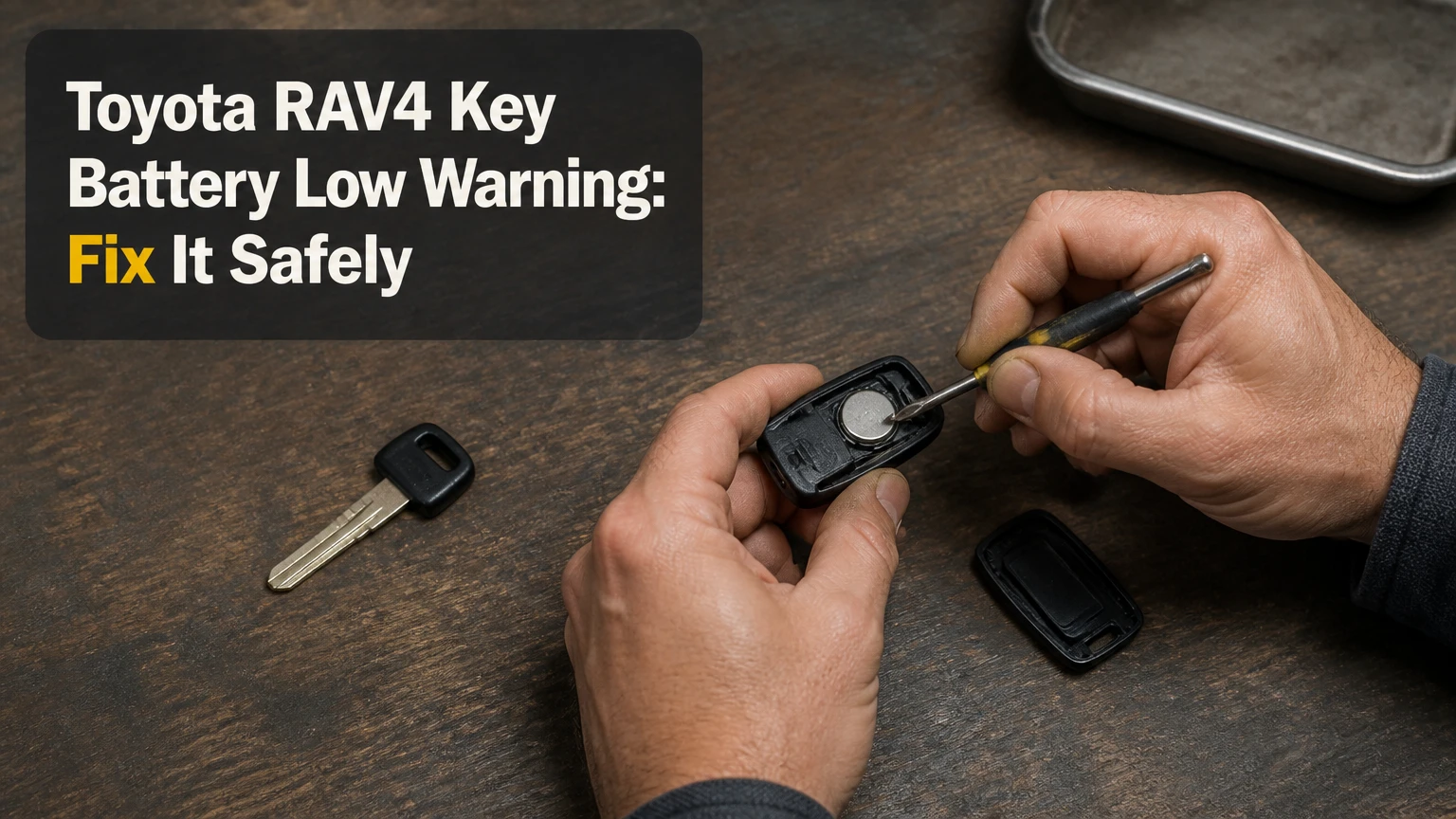
The Toyota RAV4 key battery low warning means the coin-cell battery in the electronic key is losing voltage, not that the vehicle’s main 12-volt battery has necessarily failed. Replace the cell soon, using the number printed on the old battery or specified in the owner’s manual; most Smart Key fobs use a CR2032, but key design and market can change the correct size.
Key Facts
A low key-battery warning concerns the remote fob’s coin cell.
A Toyota RAV4 Smart Key can usually start the vehicle temporarily with a depleted fob battery.
The battery number printed inside the fob is more reliable than a generic model-year chart.
A CR2032 and CR2025 have the same 20 mm diameter but different thicknesses.
Battery replacement normally takes 2-5 minutes and requires no key reprogramming.
A warning that returns immediately can indicate poor contact, an incorrect cell, a damaged fob, or a vehicle-side fault.
What Does the Toyota RAV4 Key Battery Low Warning Mean?
The Toyota RAV4 key battery low warning is a preventive notification from the vehicle’s Smart Key or wireless remote system. The fob still transmits, but its coin cell has insufficient remaining capacity for reliable locking, unlocking, proximity detection, or remote functions.
A driver may first notice shorter lock-button range, delayed response, or a passive-entry handle that works only when the fob is very close. The vehicle can still operate normally because the warning relates to the electronic key transmitter, whereas a weak vehicle battery can cause slow cranking, multiple dashboard alerts, or complete electrical failure.
Toyota owner manuals describe electronic-key battery replacement as routine owner maintenance. The exact warning wording and display behavior vary by generation, trim, market, and instrument cluster, so the dashboard message should be interpreted alongside the fob’s actual performance.
Can you keep driving with the warning?
Yes, a RAV4 can usually be driven while the key-battery warning is displayed, but postponing replacement creates an avoidable lockout risk. The warning does not provide a dependable countdown because remaining life depends on temperature, button use, passive-entry activity, battery quality, and how often the vehicle communicates with the key.
Replace the battery before a long trip, airport parking, winter travel, or any situation where access to the vehicle would be difficult. Keep the second key away from the vehicle and test it, because two original batteries purchased at the same time may reach the end of their service life close together.
Which Battery Does a Toyota RAV4 Key Fob Use?
Most push-button-start Toyota RAV4 Smart Key fobs use a CR2032 lithium coin cell, but the correct battery is determined by the fob and owner’s manual rather than by the RAV4 name alone. A RAV4 Prime is not automatically a CR2450 application; many Prime Smart Keys also specify CR2032.
| RAV4 key configuration | Typical battery seen | How to verify | Important limitation |
|---|---|---|---|
| 2013-2025 Smart Key fob | CR2032 | Read the old cell and owner’s manual | Trim and market can differ |
| RAV4 Prime Smart Key | Often CR2032 | Read the installed cell before buying | Do not assume CR2450 |
| Older remote or transponder key | CR2016 or CR2032 | Match the printed number | Key shell design varies |
| Non-original or replacement fob | CR2032, CR2025, or another cell | Open the shell and inspect it | Aftermarket shells may not match Toyota |
| European or other-market fob | Model-specific | Use the local Toyota manual | Year charts from another market may mislead |
The battery code contains useful physical information. “CR” identifies a lithium manganese-dioxide coin-cell chemistry, “20” generally indicates a 20 mm diameter, and the final two digits indicate approximate thickness in tenths of a millimeter. A CR2032 is approximately 3.2 mm thick; a CR2025 is approximately 2.5 mm thick; a CR2016 is approximately 1.6 mm thick.
Why is the battery number sometimes reported incorrectly?
Generic internet charts often group every RAV4 Smart Key under CR2032 and label every Prime fob CR2450. That shortcut is unsafe because Toyota has used multiple transmitter assemblies, suppliers, markets, and replacement shells. A CR2450 is approximately 5.0 mm thick, so forcing one into a compartment designed for a thinner cell can deform contacts or prevent the case from closing.
Use this verification order:
- Read the number on the installed battery.
- Compare the battery holder markings.
- Check the owner’s manual for the exact vehicle and market.
- Contact a Toyota dealer with the VIN if the fob contains no legible marking.
The printed number inside your fob is the practical authority. Do not substitute a cell because it has the same diameter or because a retailer’s lookup table lists one battery for all RAV4 versions.
What Should You Check Before Replacing the Battery?
Prepare the correct coin cell, a clean work surface, and either the emergency mechanical key or a small plastic pry tool. The task normally takes 2-5 minutes, costs about $3-$10 for a quality single or multipack cell, and does not require fob programming.
Before You Start
Item
Typical requirement
Why it matters
Replacement battery
1 cell, exact printed type
Prevents thickness and polarity errors
Work time
2-5 minutes
Includes opening and testing
Tool
Emergency key or 1 small flat screwdriver
Fits the case’s pry slot
Surface
Clean, dry, flat area
Prevents lost clips and contamination
Safety
Keep coin cell away from children and pets
Button batteries can cause severe injury if swallowed
Check the new battery before installation. Remove any shipping sticker or insulating film, but do not scrape the metal surface. Handle the cell by its edge where possible, because fingerprints and residue can reduce contact reliability.
Toyota’s owner manuals commonly warn that coin batteries are hazardous if swallowed. A replacement cell is small enough to be swallowed by a child, and the chemical injury can begin quickly. Store old and new batteries securely until disposal through a battery-recycling point or local household hazardous-waste program.
How Do You Replace a RAV4 Key Fob Battery?
Replace the battery by removing the emergency key, separating the fob at its designated slot, matching the original polarity, and reseating the case. The most important success factor is installing the exact cell with the positive side in the same orientation as the original.
Step 1: Remove the emergency key
Slide or press the release latch on the side of the Toyota RAV4 fob, then pull the metal emergency key from its housing. The key exposes the mechanical door lock and may also provide a suitable edge for opening the plastic case.
Success checkpoint: The key comes out without bending, and the release latch returns to its normal position.
Common mistake: Pulling the key without moving the release latch can stress the retaining mechanism.
Step 2: Locate the case separation point
Inspect the edge of the fob for a narrow seam or molded pry slot. On many Toyota Smart Keys, the emergency key can fit into the opening intended to separate the two halves, although some versions are easier to open with a small flat tool.
Insert the tool only as far as needed. Twist gently rather than levering against the buttons, circuit board, or key-ring loop.
Success checkpoint: The case begins to separate at the seam while the buttons remain seated.
Common mistake: Using a large screwdriver or twisting aggressively can gouge the plastic or break an internal clip.
Step 3: Open the fob without losing components
Work over the table and separate the housing slowly. Some fobs contain a rubber button membrane, a small transponder component, or a loose internal cover that can shift when the case opens.
Take a quick photograph of the battery position before removing it. The image gives you a reference if the polarity symbol is hidden by the holder.
Success checkpoint: Both case halves, the button membrane, and the battery holder remain intact.
Common mistake: Opening the fob over a car seat or pavement makes a dropped component difficult to locate.
Step 4: Remove the old coin cell
Use a fingernail or a small nonmetallic tool if the holder allows it. If a metal tool is necessary, lift the battery from its edge and avoid bending the spring contacts.
Note the positive and negative orientation. Many Toyota Smart Key designs place the positive side upward, but the original installation is the final reference.
Success checkpoint: The old cell leaves the holder without a bent contact or broken retaining tab.
Common mistake: Prying against the circuit board can damage solder joints or the printed antenna path.
Step 5: Install the exact replacement
Remove the protective film from the new cell, then slide its edge beneath the retaining lip before pressing the opposite edge down. The battery should sit flat and remain captured by the contacts.
Do not stack two batteries, add foil, or use tape to compensate for a loose fit. Those shortcuts can create unreliable contact, excessive pressure, or a short circuit.
Success checkpoint: The battery number matches the old number, the polarity matches, and the cell does not rattle.
Common mistake: Installing a CR2025 where a CR2032 belongs may allow temporary operation but produce weak contact and a returning warning.
Step 6: Close and test the fob
Align the case halves and press around the perimeter until the clips engage. Reinsert the emergency key, then test lock, unlock, rear hatch, and panic functions beside the vehicle.
If the RAV4 has passive entry, test the door-handle sensor with the fob in your pocket. Do not judge the repair only by the dashboard message, because the vehicle may update the warning after a short delay or after a new ignition cycle.
Success checkpoint: The case seam is closed evenly, the buttons feel normal, and the vehicle responds from a practical distance.
Common mistake: Pinching the rubber membrane between the case halves can make one or more buttons stick.
How Much Does RAV4 Key Battery Replacement Cost?
DIY replacement typically costs $3-$10 and takes under 10 minutes, while an auto-parts store may charge $5-$15 including a battery and a dealer visit may cost approximately $25-$85 or more depending on local labor policy. A complete replacement fob is a separate repair and can cost hundreds of dollars.
| Replacement option | Typical out-of-pocket cost | Typical time | Best use |
|---|---|---|---|
| DIY branded coin cell | $3-$10 | 2-5 minutes | Correct battery and intact fob |
| Auto-parts store service | $5-$15 | 5-15 minutes | Owner wants installation help |
| Toyota dealer battery service | $25-$85 | 15-60 minutes | Owner wants verification |
| Locksmith diagnosis | $20-$75 | 15-45 minutes | Fob has damage or programming concerns |
| Complete smart-key replacement | $150-$500+ | 30 minutes to several hours | Lost, damaged, or unrepairable fob |
Prices are typical U.S. ranges, not Toyota-published rates. Dealer pricing depends on whether the service department charges a minimum labor fee, while some parts stores install a battery at no additional charge when it is purchased there.
A battery-only warning does not normally require key registration. Programming becomes relevant when the fob is lost, replaced, electronically damaged, or no longer recognized after battery and contact checks.
What If the Warning Remains After Battery Replacement?
A warning that remains after replacement usually results from an incorrect battery, unremoved insulating film, reversed polarity, poor contact, or a fob that was not fully reassembled. If a confirmed-good cell does not restore normal range, test the spare key and inspect the vehicle for a receiver or 12-volt electrical problem.
| Symptom after replacement | Likely cause | Corrective action |
|---|---|---|
| No buttons work | Film left on, reversed cell, dead new cell | Reopen and verify cell number and polarity |
| Short range remains | Weak cell, dirty contacts, damaged antenna | Try a fresh branded cell and inspect contacts |
| Warning returns immediately | Wrong thickness or poor holder contact | Match the original battery exactly |
| One button fails | Misplaced membrane or damaged switch | Reassemble carefully; seek fob repair |
| Both keys fail together | Vehicle-side issue or interference | Test away from electronics and check 12-volt system |
| Passive entry fails but buttons work | Vehicle setting, proximity issue, or antenna fault | Check Smart Key settings and dealer diagnosis |
Do not assume a new battery is good because its package is sealed. Coin cells can be discharged by age, heat, damaged packaging, or conductive contact with loose metal objects. A battery tester that measures only open-circuit voltage is not a complete load test, but it can identify an obviously depleted cell.
Could the vehicle’s 12-volt battery cause the warning?
A weak vehicle 12-volt battery can create unrelated electrical warnings and communication problems, but the specific key-battery message normally points to the fob cell. Test the vehicle battery when the RAV4 also cranks slowly, resets settings, flashes multiple warning lamps, or loses power after sitting.
Keep the fob away from the vehicle while testing. Continuous proximity can increase communication activity, although the claim that simply storing a key in the car always drains it within months is too broad. Button presses, passive-entry configuration, repeated wake events, and environmental conditions matter.
When is the fob itself damaged?
Fob damage becomes more likely when a new, correctly oriented battery produces no response, the case has water intrusion, buttons are intermittent, or the range changed sharply after dropping the key. Corrosion around the battery holder can interrupt current even when the cell is correct.
A replacement shell can solve cracked plastic but cannot repair a damaged circuit board. Photograph the board before moving it into a new shell, and avoid touching exposed contacts with wet or contaminated fingers.
How Can You Start a RAV4 With a Dead Key Battery?
A Toyota RAV4 with Smart Entry and push-button start can usually start when the fob battery is depleted by holding the Toyota-emblem side of the fob directly against the engine switch while pressing the brake. The immobilizer transponder and vehicle antenna can authenticate the key at close range without normal remote-battery transmission.
- Sit in the driver’s seat and place the RAV4 in Park.
- Press the brake pedal firmly.
- Hold the Toyota-logo side of the electronic key against the engine switch.
- Press the engine switch with the fob or a finger, according to the vehicle’s manual.
- Keep the fob in position until the vehicle recognizes it and starts.
The exact logo orientation and switch procedure can vary by generation. Toyota’s owner manual for the specific RAV4 should control if the vehicle does not respond to the first attempt.
This backup method does not restore remote locking, passive entry, or a functional panic button. It also does not solve a missing key, a damaged immobilizer transponder, a fully discharged vehicle battery, or a failed Smart Key receiver.
How Can You Extend Key-Fob Battery Life?
Key-fob battery life commonly lasts about 1-3 years under typical use, but Toyota does not provide one universal service interval for every RAV4 transmitter. Frequent button presses, constant proximity to the vehicle, extreme temperatures, and accidental activation shorten practical life.
Use these maintenance rules:
- Store the key away from the vehicle when parked at home.
- Avoid placing the fob beside wireless chargers, laptops, or other transmitting electronics.
- Inspect the key after water exposure or a fall.
- Replace both batteries when two matching keys show similar range loss.
- Keep the spare key in a known location, but do not store it inside the vehicle.
- Use a reputable lithium coin-cell brand from a fresh retail package.
- Do not carry a loose battery beside coins, keys, or other metal objects.
A counterintuitive point is that a low warning can appear before the fob stops working, but cold weather can make the apparent decline sudden. Lithium coin cells deliver less usable performance at low temperatures, so replace a marginal cell before winter rather than waiting for complete failure.
Which RAV4 Key-Battery Mistakes Cause the Most Trouble?
The most damaging mistakes are fitting the wrong thickness, bending the battery contacts, and treating a key-fob warning as a vehicle-battery diagnosis. Each error can either create a new fault or hide the real one.
- Trusting a generic chart over the installed marking: Confirm the cell inside the fob first.
- Leaving the protective sticker attached: The fob may show no response because the film blocks electrical contact.
- Forcing the case: The correct pry slot opens the shell with controlled pressure.
- Using metal tools across the circuit board: A short circuit or scratched trace can disable the transmitter.
- Testing only one button: Check lock, unlock, hatch, panic, and passive entry where equipped.
- Replacing the entire key unnecessarily: A coin cell does not require programming when the electronics remain recognized.
The fob should not be considered repaired merely because the warning disappeared. A reliable repair includes a closed case, stable button response, practical operating range, and a successful backup-start procedure understood by the driver.
Frequently Asked Questions
Does a RAV4 key battery low warning mean the key must be reprogrammed?
No. Replacing the coin cell in a recognized Toyota RAV4 fob normally does not erase its programming or require registration. Reprogramming becomes a consideration only when the vehicle does not recognize a known-good fob after polarity, battery type, contact condition, and case assembly have been checked.
How far can a RAV4 key work after the warning appears?
There is no reliable distance or number of days remaining after the warning. A fob may work for weeks, or it may fail quickly in cold weather, after heavy use, or when its battery is already near the end of its capacity. Replace the cell when the message first appears.
Can I use a rechargeable coin battery in a RAV4 fob?
Use the battery chemistry and number specified by Toyota, which is generally a disposable 3-volt lithium coin cell such as CR2032. Rechargeable coin cells can have different voltage, dimensions, charging requirements, and discharge behavior, so they are not a safe substitute unless the vehicle documentation explicitly approves them.
Why does my RAV4 key work only when I hold it near the start button?
A fob that starts the RAV4 only when held against the engine switch may have a depleted coin cell, poor battery contact, or a damaged remote transmitter. The close-range immobilizer backup can still work when ordinary wireless functions fail, so replace and inspect the battery before diagnosing the receiver.
Should I replace the spare RAV4 key battery too?
Replace the spare battery if both keys were used or purchased at the same time and the spare shows reduced range. If the spare has been stored separately and responds normally, test it first and keep it outside the vehicle as an emergency backup rather than replacing parts without evidence.
The Bottom Line
The Toyota RAV4 key battery low warning normally means the electronic key’s coin cell is nearing depletion. Confirm the number inside the fob, install the same battery with matching polarity, test every function, and keep the emergency-start method available. Most RAV4 Smart Keys use CR2032 cells, but the fob marking and model-specific Toyota manual should decide the purchase, especially for RAV4 Prime and older non-original keys.


