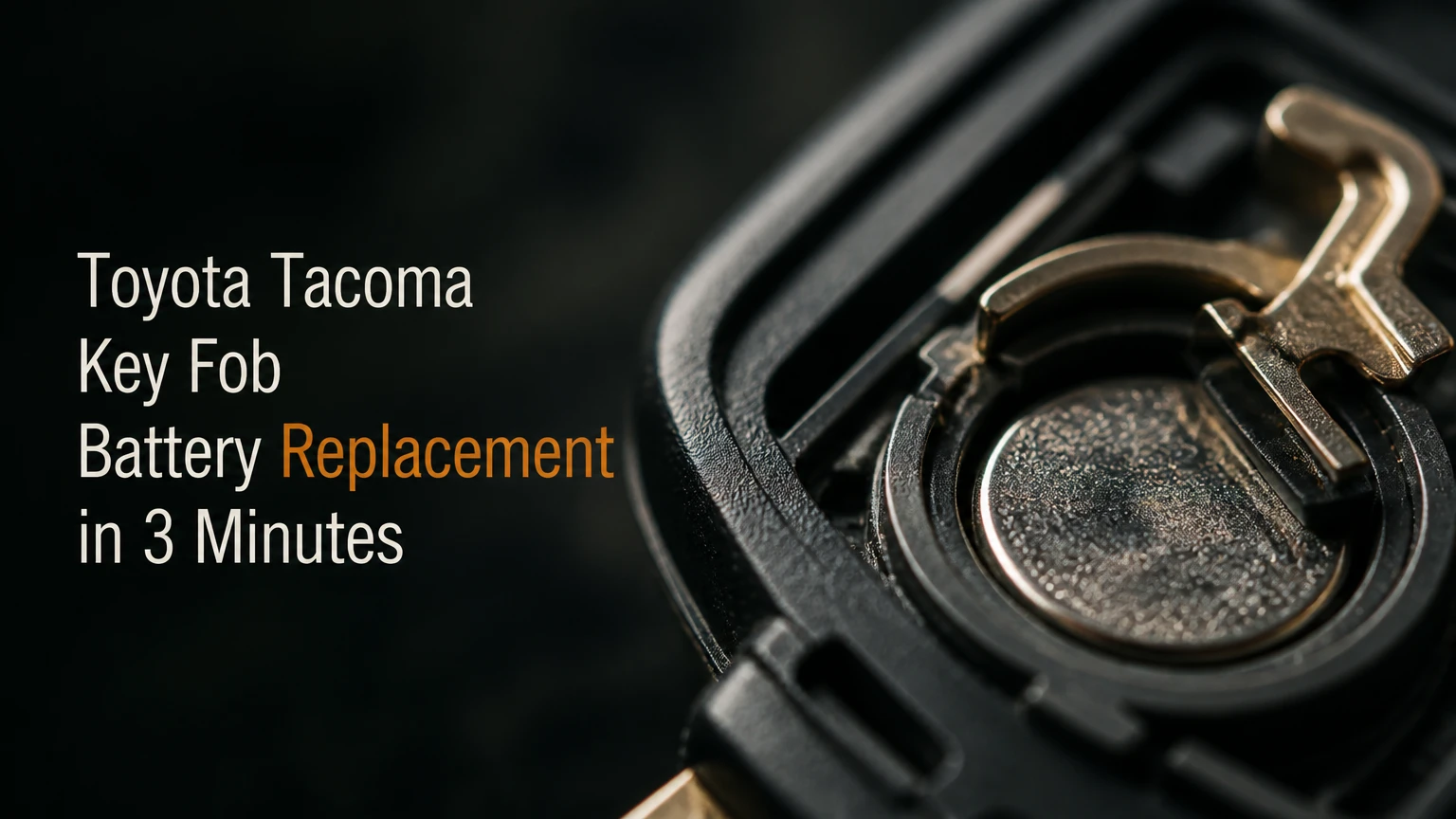
Toyota Tacoma key fob battery replacement normally takes 2-5 minutes and requires a correctly identified coin cell, a plastic pry tool, and careful polarity checks. Most Tacoma fobs use a CR2032 or CR2016, but the exact battery depends on the fob design, market, and replacement housing. Verify the old cell or owner manual first.
Key Facts
A Tacoma key-fob battery replacement normally does not erase the remote’s programming.
CR2032 and CR2016 batteries share a 20 mm diameter but have different thicknesses.
A push-button Tacoma can usually start when the Smart Key battery is dead by touching the fob to the engine switch.
A physical key can unlock the door, but it cannot operate remote locking or replace the electronic immobilizer.
One dead fob usually indicates a fob battery or contact problem; two dead fobs point more strongly toward the vehicle battery or receiver.
A fresh name-brand lithium cell should measure close to 3 volts when unloaded.
Before You Start the Replacement
Toyota Tacoma key fob battery replacement is a low-risk repair when the correct cell and opening point are confirmed first. Set aside about 5 minutes, work over a clean table, and photograph the old battery before removing it. The battery number and positive-side orientation matter more than the Tacoma’s model year alone.
| Requirement | Typical specification | Why it matters |
|---|---|---|
| Replacement cell | 1 CR2032 or 1 CR2016 | The wrong thickness can create loose or excessive contact |
| Work time | 2-5 minutes | Includes opening, swapping, testing, and closing |
| Tools | Plastic pry tool or 1 small flathead | Reduces scratches and circuit-board contact |
| Backup tool | Wooden toothpick | Helps lift a coin cell without shorting terminals |
| Battery cost | About $2-$8 for a branded 2-pack | Typical US retail range, excluding shipping |
| Difficulty | Low | No key programming is normally required |
Use a Panasonic, Sony, Energizer, Duracell, or another reputable lithium coin cell with intact packaging. Do not buy a battery that has been loose in a drawer, because coin cells gradually lose charge and loose cells can develop damaged edges.
Toyota owner manuals commonly specify, “Use a CR2032 lithium battery,” for Smart Key applications, but the instruction varies by fob and market. The printed number on the removed battery remains the strongest immediate check, provided the fob has not been modified.
Which Battery Does a Tacoma Fob Need?
The correct Tacoma fob battery is the number printed on the original cell, the fob’s internal battery marking, or the Toyota owner manual for that exact transmitter. CR2032 is common in Smart Keys, while some older turn-key remotes use CR2016. A CR2025 should not be treated as an automatic substitute.
| Tacoma configuration | Common battery pattern | Verification method | Typical replacement time |
|---|---|---|---|
| 2005-2015 separate remote | CR2016 or CR2032 | Read the removed cell and remote label | 2-4 minutes |
| 2005-2015 integrated key head | CR2016 or CR2032 | Check the battery recess and manual | 2-4 minutes |
| 2016-2023 push-button Smart Key | Usually CR2032 | Read the cell before installation | 3-5 minutes |
| 2016-2023 turn-key remote | Often a thinner coin cell | Match the original marking | 2-4 minutes |
| 2024 and newer Smart Key | Commonly CR2032 | Confirm against the current manual | 3-5 minutes |
The year ranges are useful orientation, not a guarantee. Toyota sold Tacomas with different ignition systems, regional equipment, and replacement shells. A used fob may also have been paired with a different housing, so ordering by a marketplace listing that only says “Tacoma 2016-2023” creates avoidable errors.
CR2032 versus CR2016
CR2032 and CR2016 both measure approximately 20 mm across, but a CR2032 is about 3.2 mm thick and a CR2016 is about 1.6 mm thick. The thicker CR2032 generally stores more energy, but greater capacity does not make it interchangeable with a CR2016.
| Cell | Diameter | Thickness | Nominal voltage | Substitution risk |
|---|---|---|---|---|
| CR2016 | 20 mm | 1.6 mm | 3 V | A CR2032 may over-compress contacts |
| CR2025 | 20 mm | 2.5 mm | 3 V | Intermediate thickness may fit incorrectly |
| CR2032 | 20 mm | 3.2 mm | 3 V | A CR2016 may lose contact in a CR2032 holder |
| BR2032 | 20 mm | 3.2 mm | 3 V | Different chemistry and discharge behavior |
A CR2016 placed in a holder designed for a CR2032 can produce intermittent operation because the spring contact no longer presses firmly against the cell. A CR2032 forced into a CR2016 holder can flatten or permanently bend the contact, causing failure even after the correct battery is installed.
How Does a Tacoma Key Fob Work?
A Tacoma key fob sends a coded radio-frequency command to the truck’s receiver when the owner presses lock, unlock, panic, or another button. A Smart Key also communicates through proximity detection and contains an immobilizer transponder, so replacing the coin cell restores power without normally changing the fob’s identity.
The remote battery powers the transmitter and button electronics. The immobilizer system is separate enough that a completely depleted Smart Key can often still authorize starting at close range through passive transponder communication.
The metal emergency key has a different job. It mechanically turns the driver-door lock cylinder, but it does not restore remote range, unlock the tailgate electronically, or prove that the engine-start authorization system is functioning.
How to Complete Toyota Tacoma Key Fob Battery Replacement
Complete the replacement by removing the mechanical key, opening the housing at its designed seam, matching the original polarity, and testing every button before leaving the work area. The positive side usually faces upward in many Smart Keys, but the old cell’s orientation is the controlling reference because fob designs differ.
Step 1: Identify the Fob Design
Look for a removable metal key, a side release slider, a push-button ignition symbol, or a traditional ignition key integrated into the remote. A 2016-2023 Tacoma with a turn-key ignition may use a different transmitter from a push-button model of the same year.
Check the back cover, battery compartment, and Toyota part marking. Photograph the open battery area if the lettering is small.
Success checkpoint: You know the original battery number and can see where the case is intended to separate.
Common mistake: Ordering a cell from the truck year without checking the actual fob.
Step 2: Remove the Mechanical Key
Press or slide the release mechanism and pull the metal key from the Smart Key housing. Set the key beside the fob instead of placing it under the case as a pry tool, because the key’s edge can damage plastic if twisted aggressively.
Older integrated key heads may open at a notch along the housing seam rather than through the key-storage channel.
Success checkpoint: The mechanical key comes out without bending, and the release slider returns to its original position.
Common mistake: Pulling on the metal key without moving the release switch, which can damage the retaining mechanism.
Step 3: Open the Housing Carefully
Insert a plastic pry tool into the visible notch or the slot exposed after removing the mechanical key. Twist slightly, move along the seam, and release the clips one at a time. A wrapped small flathead can work, but metal should contact the plastic seam only, never the circuit board.
Do not force the shell at a random corner. Some Smart Key housings contain a separate upper module or rubber button mat that can fall out when the case opens.
Success checkpoint: The two halves separate with the buttons, rubber membrane, and circuit board still aligned.
Common mistake: Prying deeply enough to scratch the board or cut the rubber button membrane.
Step 4: Record Polarity and Remove the Cell
Before touching the battery, note which side faces the cover or circuit board. The positive side is marked with a plus sign, but older remotes may position it differently from newer Smart Keys.
Use a plastic pick or wooden toothpick to depress the retaining tab and lift the cell from its edge. Avoid bridging both battery surfaces or levering against delicate soldered components.
Success checkpoint: The old cell is out and the retaining clip remains straight, centered, and spring-loaded.
Common mistake: Using a metal screwdriver directly across the cell and contacts, which can short the battery or deform the holder.
Step 5: Install the New Battery
Slide the replacement cell under the fixed edge of the holder, then press the opposite edge down until the retaining clip captures it. Match the polarity photograph and the marking inside the fob. A battery that rocks, spins, or sits above the holder indicates incorrect size or a damaged clip.
Keep fingerprints off the broad battery surfaces when possible. Oil is rarely an immediate failure cause, but clean contacts provide more reliable low-voltage operation.
Success checkpoint: The cell lies flat, does not move under light pressure, and the contact does not appear crushed.
Common mistake: Installing the battery upside down and assuming the new cell is defective.
Step 6: Reassemble and Test
Return the circuit board and rubber membrane to their molded positions. Align the housing halves, press around the perimeter until every clip clicks, and reinstall the mechanical key.
Stand near the Tacoma and test lock, unlock, panic, and hatch functions where equipped. Test the spare fob too, because a comparison can reveal a truck-side problem.
Success checkpoint: Buttons feel firm, the truck responds from several normal parking-space distances, and the case has no open seam.
Common mistake: Closing the shell with a misaligned button membrane, creating mushy or inconsistent presses.
Does Battery Replacement Erase Tacoma Fob Programming?
Replacing a Tacoma key fob battery normally does not erase programming because the transmitter’s identification and immobilizer data are stored in nonvolatile memory. A battery change restores electrical power; it does not pair a new key to the truck.
Reprogramming becomes relevant when the entire fob is replaced, the transmitter is damaged, the vehicle loses registered keys, or a locksmith diagnoses a communication fault. Do not attempt random online programming sequences on a Smart Key, because some procedures require an active master key, a compatible scan tool, or dealer-level access.
A useful diagnostic rule is simple: if the same fob worked before the battery was removed and its shell closes correctly afterward, programming is unlikely to be the cause.
What Should You Do If the Fob Still Does Not Work?
A Tacoma fob that remains inactive after replacement usually has reversed polarity, poor battery contact, a defective new cell, a misaligned board, or water damage. Reopen the housing and check those causes in that order before paying for programming or buying a complete replacement.
| Symptom after installation | Most likely cause | Corrective action | Typical time |
|---|---|---|---|
| No button works | Reversed cell or dead battery | Confirm plus side and install another fresh cell | 2 minutes |
| Works only when squeezed | Loose contact or cracked holder | Inspect clip and shell pressure | 5-15 minutes |
| One button fails | Misaligned rubber membrane | Re-seat membrane over the switch | 3-5 minutes |
| Very short range | Weak cell or damaged antenna | Test a premium cell and compare spare fob | 5 minutes |
| Truck does not detect Smart Key | Vehicle battery or fob fault | Try emergency start and spare fob | 5-20 minutes |
| Corrosion or green residue | Moisture intrusion | Clean only if minor; replace damaged board | 10 minutes or service |
First, test the new cell outside the fob with a multimeter if available. A fresh CR2032 should read near its 3-volt nominal rating at rest, although an unloaded voltage reading cannot prove that the cell will perform properly under demand.
Next, test the spare fob. One failed fob points toward the fob; two failed fobs make a weak Tacoma vehicle battery, receiver issue, or radio interference more plausible.
How Do You Start a Tacoma With a Dead Smart Key?
A push-button Tacoma can often start with a dead Smart Key by holding the Toyota-logo side or designated face of the fob directly against the engine-start button while pressing the brake. The emergency method uses the fob’s passive transponder, so it may work even when remote locking and proximity unlocking have stopped.
Use this sequence:
- Enter with the mechanical key if the doors are locked.
- Sit in the driver’s seat and place the transmission in Park.
- Press the brake pedal firmly.
- Touch the Smart Key directly to the engine switch.
- Press the engine-start button with the fob still touching it.
The precise contact location can vary by generation, so the owner manual remains authoritative. If the procedure fails with both a fresh battery and a second key, investigate the truck’s 12-volt battery, brake-switch input, immobilizer warning, and receiver system.
This procedure is an emergency workaround, not a repair for a damaged Smart Key. It also does not make the remote buttons operational.
Which Replacement Method Is Best?
DIY replacement is best for an intact fob with a known battery number; a locksmith is better for damaged housings, missing keys, or suspected programming faults; and a Toyota dealer is the safest route when the fob is water-damaged or the truck cannot recognize any registered key.
| Option | Typical cost | Typical time | Programming capability | Best use |
|---|---|---|---|---|
| DIY coin cell | $2-$8 | 2-5 minutes | No | Known battery, intact housing |
| Parts counter | $5-$20 | 5-15 minutes | Usually limited | Owner wants assistance |
| Automotive locksmith | $10-$30 for cell service | 10-30 minutes | Often available | Damaged or uncertain fob |
| Toyota dealer | $10-$35 for battery service | 15-60 minutes | Yes, with proper equipment | Smart Key diagnosis or replacement |
| Complete new fob | $100-$400 or more | 30-120 minutes | Usually required | Lost, destroyed, or unrecognized key |
Prices are typical US ranges and vary by region, labor policy, key type, and whether a complete transmitter is involved. A dealer may replace a coin cell inexpensively, but dealer programming and complete Smart Key replacement are separate services.
A locksmith cannot always program every newer Toyota Smart Key. Ask whether the technician supports the Tacoma’s model year and whether the quoted price includes cutting the emergency key, registering the transmitter, and confirming engine-start authorization.
What Mistakes Damage a Tacoma Fob?
The most expensive mistake is treating the battery holder like a rugged automotive connector. The holder uses thin spring contacts, and one flattened contact can create intermittent faults that resemble a bad circuit board.
Avoid these errors:
- Installing a CR2025 or CR2032 because it physically fits, without matching the original cell.
- Prying against the circuit board instead of the case seam.
- Bending the battery clip until the new cell sits loosely.
- Touching the board with a wet tool or handling the fob over static-prone carpet.
- Closing the shell while the rubber membrane is outside its molded guides.
- Discarding the old battery before recording its orientation.
- Leaving a loose coin cell where a child or pet can reach it.
Lithium coin cells can cause severe injury if swallowed. Tape the terminals of the old cell, keep it away from children, and take it to a battery-recycling collection point rather than placing it loose in household waste.
What If the Tacoma Fob Got Wet?
A wet Tacoma fob should be opened, dried, and inspected before installing a new battery. Do not use a heat gun or place the electronics on a hot radiator, because concentrated heat can warp the housing, membrane, or board.
Remove the battery immediately, blot visible moisture, and allow the components to dry completely in a ventilated location. White powder, green corrosion, darkened contacts, or a sticky button indicates contamination that may continue attacking the board after drying.
A brief splash with no residue may be recoverable. Saltwater, soda, coffee, or prolonged immersion creates a stronger case for locksmith or dealer inspection because dissolved minerals remain conductive after the water evaporates.
How Much Time and Money Should You Expect?
Most owners spend $2-$8 and 2-5 minutes on a correctly matched replacement cell. Professional battery service typically costs $10-$35, while a complete Smart Key replacement can reach $100-$400 or more after programming.
| Scenario | Parts cost | Labor time | Likely total | Decision |
|---|---|---|---|---|
| Intact Smart Key, DIY | $2-$8 | 2-5 minutes | $2-$8 | Best value |
| Older remote, DIY | $2-$8 | 2-4 minutes | $2-$8 | Confirm polarity carefully |
| Locksmith battery service | $10-$30 | 10-30 minutes | $10-$30 | Useful for damaged shells |
| Dealer battery service | $10-$35 | 15-60 minutes | $10-$35 | Useful for diagnosis |
| Lost or failed Smart Key | $100-$400+ | 30-120 minutes | $100-$400+ | Programming required |
Battery life commonly falls in the 1-3 year range, but actual duration depends on button use, passive-entry activity, temperature, storage conditions, and cell quality. A fob kept beside the truck may communicate more often than one stored far away, which can shorten practical life on some Smart Key systems.
When Should You Replace the Whole Fob?
Replace the entire Tacoma fob when the circuit board has corrosion, the battery holder is broken, the buttons are physically destroyed, the housing cannot retain the cell, or the transmitter remains unresponsive after verified electrical tests. A new battery cannot repair a cracked solder joint or failed radio circuit.
A replacement shell may solve worn buttons or a broken outer case, but shell compatibility matters. Transfer the original circuit board and rubber membrane only when the replacement housing is designed for that exact board. A shell that looks identical can have different button geometry or key-retainer dimensions.
A complete replacement fob requires cutting or transferring the emergency key and registering the transmitter. Confirm all existing keys remain recognized before authorizing programming, because key-registration procedures can vary by Toyota system and service tool.
FAQ
Can I use a CR2032 instead of a CR2016 in my Tacoma?
No, not automatically. Both cells have a 20 mm diameter and 3-volt nominal rating, but CR2032 is twice as thick as CR2016. Use the number printed on the original battery or specified in the exact Tacoma owner manual. Forcing the thicker cell into a thinner holder can permanently damage the contact.
How often should I change a Tacoma key fob battery?
Replace the battery when range decreases, the truck displays a low-key-battery warning, or button operation becomes intermittent. A typical cell lasts 1-3 years, although temperature, usage, and storage location affect life. Replacing both fobs at the same time is optional because each transmitter has its own battery.
Will a dead key fob lock my Tacoma?
A dead fob cannot send the electronic lock command, but the mechanical key can unlock the driver’s door. After entry, manually lock the doors or use the interior switch. A dead Smart Key may still start the Tacoma through the emergency fob-to-start-button procedure if the truck’s 12-volt system is healthy.
Why does my Tacoma say key battery low after replacement?
The warning can remain if the new cell is weak, installed incorrectly, or not making firm contact. Check the battery number, polarity, retaining clip, and housing alignment. If the warning persists with a verified fresh cell and the spare fob works normally, have the affected transmitter inspected.
Can AutoZone replace a Tacoma key fob battery?
An automotive parts store may sell the correct coin cell and, depending on location and policy, assist with a simple fob opening. Service availability is not universal, and a parts store generally will not diagnose immobilizer registration or repair a corroded circuit board. Confirm the battery number before accepting installation.
Does a Tacoma need reprogramming after a battery change?
A Tacoma normally does not need reprogramming after only its fob battery is replaced. The transmitter’s stored identity remains in memory. Reprogramming is associated with a new, lost, damaged, or unrecognized fob, not with routine coin-cell replacement in an otherwise functioning transmitter.
The Bottom Line
Toyota Tacoma key fob battery replacement is usually a 2-5 minute DIY task costing $2-$8, provided the cell number is verified before the housing is opened. Match CR2032 or CR2016 exactly, preserve the original polarity, use a plastic pry tool, and test the fob and emergency-start function before closing the job.


