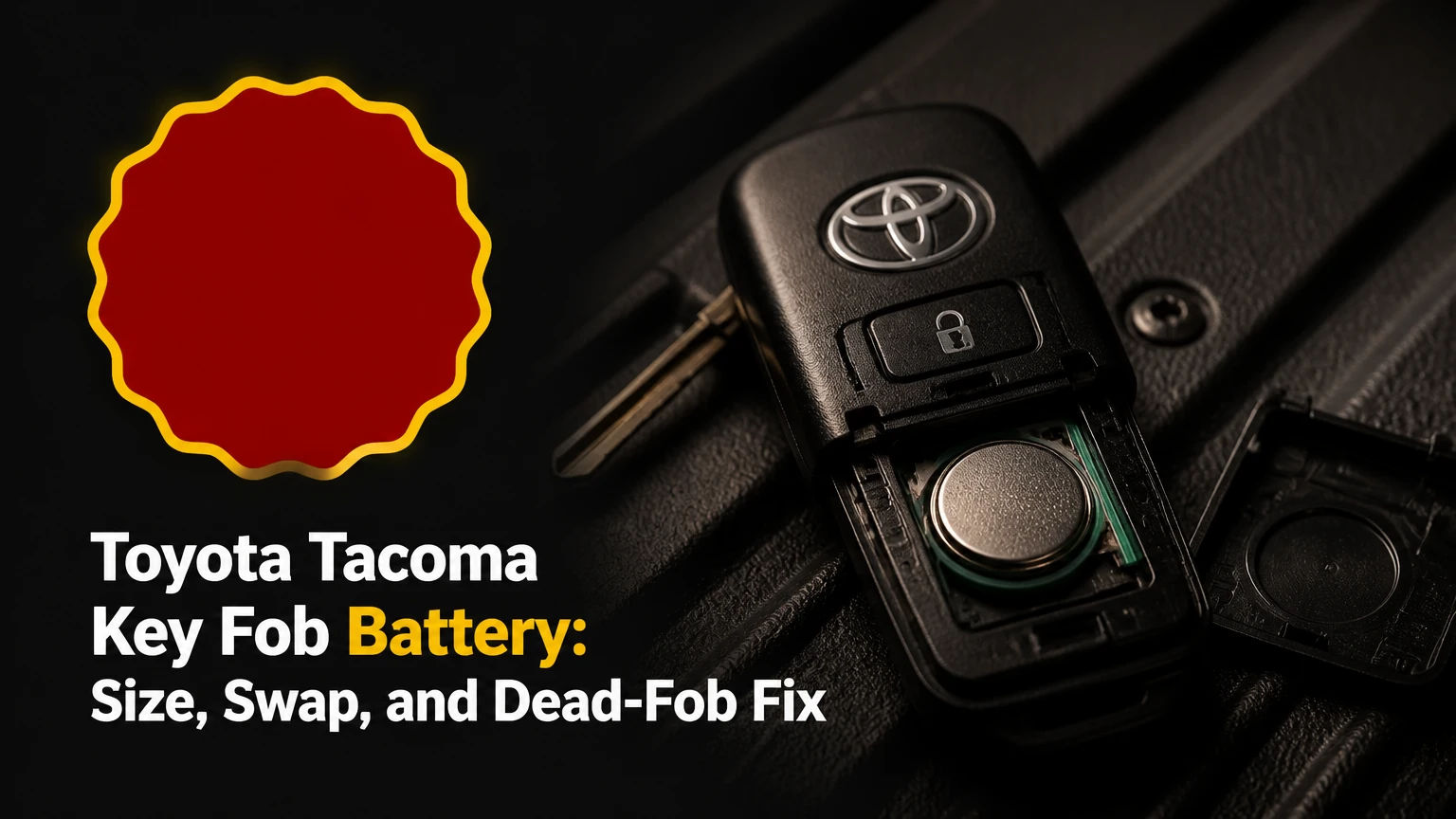
The correct Toyota Tacoma key fob battery is usually a 3-volt CR2032, CR2016, or CR2450 lithium coin cell, depending on the fob’s design and the battery already installed. Confirm the number printed on the old cell or the vehicle’s owner’s manual before buying, because model year alone does not identify every Tacoma remote.
Key Facts at a Glance
- A Toyota Tacoma remote uses a 3-volt lithium coin cell, but the correct size varies by fob.
- Many 2016-2023 push-button smart keys use a CR2032, while turn-key remotes commonly use a CR2016.
- Some 2024 and newer fobs may use a CR2450, but the installed-cell marking and owner’s manual are the final fitment references.
- A battery replacement normally takes 2-5 minutes and does not require key-fob programming.
- The positive side commonly faces upward, although the molded polarity mark inside the specific fob controls installation.
- A dead smart-key battery usually does not prevent emergency unlocking or starting when the fob is used in the Toyota-specified backup position.
What Toyota Tacoma Key Fob Battery Fits Your Truck?
The battery number is determined by the transmitter housing, battery tray, and electrical contacts, not by the Tacoma name alone. Check the old battery for a marking such as CR2032, CR2016, or CR2450, then compare that marking with the owner’s manual before opening a new package.
| Tacoma application | Common fob style | Typical cell | Cell dimensions | Verification rule |
|---|---|---|---|---|
| 2005-2015 turn-key remote | Black or gray separate fob | CR2016 or CR2032 | 20 mm diameter, 1.6 or 3.2 mm thick | Read the removed cell |
| 2016-2023 turn-key remote | Physical ignition key with buttons | CR2016 | 20 mm diameter, 1.6 mm thick | Match the tray and old marking |
| 2016-2023 smart key | Push-button start transmitter | CR2032 | 20 mm diameter, 3.2 mm thick | Confirm manual and old cell |
| 2024 and newer smart key | New-generation proximity fob | CR2032 or CR2450, depending on unit | 20 or 24 mm diameter | Do not rely on year alone |
A CR2016 and CR2032 both measure 20 mm across, but the CR2032 is twice as thick. A thicker cell can prevent the housing from closing or put excessive pressure on the contacts; a thinner cell can lose contact while the fob is in a pocket.
The 2024 Tacoma deserves particular caution. Online fitment charts conflict because Toyota changed fob designs across markets and equipment packages, and some replacement housings do not match the original transmitter. The printed battery number is more reliable than a retailer’s generic “fits Tacoma” description.
What Do the Battery Numbers Mean?
The CR prefix identifies a manganese-dioxide lithium coin cell, the first two digits identify approximate diameter in millimeters, and the final two digits identify thickness in tenths of a millimeter. Therefore, CR2032 means approximately 20 mm by 3.2 mm, while CR2450 means approximately 24 mm by 5.0 mm.
| Cell | Voltage | Diameter | Thickness | Common Tacoma use |
|---|---|---|---|---|
| CR2016 | 3 V | 20 mm | 1.6 mm | Turn-key remote |
| CR2032 | 3 V | 20 mm | 3.2 mm | Smart key and some older remotes |
| CR2450 | 3 V | 24 mm | 5.0 mm | Some newer, larger smart-key designs |
| CR2025 | 3 V | 20 mm | 2.5 mm | Possible substitute only when specified |
CR2025 is not an automatic substitute for CR2032. Its lower thickness may produce intermittent operation, especially when the case flexes or the fob receives impact. Never stack two coin cells to imitate a thicker battery, because the combined voltage can damage the transmitter.
Which Cell Should You Buy?
Buy a fresh name-brand cell from Panasonic, Energizer, Duracell, Maxell, or another established manufacturer, provided its number matches the original battery. A reputable cell normally costs about $2-$5 individually or $4-$8 for a two-pack, while a dealer-installed replacement typically costs about $20-$85 depending on local labor and service policy.
| Buying option | Typical price | Useful life before installation | Best use | Main risk |
|---|---|---|---|---|
| Name-brand single cell | $2-$5 | 5-10 years stated shelf life | Immediate replacement | Higher cost per cell |
| Name-brand two-pack | $4-$8 | 5-10 years stated shelf life | Two remotes | Spare stored in heat |
| Generic multipack | $1-$3 per cell | Varies by seller | Low-cost noncritical use | Old stock or inconsistent output |
| Toyota dealer service | $20-$85 | Same as installed cell | Damaged or difficult fob | Labor charge |
Battery capacity and shelf life vary by manufacturer, packaging date, and storage conditions. Panasonic’s CR2032 data sheets, for example, specify a nominal 3 volts and publish capacity under defined test conditions, but remote-control service life cannot be calculated from that capacity alone because button use, temperature, and passive circuitry differ.
Do not touch both flat faces repeatedly with bare fingers. Finger oils rarely cause an immediate failure, but contamination can reduce contact quality over time. Hold the cell by its edge and remove the package only when ready to install it.
How Do You Replace a Smart-Key Battery?
Replacing a Toyota Tacoma smart-key battery generally requires the emergency key and takes 2-5 minutes. The success factor is opening the case at its molded seam without levering against the circuit board, because the transmitter board contains delicate surface-mounted components.
Before You Start
| Requirement | Typical value | Why it matters |
|---|---|---|
| Replacement cell | 1 matching 3 V coin cell | Wrong thickness can stop case closure |
| Work time | 2-5 minutes | Includes testing the buttons |
| Tool | Emergency key or small flat screwdriver | Fits the case-opening notch |
| Work surface | Clean, dry, 20-25°C preferred | Reduces dropped-part and static risks |
| Optional item | Plastic pry tool | Limits cosmetic marks on the housing |
Keep the fob buttons facing upward while opening a smart key unless the manual specifies another position. Work over a table rather than a driveway, where a spring contact, rubber membrane, or mechanical key can disappear.
Step 1: Remove the Mechanical Key
Press the release button on the side or lower edge of the smart key and pull out the metal emergency key. The key usually exposes or provides access to the case seam.
You will know the step worked when the metal key slides out without force. Do not twist the emergency key sideways inside its storage channel, because the channel is not designed to act as a pry point.
Step 2: Open the Housing at the Notch
Insert the emergency key tip or a small flat screwdriver into the designated notch, then twist gently until the two plastic halves separate. On many 2016-2023 smart keys, the opening point is near the mechanical-key slot; some 2024-and-newer housings use a bottom-center notch.
The case should release with a small snap. If the seam does not open after light pressure, stop and inspect the notch, because forcing a hidden clip can break the housing or deform the seal.
Step 3: Remove the Old Cell
Locate the coin cell and note its orientation before lifting it from the retaining clip. Use a fingernail or plastic tool against the battery edge, not the green circuit board, antenna, or small electronic components.
A successful removal leaves the spring contact straight and the battery tray intact. If the cell is held under a metal tab, slide it out from the unconstrained edge instead of bending the tab upward.
Step 4: Install the Matching Cell
Insert the replacement with the polarity shown by the molded plus sign or the original battery position. On many Toyota smart keys, the positive side faces upward, but the symbol inside the case takes priority over a general rule.
The battery should sit flat with the retaining clip engaged. A loose cell, a bent contact, or a cell that rocks in the tray can cause intermittent locking even when the new battery measures close to 3 volts.
Step 5: Close and Test the Fob
Align the housing halves, press around the perimeter until every clip seats, and reinstall the mechanical key. Test lock, unlock, panic, and tailgate functions from several feet away, then test passive entry or push-button starting if the Tacoma has those features.
The fob works when the vehicle responds consistently from the normal range and the case remains fully closed. A button that feels soft or remains depressed indicates a misaligned rubber membrane rather than a battery problem.
How Does a Turn-Key Tacoma Remote Differ?
A turn-key Tacoma remote often uses a CR2016 and opens as a separate plastic transmitter or as a section of the ignition key. Keep the button side down when separating some older housings, because the rubber button membrane and small internal pieces can shift or fall out.
Turn-Key Replacement Procedure
- Find the case notch. Inspect the side seam for a slot sized for a coin or small flat screwdriver.
- Protect the buttons. Place the fob button-side down if the housing design leaves the rubber membrane unsupported.
- Separate the halves. Twist gently at the notch rather than prying across the entire seam.
- Lift out the module. Remove the transmitter insert only if the housing design requires it.
- Replace the cell. Match the original polarity and slide the battery beneath the retaining clip.
- Inspect loose parts. Confirm that every rubber button, contact, and immobilizer component remains in place.
- Reassemble and test. Snap the housing together, insert the mechanical key, and test each function.
Older Toyota keys may contain a separate immobilizer transponder. The remote battery powers button functions, but the immobilizer system uses a different identification component. If a loose black transponder chip falls out of an older key, the engine may crank without authorizing fuel or ignition.
Can You Start a Tacoma With a Dead Fob?
A Tacoma with push-button start can usually start when the smart-key battery is depleted by holding the Toyota emblem side of the fob directly against the engine Start/Stop button while pressing the brake. The passive transponder backup system does not depend on normal remote-button transmission, although the exact placement is specified in the owner’s manual.
Emergency Access and Starting
- Press the smart key’s release and remove the metal emergency key.
- Insert the key into the driver-door cylinder, which may be hidden behind a trim cap.
- Turn the key to unlock the door manually.
- Enter the Tacoma and place the fob against the Start/Stop button.
- Press the brake pedal firmly and press Start/Stop.
- Replace the coin cell before relying on the remote again.
The backup start method is different from remote keyless entry. A dead battery can disable wireless lock and unlock commands while leaving the immobilizer recognition function available at close range.
A turn-key Tacoma does not use the same push-button backup procedure. Insert the mechanical key into the ignition and turn it normally, but a damaged or missing immobilizer chip can still prevent the engine from starting.
Why Does the Remote Still Not Work After Replacement?
A Tacoma remote that remains dead after a new battery usually has incorrect polarity, the wrong thickness, a displaced contact, a damaged button membrane, or an unrelated vehicle-side fault. Recheck the simple mechanical causes before assuming the key needs programming.
| Symptom after replacement | Likely cause | Check | Corrective action |
|---|---|---|---|
| No LED or vehicle response | Reversed cell or dead new cell | Battery marking and voltage | Reinstall or replace cell |
| LED works, range is short | Weak cell, interference, damaged antenna | Test beside truck and at 20-30 feet | Use fresh cell; inspect housing |
| Lock works, unlock fails | Worn or torn button membrane | Compare button travel | Reseat membrane or replace housing |
| Case will not close | Cell too thick or misseated | Compare CR number and tray | Install specified thickness |
| Remote works briefly | Loose spring contact | Inspect clip pressure | Carefully restore contact or repair fob |
| Both remotes fail | Vehicle receiver, fuse, or truck battery issue | Test spare and truck electrical system | Diagnose vehicle, not only fob |
A battery tester can mislead when checking a coin cell under no load. A cell may show near 3 volts at rest but collapse under transmitter demand if it is old, counterfeit, or damaged.
Do not pry directly on the circuit board. Do not spray contact cleaner into the housing unless the product is explicitly safe for electronics and plastics. If the fob was submerged, battery replacement alone may not restore the transmitter because corrosion can continue beneath the switches and shielding.
Does a Battery Change Require Programming?
A normal coin-cell replacement does not erase the Tacoma remote’s registration, so programming is generally unnecessary. The battery supplies power to the transmitter, while the vehicle stores the fob’s identification separately.
Programming may become relevant when adding a replacement transmitter, replacing the receiver, or installing an aftermarket electronic module. A dealer or qualified automotive locksmith may need the vehicle identification number, proof of ownership, and a compatible programmed key. Battery replacement and key registration are separate services.
After installation, test every button before purchasing a new fob. A remote that worked before the cell change and fails immediately afterward most often has a polarity, contact, or case-assembly problem.
How Long Should a Tacoma Fob Battery Last?
A Tacoma fob battery typically lasts 2-4 years in ordinary use, although high button usage, extreme temperatures, passive-entry polling, and repeated accidental activation can shorten that interval. Reduced operating range, delayed response, or a dim transmitter LED are practical replacement warnings.
Do not store a spare coin cell on a dashboard or in a hot glovebox. Heat accelerates chemical aging, while loose metal objects can short the cell. Keep the spare in its original package in a cool, dry compartment and check its date code when possible.
Replace both remote batteries only when both fobs show symptoms or both cells are the same age. One working fob does not prove that the other has a healthy battery, because usage patterns can differ substantially.
Common Mistakes and How to Fix Them
- Installing the cell upside down: Remove it, follow the molded plus and minus marks, and reseat it without bending the contacts.
- Using CR2025 in a CR2032 tray: Install the specified thickness instead of relying on the shared 20 mm diameter.
- Prying on the circuit board: Close the housing, inspect for lifted components, and seek an electronics-capable locksmith if damage is visible.
- Losing the emergency key or loose insert: Work over a tray and verify every part before snapping the case shut.
- Shorting the battery: Remove jewelry, avoid bridging both faces with metal tools, and discard a visibly hot or damaged cell safely.
- Assuming a new battery repairs water damage: Inspect for green or white corrosion; a contaminated board may require transmitter replacement.
- Buying a complete fob too soon: Test the spare, the truck battery, and the replacement cell before paying for programming.
A professional rule of thumb is to photograph the open fob before removing the old battery. The image records polarity, button placement, and the position of any retaining clips when the housing is unfamiliar.
What Does Replacement Cost?
DIY replacement usually costs $2-$8 and takes 2-5 minutes. A dealer or locksmith may charge $20-$85 for a simple battery service, while a complete replacement transmitter, cutting, and programming can cost far more because those are separate operations.
| Service situation | Typical parts cost | Typical labor or service cost | Typical total time |
|---|---|---|---|
| DIY coin cell | $2-$8 | $0 | 2-5 minutes |
| Dealer battery replacement | $2-$8 | $18-$77 | 10-20 minutes |
| Locksmith battery service | $2-$8 | $10-$40 | 5-15 minutes |
| New programmed smart key | $100-$300+ | $50-$150+ | 30-90 minutes |
Prices vary by region, fob availability, vehicle security procedure, and whether the service provider uses an original Toyota transmitter. A battery-only complaint should not automatically produce a new-key quote.
When Should You Use a Dealer or Locksmith?
Use a dealer or automotive locksmith when the housing is cracked, the transponder is missing, the transmitter has water damage, a replacement fob must be registered, or both original remotes fail after verified battery installation. A simple exposed-cell replacement is usually a reasonable DIY task when the case seam and polarity marks are clear.
Bring all existing keys when adding a programmed key. Some programming procedures require every authorized key to be present, and an absent key may be removed from the vehicle’s memory during registration.
Toyota owner’s manuals remain the controlling source for emergency-start location, key registration limits, and battery fitment for a specific vehicle. Generic dealership charts and online marketplace listings can combine several Tacoma generations under one product description.
Frequently Asked Questions
Can I use a rechargeable battery in a Tacoma key fob?
No. Tacoma remotes are designed for a 3-volt disposable lithium coin cell with a defined diameter, thickness, discharge profile, and contact geometry. Rechargeable coin cells may use different chemistry or voltage and can damage the transmitter or deliver unreliable range. Use the exact nonrechargeable CR number specified for the fob.
Will disconnecting the truck battery erase my key fob?
Disconnecting the Tacoma’s 12-volt battery normally does not erase registered key-fob identities. The remote registration is stored in vehicle security electronics rather than maintained by the coin cell. If the fob stops working after truck-battery service, test the remote battery and vehicle electrical system before paying for programming.
Why does my Tacoma key fob work only near the truck?
Short range usually indicates a weak coin cell, poor battery contact, a cracked housing, or radio interference. Test the fob beside the truck and then at 20-30 feet with a fresh correctly oriented cell. If the spare remote has normal range, the first fob likely needs contact, switch, or transmitter repair.
Can a locksmith replace a Toyota Tacoma fob battery?
Yes. An automotive locksmith can replace the coin cell and may also diagnose damaged contacts, buttons, or a transmitter board. Locksmith service is especially useful for older turn-key housings with loose immobilizer components. Ask whether the quoted price covers only the battery or includes programming and a complete replacement key.
Where is the emergency keyhole on a Tacoma?
The emergency keyhole is typically behind a removable trim cover on the driver’s exterior door handle, although the exact cover and release method vary by generation. Remove the mechanical key from the smart fob and consult the Tacoma owner’s manual before forcing the handle trim, because cosmetic covers can break.
The Bottom Line
The correct Toyota Tacoma key fob battery is the exact coin-cell number printed on the removed battery or specified in the vehicle’s manual, not a universal year-based answer. Match the CR2016, CR2032, or CR2450 size, install the positive side according to the housing mark, avoid the circuit board, and test every function before closing the job.


