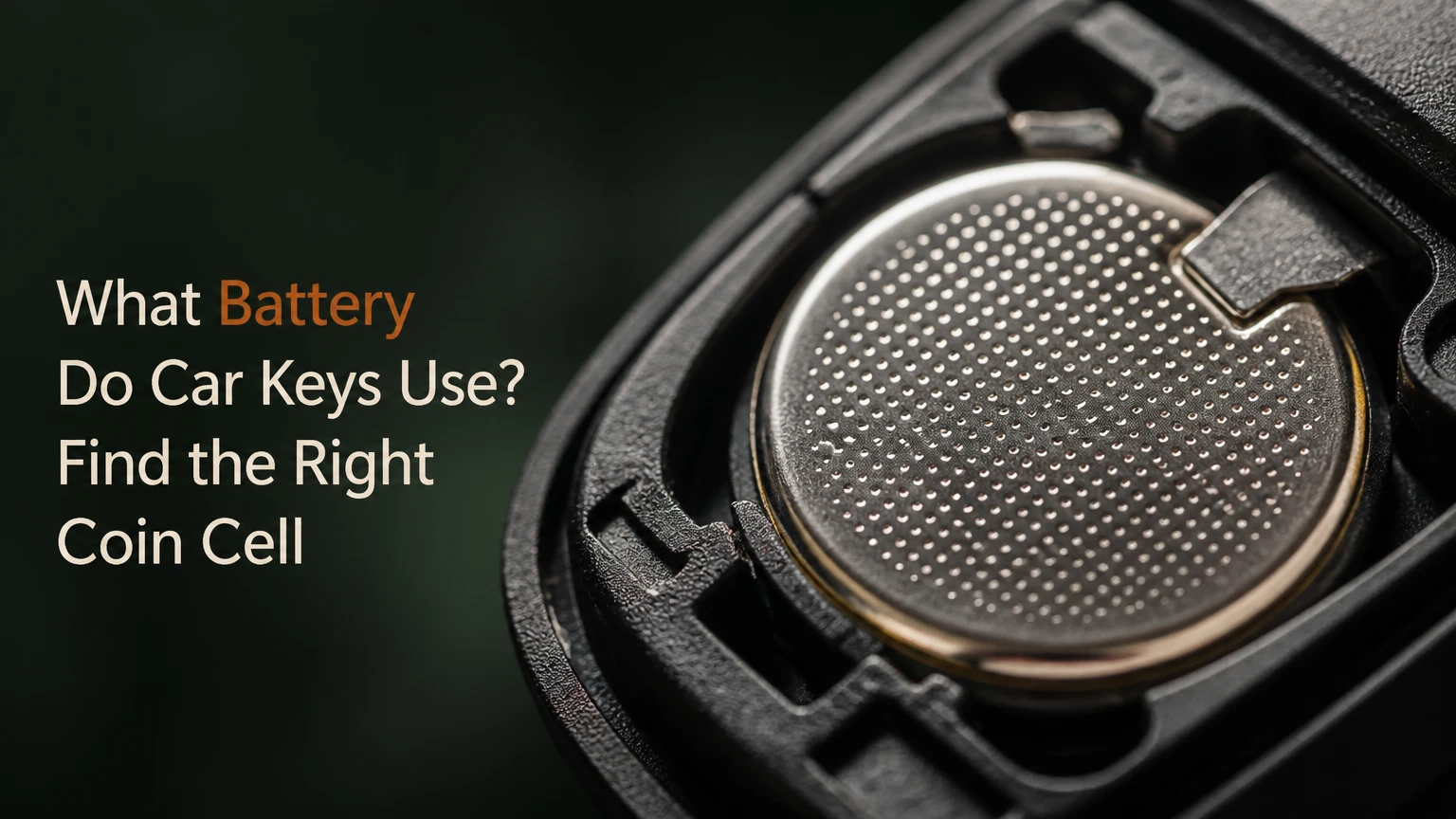
Most car keys and key fobs use a 3-volt lithium coin-cell battery, with the CR2032 being the most common size. Some remotes use CR2025, CR2016, CR1632, CR2450, or a manufacturer-specific equivalent, so the number printed on the old battery or listed in the owner’s manual determines the correct replacement.
Key Facts
A CR2032 is a 20-millimeter-wide, 3.2-millimeter-thick lithium manganese dioxide battery with a nominal voltage of 3 volts.
CR2025 and CR2016 are thinner than CR2032, even though all three cells measure 20 millimeters across.
The correct battery depends on the key-fob compartment and electrical contacts, not simply the vehicle’s make or model.
Replacing a key-fob battery normally does not erase the remote’s programming.
A typical button-operated remote battery lasts about 2-5 years; passive-entry keys may last less because their circuits perform additional detection functions.
A dead fob battery usually does not prevent the mechanical emergency key from unlocking the door or the vehicle’s backup start system from recognizing the fob.
What Battery Do Car Keys Use?
The most common car-key battery is the CR2032 lithium coin cell, a flat, non-rechargeable primary battery rated at 3 volts. CR2025 and CR2016 cells share the same 20-millimeter diameter but have different thicknesses, which means they are not automatically interchangeable in a key fob.
The battery code identifies a physical and chemical specification. Under the common coin-cell naming convention, C identifies lithium manganese dioxide chemistry, R identifies a round cell, the first two digits indicate approximate diameter in millimeters, and the final two digits indicate thickness in tenths of a millimeter. Therefore, CR2032 means approximately 20 millimeters wide and 3.2 millimeters thick.
A battery marked DL2032 or ECR2032 may be a manufacturer’s designation for a CR2032-compatible cell. The brand prefix does not make a different physical size, but the cell should still come from a reputable manufacturer and be fresh stock.
Why Is CR2032 So Common?
CR2032 cells combine a compact 20-millimeter footprint with more capacity than thinner 20-millimeter cells. The size fits many remote housings, while the 3-volt output matches the voltage range used by key-fob microcontrollers, indicator LEDs, memory circuits, and radio transmitters.
Capacity is not a guaranteed runtime figure. Temperature, button frequency, accidental button presses inside a pocket, passive-entry architecture, and the fob’s standby current all affect service life.
How Does a Key-Fob Battery Work?
A lithium coin cell stores chemical energy between a lithium-based negative electrode and a manganese dioxide positive electrode. Pressing a remote button completes the circuit, allowing the cell to supply current to the fob’s control electronics and radio transmitter.
A key fob does not send the car’s entire security authorization as a simple fixed code. Most modern systems use rolling codes or cryptographic authentication, although the exact protocol varies by vehicle manufacturer and model year. The battery powers the fob side of that transaction, while the vehicle supplies the receiving antenna, control module, and immobilizer logic.
Keyless-entry and passive-entry systems have different power demands. A conventional remote may spend nearly all its time asleep, waking when a button is pressed. A proximity key may periodically listen for or respond to low-frequency vehicle signals, but “constantly transmitting” is an oversimplification. Many systems reduce power use through short wake cycles and passive detection methods.
What Does the Battery Number Mean?
The battery number describes the cell’s approximate dimensions and chemistry, not the vehicle brand.
| Code | Chemistry | Diameter | Thickness | Nominal voltage |
|---|---|---|---|---|
| CR2016 | Lithium manganese dioxide | 20 mm | 1.6 mm | 3 V |
| CR2025 | Lithium manganese dioxide | 20 mm | 2.5 mm | 3 V |
| CR2032 | Lithium manganese dioxide | 20 mm | 3.2 mm | 3 V |
| CR1632 | Lithium manganese dioxide | 16 mm | 3.2 mm | 3 V |
| CR2450 | Lithium manganese dioxide | 24 mm | 5.0 mm | 3 V |
The final two digits matter mechanically. A CR2025 is 0.7 millimeters thinner than a CR2032, while a CR2016 is half as thick as a CR2032. That difference can prevent the cell from making reliable contact, allow it to move in the holder, or make the fob cover fail to close correctly.
Which Coin-Cell Batteries Fit Car Key Fobs?
CR2032 fits many Ford, Chevrolet, Toyota, Honda, Nissan, Subaru, BMW, and other vehicles, but no universal brand chart can identify every application. Manufacturers often change battery size between trim levels, key generations, and markets, so the printed code inside the fob is more reliable than a brand-based assumption.
| Battery | Typical capacity range* | Common application pattern | Main compatibility warning |
|---|---|---|---|
| CR2016 | 75-90 mAh | Slim remotes and some older fobs | Too thin for a holder designed for CR2032 |
| CR2025 | 150-170 mAh | Compact remotes and selected European fobs | Same diameter as CR2032, different thickness |
| CR2032 | 220-240 mAh | Common remote and smart-key design | Still requires the correct polarity and holder |
| CR1632 | 100-130 mAh | Smaller Toyota, Lexus, and other fobs | 16 mm diameter cannot replace a 20 mm cell |
| CR2450 | 500-620 mAh | Larger housings with high-capacity requirements | Too wide and thick for most standard fobs |
*Capacity varies by manufacturer, discharge rate, temperature, and test method. The figures are typical retail-cell ranges, not guaranteed key-fob runtime.
Is a CR2025 the Same as a CR2032?
A CR2025 and CR2032 have the same nominal voltage and diameter, but a CR2025 is 0.7 millimeters thinner and normally has lower capacity. A CR2025 should replace a CR2032 only when the fob manufacturer explicitly permits it or the holder maintains reliable pressure and the vehicle’s manual confirms compatibility.
The reverse substitution is also unsafe as a general rule. A CR2032 can be too thick for a compartment designed around a CR2025, stressing the cover, deforming contacts, or preventing the case from closing.
Some fobs use two CR2016 cells stacked together, but that arrangement is specific to the circuit and holder. Do not create a stacked arrangement unless the original design used it. Two cells can produce the wrong voltage if installed incorrectly, and improper stacking can damage the electronics.
How Can You Identify the Correct Car-Key Battery?
Read the code engraved on the old coin cell, check the owner’s manual, or look for a molded marking inside the battery compartment. The old battery is usually the fastest answer, provided it is the original size and has not been replaced incorrectly.
Use this order of verification:
- Check the owner’s manual. Search the maintenance, key, remote, or battery-replacement section.
- Inspect the existing cell. Look for CR2032, CR2025, CR2016, CR1632, CR2450, DL2032, or ECR2032.
- Compare the holder. Confirm that the new cell sits flat under the retaining clip.
- Match polarity. The side marked with a plus sign is normally the positive terminal, but the required facing direction depends on the fob.
- Check the replacement listing by exact vehicle details. Use year, model, trim, and key style rather than the vehicle name alone.
A key blade, button layout, or outer shell does not reliably identify the battery. Replacement shells may also have been fitted to an original circuit board, creating a visual mismatch between the case and the correct cell.
How Long Does a Key-Fob Battery Last?
A typical conventional remote battery lasts about 2-5 years, while a passive-entry or smart key often lasts approximately 1-3 years. The range depends more on circuit design and usage than on the car’s badge.
| Key type | Typical life | Common drain source | Early-warning symptom |
|---|---|---|---|
| Button-only remote | 2-5 years | Frequent lock or unlock presses | Shorter operating range |
| Remote with trunk or alarm functions | 2-4 years | More button activity | Intermittent response |
| Passive-entry smart key | 1-3 years | Periodic vehicle detection | “Key battery low” message |
| Phone-style digital key backup fob | 1-3 years | Standby electronics | Reduced proximity response |
| Infrequently used spare key | 3-7 years | Aging and storage temperature | Works only near the vehicle |
A key fob can lose range before it stops working completely. Cold temperatures temporarily reduce available output, while a button held down in a bag or drawer can drain the cell far faster than ordinary use.
Fresh cells should remain sealed until needed. Lithium coin cells commonly have multi-year shelf lives, but heat, damaged packaging, and prolonged storage in a hot vehicle can reduce practical performance.
How Much Does a Key-Fob Battery Replacement Cost?
A DIY coin cell typically costs $2-$7, a locksmith or automotive parts store may charge about $5-$20, and a dealership replacement commonly costs $20-$50 when labor or inspection is included. Prices vary by country, battery brand, fob construction, and whether programming is actually required.
| Replacement route | Typical cost | Typical time | Programming normally included? |
|---|---|---|---|
| DIY CR2032 or CR2025 | $2-$7 | 5-15 minutes | No, usually unnecessary |
| Automotive parts store | $5-$20 | 5-20 minutes | Battery service only |
| Mobile locksmith | $10-$30 | 10-30 minutes | Advice or resynchronization may vary |
| Dealership service desk | $20-$50 | 10-30 minutes | Usually battery replacement, not key pairing |
| New programmed key | $100-$600+ | 30 minutes to several hours | Yes, vehicle-specific |
A battery change and a new-key programming service are different jobs. Most fobs retain their identification and rolling-code data when power is removed briefly, but some vehicles require a manual resynchronization sequence after prolonged loss of power or after a replacement fob is installed.
How Do You Replace a Car-Key Battery?
Replacing a typical key-fob battery takes 5-15 minutes, requires the correct coin cell and a small plastic pry tool, and succeeds when the new battery matches the original size and polarity. The most important factor is maintaining the metal contacts while opening the case.
Before You Start
| Requirement | Typical specification |
|---|---|
| Replacement cell | Exact code printed on the old battery |
| Tools | Plastic pry tool or small flat screwdriver |
| Work time | 5-15 minutes |
| Parts cost | $2-$7 for one retail cell |
| Safety condition | Keep loose coin cells away from children and pets |
Step 1: Remove the Emergency Key
Slide or hold the release catch and pull the mechanical key blade from the fob. The removed blade may reveal a slot designed for separating the housing.
Success checkpoint: The blade comes out without forcing the release button.
Common mistake: Using the key blade as a lever before locating the intended notch can scratch or crack the plastic.
Step 2: Open the Fob Case
Insert a plastic pry tool or the specified key tip into the case seam. Twist gently at the molded notch, moving around the perimeter instead of bending one corner aggressively.
Success checkpoint: The case separates along its seam while the circuit board remains seated.
Common mistake: Prying directly against a button membrane or circuit board can dislodge small components.
Step 3: Record Battery Orientation
Before removing the old cell, photograph its position and note whether the plus side faces the cover, circuit board, or a marked terminal. Polarity is a functional requirement, not a cosmetic detail.
Success checkpoint: You can identify the positive and negative faces before the old battery leaves the holder.
Common mistake: Assuming every fob places the plus sign upward can reverse the battery.
Step 4: Install the Exact Replacement
Release the retaining clip and lift out the old cell with a plastic tool. Insert the new battery at the same angle, avoiding force against the contact spring.
Success checkpoint: The cell sits flat, the retaining clip holds it firmly, and no metal tab is folded underneath.
Common mistake: Substituting a thinner cell because it has the same diameter can cause intermittent contact.
Step 5: Close and Test the Fob
Align the housing halves and press around the edges until the clips engage. Test lock, unlock, trunk, panic, and passive-entry functions near the vehicle.
Success checkpoint: The buttons respond from the normal operating distance and the case has no open gap.
Common mistake: Testing only one button can leave a damaged trunk or panic switch undiscovered.
Do not deliberately touch both battery faces with metal tweezers. A metal tool can bridge the terminals, create a short circuit, heat the cell, or reduce its charge. If metal tweezers are unavoidable, grip only the edge and avoid contact with both terminals.
Does Changing the Battery Erase Key Programming?
Changing a key-fob battery normally does not erase programming because the vehicle’s authorization data is stored in nonvolatile memory, not in the coin cell. A fob that fails immediately after a replacement usually has reversed polarity, poor contact, a damaged button, or the wrong battery.
Some vehicles may need resynchronization, but resynchronization is not the same as programming a new key. The procedure varies widely. Typical manual instructions may involve pressing a button near the vehicle, cycling an ignition, or holding the fob against a designated start-button area.
Consult the owner’s manual before performing a sequence from an unrelated vehicle. Incorrect procedures can waste time, and immobilizer programming may require a diagnostic tool, security code, or locksmith equipment.
What Happens If a Smart-Key Battery Dies?
A dead smart-key battery usually disables remote locking and proximity detection first, while the vehicle retains an emergency method for entry and starting. The emergency method differs by model and may involve removing the hidden key blade and placing the fob in a marked backup pocket or against the start button.
| Situation | Likely result | Immediate action |
|---|---|---|
| Remote buttons stop working | Coin cell is weak or dead | Replace the cell |
| Door will not unlock remotely | Remote signal is unavailable | Use the mechanical key |
| Push-button start says key not detected | Fob signal is too weak | Hold fob against the backup sensor |
| Alarm sounds after mechanical entry | Vehicle sees manual unlocking | Press unlock or start with the recognized fob |
| New battery gives no response | Orientation or contact fault | Recheck polarity and clips |
The backup location may be in the center console, cup holder, steering-column area, glove box, or directly against the start button. The owner’s manual provides the authoritative location.
Can You Use a Rechargeable Battery in a Key Fob?
A standard rechargeable coin cell should not replace a CR2032 unless the fob explicitly specifies that chemistry and voltage. Common rechargeable LIR2032 cells have a nominal voltage around 3.6 volts, higher than the 3-volt CR2032 specification, and that difference can damage electronics or produce unreliable operation.
Rechargeable cells also have different discharge characteristics and charging requirements. Most automotive key fobs contain no charging circuit, so installing a rechargeable cell does not make the fob recharge itself.
Lithium coin cells are primary batteries. Replace them with the same specified chemistry and size rather than choosing an alternative based only on the diameter.
Why Does a New Key-Fob Battery Not Work?
A new key-fob battery that fails immediately usually has an installation problem, an incorrect cell, or a pre-existing fob fault. Battery replacement cannot repair a broken switch, corroded circuit board, failed antenna, or vehicle receiver problem.
Check these causes in order:
- Wrong code: Confirm CR2032 versus CR2025 or CR2016.
- Reversed polarity: Match the plus sign to the original orientation.
- Poor contact: Inspect whether the spring tab touches the battery firmly.
- Protective film: Remove any shipping tab or plastic insulator.
- Damaged case: Confirm the housing closes tightly and does not lift the cell.
- Weak new cell: Exchange cells if the package is old, damaged, or counterfeit.
- Vehicle-side fault: Test the spare fob or check whether the car responds to its interior backup sensor.
Do not scrape a battery’s safety coating as a first-line repair. Bitter coatings on some retail cells are intended to discourage swallowing, but contact problems should be solved by correct seating and clean, undamaged terminals. If cleaning is necessary, use a small amount of isopropyl alcohol on a lint-free swab and allow the surface to dry fully.
When Is the Fob Faulty Instead of the Battery?
A key fob is more likely to have an electronic or mechanical fault when a verified fresh battery produces no LED activity, no button response, and no improvement in range, especially after water exposure or a drop. A spare fob provides a useful comparison because it separates the vehicle receiver from the original remote.
A damaged rubber button may press without activating the underlying switch. Corrosion can also remain hidden beneath a battery clip. Professional inspection becomes more sensible when the board is wet, the contacts are torn, or the vehicle does not recognize either available fob.
Which Key-Fob Battery Should You Buy?
Buy a fresh, reputable lithium cell with the exact code specified for the fob. Brand selection matters less than correct dimensions, intact packaging, credible date information, and storage history, although higher-quality cells may provide more consistent performance across temperature changes.
| Buying factor | Preferred choice | Avoid |
|---|---|---|
| Chemistry | Lithium manganese dioxide, CR-series | Unspecified alkaline substitute |
| Voltage | 3 V nominal | LIR rechargeable cell around 3.6 V |
| Packaging | Sealed individual blister or manufacturer pack | Loose cells from unknown inventory |
| Temperature exposure | Normal room-temperature stock | Cells stored in a hot vehicle |
| Quantity | One installed cell plus one home spare | Loose cells accessible to children |
| Contact surface | Clean, undamaged terminals | Corroded or visibly scratched cells |
Cold-weather drivers may notice shorter range from any coin cell because low temperature reduces available current temporarily. A fresh cell from a reputable manufacturer helps, but it cannot overcome a damaged contact, weak fob antenna, or vehicle receiver fault.
Keep spare batteries in their original packaging at home rather than loose in a glove box. A coin cell can short against keys or coins, and extreme vehicle heat is unnecessary stress on the battery.
What Are the Most Common Replacement Mistakes?
The most common error is selecting a battery by diameter alone. CR2016, CR2025, and CR2032 all measure approximately 20 millimeters across, but their different thicknesses directly affect terminal pressure and case fit.
Other avoidable mistakes include:
- Installing the plus side in the wrong direction.
- Bending the retaining spring while prying out the old cell.
- Using a rechargeable LIR2032 in a fob designed for CR2032.
- Closing the case with a misaligned rubber button membrane.
- Assuming a dead remote means the key needs programming.
- Leaving a loose coin cell where a child or pet can reach it.
- Buying a battery from damaged packaging or an uncertain source.
- Testing only beside the car, where even a weak signal may appear successful.
A useful practitioner rule is to photograph the open fob before touching the old battery. That single image records polarity, contact position, button-membrane alignment, and the location of any insulating film.
Frequently Asked Questions
Can I Put a CR2032 in Any Car Key?
No. A CR2032 fits only a key fob designed for its 20-millimeter diameter, 3.2-millimeter thickness, 3-volt chemistry, and contact arrangement. Check the old battery, owner’s manual, and holder before buying. A vehicle may use different batteries in different key generations or trim levels.
Does a Car Key Battery Charge While Driving?
A conventional car-key coin cell does not charge while driving. Most key fobs use a replaceable primary lithium battery, and the vehicle does not recharge it through the ignition or wireless communication. Some specialized systems may use different technology, but the owner’s manual must specify rechargeable operation.
How Do I Know Which Side of the Battery Faces Up?
The plus sign identifies the positive face, but “up” varies by key-fob design. Photograph the old battery before removal and reproduce its orientation. If the housing contains a molded plus symbol, match that marking. Reversing the cell can prevent operation without necessarily damaging the fob.
Can a Dead Key Fob Lock Me Out of the Car?
A dead key-fob battery can disable remote and proximity functions, but most vehicles provide a mechanical emergency blade. Many push-button vehicles also include a backup detection location where the fob can start the engine despite a dead coin cell. Find that location in the owner’s manual before an emergency.
Should I Replace Both Key Batteries at Once?
Replace the battery in the second fob if it is the same age and shows reduced range, but do not replace a working cell merely because the first one failed. Record the installation date and keep one correctly packaged spare. Never store loose coin cells together with metal objects.
Does a Key-Fob Battery Need Programming After Replacement?
Usually not. A battery replacement normally preserves the fob’s stored authorization data, so the buttons should work immediately after correct installation. If the remote remains unresponsive, verify the battery code, polarity, contacts, and manual resynchronization procedure before paying for key programming.
The Bottom Line
The answer to what battery do car keys use is usually a 3-volt CR2032 lithium coin cell, but the exact code printed on the existing battery or listed in the owner’s manual is decisive. CR2025, CR2016, CR1632, and CR2450 cells serve other fob designs, and similar-looking batteries are not automatically interchangeable.
Replace the cell with the same chemistry, diameter, and thickness, install the positive side correctly, protect the contact springs, and test every function after closing the case. If a verified new battery does not restore operation, investigate contacts, buttons, resynchronization, and the vehicle receiver before assuming the key needs replacement.


