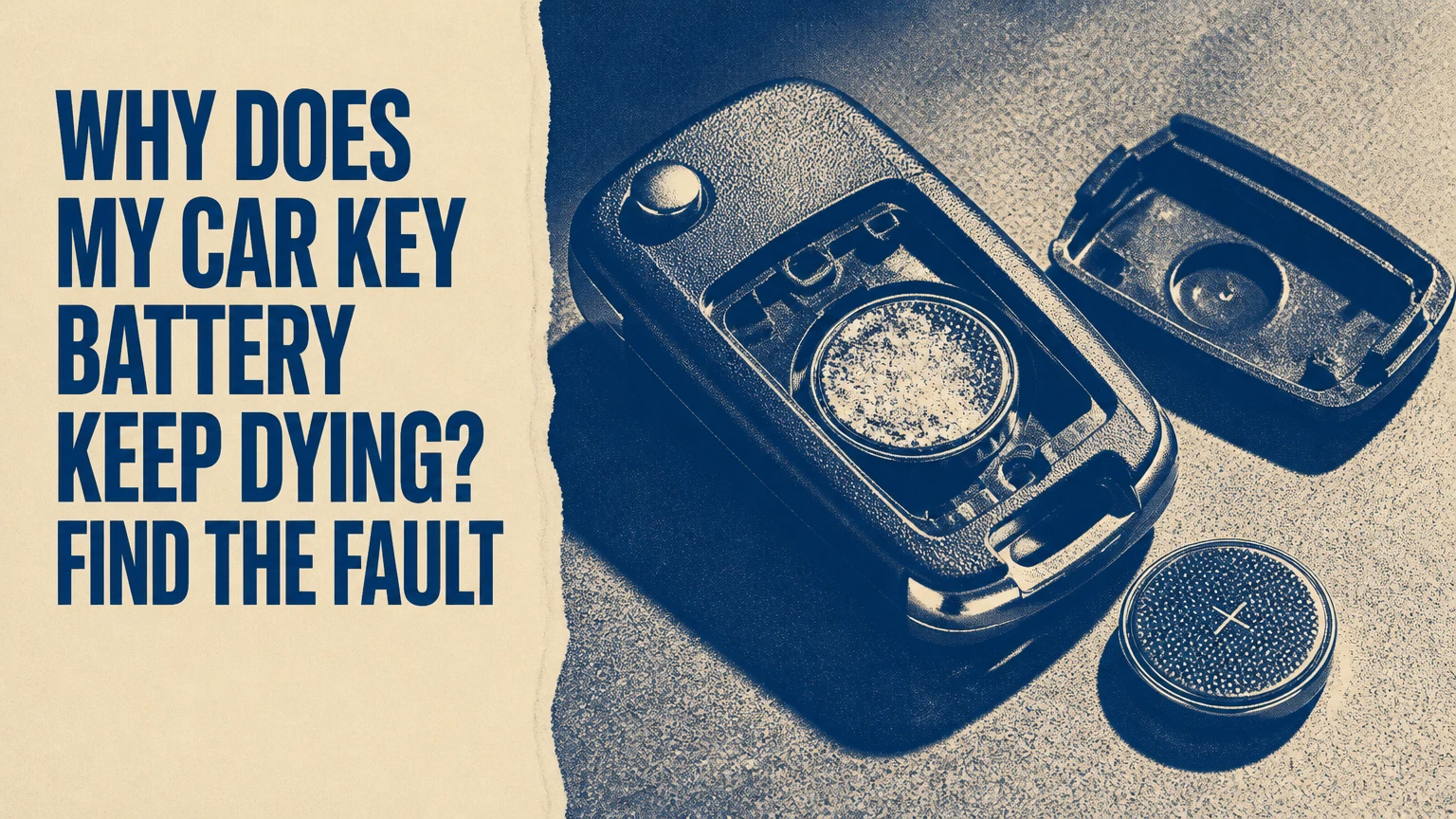
Your car key battery keeps dying because the coin cell is being overworked, poorly connected, degraded by heat or moisture, or installed in a damaged key fob. A normal remote key often lasts 1-3 years, while a passive-entry fob may last 1-2 years; failure within weeks usually indicates a stuck button, water damage, poor battery quality, incorrect fit, or an active proximity fault.
Key Facts at a Glance
- A standard remote key fob commonly uses a CR2032, CR2025, CR2450, or CR1632 lithium coin cell.
- A fresh 3-volt lithium coin cell often measures about 3.2-3.3 volts without a load.
- A replacement battery that dies in days or weeks is usually evidence of a fob or storage problem, not normal battery aging.
- Passive keyless-entry fobs can communicate with the vehicle while stored nearby, but ordinary remote fobs do not continuously transmit merely because a Wi-Fi router is nearby.
- Battery voltage alone cannot prove capacity, contact quality, or correct operation under load.
- A dead fob battery usually does not erase the vehicle’s immobilizer programming or the mechanical key blade.
How Long Should a Car Key Battery Last?
A car key battery should typically last 1-3 years in a conventional remote and about 1-2 years in a passive-entry or push-button-start fob. Actual life depends on button use, vehicle design, temperature, battery capacity, storage distance, and whether the fob has been damaged.
| Fob type | Typical cell | Typical life | Main electrical activity |
|---|---|---|---|
| Basic remote unlock key | CR2032 | 2-3 years | Short transmissions after button presses |
| Remote with trunk and panic buttons | CR2032 or CR2025 | 1-2 years | More frequent user-initiated transmissions |
| Passive-entry smart key | CR2032, CR2025, or CR2450 | 1-2 years | Periodic low-power vehicle-fob exchanges |
| Older integrated key remote | CR1616, CR1632, or CR2032 | 1-3 years | Remote transmission and immobilizer functions |
These are typical practitioner ranges, not a guarantee for every make and model. Panasonic’s CR2032 product data, for example, lists a nominal capacity around 225 mAh under specified test conditions, but the usable capacity in a key fob changes with pulse current, temperature, cutoff voltage, and cell age.
A cell that lasts less than six months deserves investigation. A cell that lasts less than one month points more strongly toward a stuck switch, short circuit, contamination, incorrect battery fit, or a proximity-enabled system that remains active near the car.
Why Does My Car Key Battery Keep Dying?
The most likely cause is a fault that keeps the fob awake or makes it transmit repeatedly. The highest-value first checks are the battery’s age and brand, a button that feels compressed, moisture or corrosion inside the case, loose contacts, and storage beside a vehicle equipped with passive keyless entry.
Is the key stored too close to the car?
A passive keyless-entry fob can lose battery life when it remains within communication range of the vehicle for long periods. The car periodically emits a low-frequency request, and the fob responds through its radio circuit; storing the fob several metres from the garage or inside a signal-blocking pouch can reduce that activity.
The exact distance varies with vehicle antennas, walls, construction, and system design. “Within 15 feet” is not a universal threshold. A key on a hook beside an attached garage may be close enough, while a key in a room across the house may not be.
A Faraday pouch is useful for a passive-entry fob, but it is not a cure for a damaged circuit board. Test the pouch by placing the key inside it and checking whether the car still unlocks or detects the fob. A pouch that fails to block the signal is only a fabric case.
Is a button stuck or being pressed?
A stuck lock, unlock, trunk, or panic button can repeatedly wake the transmitter and drain a battery rapidly. Inspect the rubber pad and plastic housing for a button held below the surrounding surface, then press every button individually to check for a consistent click and spring-back.
Key rings can also press a button inside a pocket or bag. Remove the fob from its case and key ring for a day, but do not leave the vehicle unsecured. If battery life improves, the accessory or case is applying pressure.
Did moisture damage the circuit board?
Water, rain, spilled drinks, sweat, and washing-machine exposure can create corrosion or conductive residue on the printed circuit board. Green deposits, white crust, dark staining, a musty smell, or intermittent operation indicate moisture damage rather than an ordinary flat cell.
Disconnect the battery immediately after water exposure and let the opened case dry fully. Isopropyl alcohol can remove light residue from an unpowered board, but it cannot reliably restore corroded traces, damaged switches, or a failed integrated circuit. A fob that becomes warm, smells burnt, or drains a new cell overnight should not remain in use.
Is the replacement cell old or counterfeit?
A low-quality or old coin cell may have reduced capacity, higher internal resistance, or poor sealing. Buy a named lithium manufacturer from a high-turnover retailer, inspect the expiration or production information when available, and avoid loose cells with damaged packaging.
Counterfeit batteries are especially common in large online multipacks. A low open-circuit voltage does not prove counterfeit status, but a new cell measuring below about 3.0 volts before installation deserves replacement.
Is the battery the wrong size?
CR2032 and CR2025 cells share a 20-millimetre diameter but differ in thickness: 3.2 millimetres versus 2.5 millimetres. A CR2032 forced into a holder designed for a CR2025 can deform contacts or the case, while a thinner CR2025 may lose contact in a CR2032 holder.
| Cell | Diameter | Thickness | Typical capacity | Common risk |
|---|---|---|---|---|
| CR1632 | 16 mm | 3.2 mm | 130-140 mAh | Smaller capacity and wrong diameter |
| CR2025 | 20 mm | 2.5 mm | 160-170 mAh | Loose fit in some CR2032 holders |
| CR2032 | 20 mm | 3.2 mm | 210-240 mAh | Case damage if forced into a thin holder |
| CR2450 | 24 mm | 5.0 mm | 500-620 mAh | Physically incompatible with smaller holders |
Use the code printed on the old cell, the fob holder, or the vehicle owner’s manual. Do not substitute a cell solely because the diameter appears correct.
Are the battery contacts loose or dirty?
Weak spring tension can interrupt power when the fob moves, creating symptoms that resemble a dead battery. Oil, corrosion, residue, or a bent positive tab can also increase contact resistance and cause voltage collapse during radio transmission.
Remove the cell and inspect both faces and the metal tabs. Clean light residue with a small amount of isopropyl alcohol on a lint-free swab, allow complete drying, and restore only slight contact tension. Do not bend a brittle tab repeatedly, because a broken contact can require board-level repair.
How Does a Key Fob Use Its Battery?
A key fob combines a coin cell, control microcontroller, buttons, radio transmitter, antenna, and sometimes a passive-entry receiver. Conventional remotes usually sleep until a button press, whereas passive-entry systems can wake in response to low-frequency signals from the vehicle.
The common radio sequence is more limited than the phrase “constant transmission” suggests. The vehicle may send a low-frequency signal, often around 125 kHz, to locate or authenticate a passive fob; the fob then sends an encrypted response using a higher-frequency radio link, commonly in the 315 MHz or 433.92 MHz region depending on market and vehicle.
A rolling or challenge-response code helps prevent simple replay attacks. The radio burst consumes far more energy than sleep mode, but a healthy fob is designed to spend most of its time asleep.
That distinction matters. A basic button-operated remote normally does not broadcast continuously near a home router, smartphone, induction charger, or television. Electromagnetic interference can disrupt communication, but it is not normally a sustained battery drain mechanism. A stuck input, damaged oscillator, failed receiver, or passive-entry interaction is a stronger diagnosis.
Which Battery Does Your Key Fob Need?
The correct battery is the exact cell specified by the fob design, not the cell with the highest capacity or the most familiar number. CR2032 is common, but Toyota, Honda, Ford, Nissan, BMW, Mercedes-Benz, Volkswagen, and other manufacturers use several sizes across different years and trim levels.
Check the old battery marking first. If the marking is unreadable, use the owner’s manual or parts information for the vehicle identification number. Some fobs contain two cells, a rechargeable pack, or a soldered battery, so opening the case without confirming the design can cause damage.
Do not put a CR2032 into a CR2025 holder to gain extra capacity. The additional 0.7 millimetres can prevent the case from closing and permanently distort the spring terminal.
How Can You Diagnose a Fast-Draining Fob?
Diagnose a fast-draining fob by isolating the key, fitting a verified cell, checking physical inputs, and comparing it with the spare. The process takes about 15-30 minutes initially, then several days to confirm; a second fob provides the most useful control test.
Step 1: Confirm the symptom
Install the correct, reputable battery and record the date. Test lock, unlock, trunk, panic, passive unlock, and vehicle starting functions if equipped.
A fob that fails immediately may have a contact, programming, or circuit fault. A fob that works for three weeks and then fails has a different pattern from a fob that only fails after a cold night.
Step 2: Compare the spare key
Use the spare fob under the same storage conditions for one to two weeks. If the spare remains reliable while the main key fails, the main fob is the leading suspect. If both fobs drain together, investigate storage near the vehicle, extreme temperatures, vehicle-side antennas, or a batch of poor cells.
Two keys failing at the same time does not prove a car fault, but it changes the diagnostic priority.
Step 3: Inspect the housing and switches
Open the case according to the owner’s manual or a model-specific repair guide. Check for a displaced rubber membrane, crushed plastic, corrosion, a cracked circuit board, and a metal button that does not return fully.
Press each switch with the battery removed. A sticky or electrically intermittent switch requires replacement or professional board repair, not another coin cell.
Step 4: Test the cell correctly
A multimeter should show roughly 3.2-3.3 volts for a fresh, unloaded lithium coin cell. That reading is only a screening test because a weak cell can show normal voltage with no load and collapse when the transmitter operates.
A battery tester that applies a suitable load is more informative. Do not short the coin cell with meter probes or wire; short-circuit current can heat the cell and damage it.
Step 5: Check contacts and fit
Confirm that the positive and negative faces match the markings inside the holder. The cell should sit flat without rattling, and the case should close without force.
Test the buttons while gently moving the fob. If operation cuts in and out, suspect contact tension, a cracked solder joint, or a fractured circuit trace.
Step 6: Isolate storage and proximity
For a passive-entry vehicle, store the fob at least 10 metres from the parked car where practical, or use a tested Faraday pouch. Keep the spare away from the primary fob during the test so a single pouch failure does not confuse the result.
A garage wall can reduce radio range, but it is not a reliable shield. Metal filing cabinets, reinforced concrete, and distance may help, yet only a tested pouch or box confirms signal blocking.
What If a New Battery Dies Again?
A new battery that dies again within days should trigger a fob-current or switch diagnosis, not another purchase. A vehicle locksmith can measure quiescent current, inspect the board under magnification, test the transmitter, and determine whether repair or replacement is economical.
Typical diagnostic outcomes differ:
| Symptom | Most likely cause | Next action | Typical time |
|---|---|---|---|
| One fob dies in 1-4 weeks | Stuck switch or board fault | Inspect or repair fob | 15 minutes to 2 hours |
| Both fobs die in 1-3 months | Proximity or vehicle-side issue | Relocate keys and test receiver | 1-4 weeks |
| New cell works only when squeezed | Loose contact or wrong size | Correct cell or repair terminal | 10-45 minutes |
| Fob fails after rain or washing | Moisture corrosion | Dry, clean, or replace board | 1 hour to several days |
| Fob works but car says key not detected | Vehicle receiver, antenna, or programming | Follow manual backup procedure, then scan vehicle | 30 minutes to 1 day |
A new OEM or aftermarket programmed fob commonly costs about $100-$400, depending on vehicle security architecture and local labor. A coin-cell replacement generally costs $2-$10, while a locksmith inspection may cost $50-$150. Dealer programming can increase the total, particularly for proximity systems.
Can Heat or Cold Kill a Key Fob Battery?
Heat and cold can reduce coin-cell performance, but severe drain after normal seasonal changes usually indicates another fault. Lithium coin cells deliver less usable capacity at low temperatures, while prolonged heat accelerates aging, damages seals, and can affect the plastic housing or circuit board.
Energizer’s lithium coin-cell specifications commonly place operating limits near -30°C to 60°C, but those limits are not a promise of full capacity at either extreme. A closed vehicle can exceed 60°C in direct sun, and a fob left in a glove box may experience repeated heat cycles.
Keep spare fobs indoors at normal room temperature. Avoid leaving them in a parked vehicle, direct sunlight, a dashboard, or a damp coat pocket. If a key works again after warming, treat that as a temperature-related symptom, not proof that the battery has recovered permanently.
Can a Dead Key Fob Still Start the Car?
A dead key fob can often unlock the door with its hidden mechanical key and start a push-button vehicle using a backup detection position. The exact procedure depends on the manufacturer, so the owner’s manual is the controlling source.
Common backup arrangements include holding the fob against the start button, placing it in a marked console slot, or touching it to a specific transponder reader. These methods use the fob’s immobilizer transponder or a near-field backup system and may work even when the coin cell cannot power remote functions.
The mechanical blade may unlock only the driver’s door, and an alarm may sound after manual entry. Replace the cell promptly and avoid repeated emergency starts without confirming the vehicle’s prescribed method.
Should You Use a Faraday Pouch?
A Faraday pouch is worthwhile for a passive-entry key stored near the vehicle, especially in a house with an attached garage. The pouch is not necessary for every conventional remote and cannot repair a shorted circuit, stuck button, weak contact, or defective battery.
| Situation | Faraday pouch value | Better first test | Limitation |
|---|---|---|---|
| Keyless-entry vehicle beside garage | High | Store key 10 m away for one week | Must be tested for signal leakage |
| Conventional button remote | Low to moderate | Inspect buttons and battery contacts | Interference is not usually battery drain |
| One damaged fob | Low | Compare with spare | Pouch cannot fix PCB current draw |
| Both keys drain near one vehicle | Moderate to high | Move both keys and inspect vehicle | Vehicle antenna fault may remain |
| Emergency spare stored at home | Moderate | Keep it dry and cool | Some pouches block phone-based features too |
A signal-blocking box should not be used as the only preventive measure if the fob has suffered water exposure. The box hides the symptom while the circuit continues consuming current.
What Common Mistakes Make Battery Drain Worse?
Several popular explanations are incomplete or misleading. Knowing the difference prevents unnecessary parts replacement.
- Assuming every fob is always transmitting: Conventional remotes normally sleep until a button press. Passive-entry systems have different standby behavior.
- Using any 20-millimetre cell: CR2025 and CR2032 have different thicknesses and can create fit or contact faults.
- Trusting an unloaded voltage reading: A cell can measure 3.2 volts and still fail during a transmitter pulse.
- Cleaning a wet board while powered: Battery removal comes first; liquid and energized circuitry increase damage risk.
- Bending contacts aggressively: A terminal that breaks from the PCB can cost more to repair than a replacement fob.
- Replacing both fobs immediately: Compare the spare first. One failing key usually points to that key, not the vehicle.
- Storing the key in the car: Heat, cold, and proximity can combine, particularly when the vehicle remains parked for long periods.
Fingerprints on a coin cell are worth wiping away, but they rarely drain a healthy battery in a few days. Their more realistic effect is contamination of the contacts, which can increase resistance and cause unreliable operation.
When Should You Repair or Replace the Fob?
Repair a fob when the housing, buttons, or battery terminal is the only damaged part and the security electronics remain functional. Replace or professionally reprogram it when corrosion reaches the integrated circuit, the transmitter is defective, the case cannot hold the battery, or repeated repairs approach the price of a programmed replacement.
| Repair or replacement choice | Typical cost | Best use case | Main drawback |
|---|---|---|---|
| New coin cell | $2-$10 | Normal scheduled replacement | Does not address circuit faults |
| Replacement shell | $10-$40 | Cracked case or worn buttons | Electronics must be transferred |
| Locksmith board repair | $50-$150 | Switch, contact, or light corrosion | Not available for every model |
| Aftermarket programmed fob | $60-$250 | Common vehicles with supported programming | Compatibility varies |
| Dealer OEM fob | $150-$400 | Newer encrypted proximity systems | Highest labor and programming cost |
Do not discard a fob solely because remote buttons stop working. If the immobilizer still recognizes it, a shell or switch repair may preserve the vehicle’s programming. Conversely, a visually clean fob that drains cells overnight may have an invisible semiconductor fault and need replacement.
The Bottom Line
Why does my car key battery keep dying? A battery that lasts less than six months is not behaving normally, and a battery that fails within weeks usually indicates a stuck button, moisture damage, poor contact, wrong cell, defective battery, passive-entry proximity drain, or vehicle-side communication fault.
Start with the lowest-cost isolation test: install the specified branded cell, inspect the switches and contacts, compare the spare, and store both keys away from the vehicle. If the same fob continues draining batteries, stop buying cells and have the fob’s standby current tested by a qualified automotive locksmith or dealer.
Frequently Asked Questions
Can a Wi-Fi router drain a car key battery?
A Wi-Fi router normally does not drain a conventional car key battery merely by being nearby. Radio interference may affect communication, but sustained battery loss is more likely to come from a stuck button, damaged circuit, poor contact, or passive-entry communication with the vehicle. Moving the fob away from the car is a more useful test than moving it away from a router.
Why does only one of my two key fobs keep dying?
One key fob that repeatedly fails while the spare remains reliable usually has a local fault. Inspect the failing fob’s switch, membrane, battery holder, corrosion, and case pressure first. If both fobs fail under identical conditions, investigate storage distance, extreme temperatures, vehicle antennas, and battery quality before replacing either fob.
Can a new car battery cause a key fob battery to drain?
Replacing the vehicle’s 12-volt battery does not normally drain a key fob coin cell. A low-voltage event can create vehicle warnings or require remote resynchronization, but repeated fob battery loss points elsewhere. Check the fob itself and passive-entry system, particularly if the problem began after vehicle electrical work.
How often should I replace a spare key fob battery?
Replace a spare key fob battery when testing shows reduced performance, when the manufacturer specifies an interval, or approximately every 2-3 years for a conventional remote kept in dry, moderate conditions. Do not replace a spare preemptively every few months. Store it cool and dry, and test its buttons periodically without leaving it inside the vehicle.
Will removing the key fob battery erase programming?
Removing the coin cell normally does not erase the vehicle’s immobilizer programming or rolling-code pairing. The remote may need resynchronization on some models, and certain fobs have a separate rechargeable or soldered power source. Follow the model-specific owner’s manual procedure before removing the battery from a high-security proximity fob.


